Introduction
Every PG owner holds a lot of sensitive information. Aadhaar copies, phone numbers, parents’ contact details, office IDs, photos, and payment history all sit in your register, your phone gallery, or a spreadsheet someone shared on WhatsApp. If any of it leaks, your tenants pay the price, and your reputation takes the hit. That’s why PG tenant data security is worth taking seriously, even if you run a small 20-bed property.
The good news is that you don’t need to be technical to get this right. Most leaks happen because of simple habits, like a shared password or an old notebook left on a desk. This guide covers where tenant data usually goes wrong, the steps that make a real difference, and how good PG and hostel management software can help you keep everything in one safe place.
Why Tenant Data Security Matters for a PG Business
Think about what a single tenant file holds: full name, address, ID proof, phone number, emergency contact, workplace or college, and rent payment details. In the wrong hands, that’s enough for fraud or harassment.
Your tenants trusted you with this information because they needed a room. Protecting it is part of running a responsible PG.
There’s also a business reason. Parents of students and working professionals ask more questions about safety than they used to. A PG that handles records carefully looks more professional and builds trust, which helps with referrals.
India also has a law on this. The Digital Personal Data Protection Act, 2023 sets rules for how personal data should be collected and handled. Its rules and timelines are rolling out in phases, so check the official MeitY website for the latest position, or ask a legal professional how it applies to your business.
Where PG Tenant Records Usually Leak
Before you fix anything, it helps to know where the risks are. Most PG owners will recognise at least a few of these.
Paper registers and loose ID photocopies
Many PGs still keep a register and a folder of ID photocopies. These are easy to lose, easy to photograph, and easy to forget about after a tenant leaves. Nobody knows who looked at them or who took a copy.
Phone galleries and WhatsApp
Tenants send Aadhaar photos on WhatsApp, and they end up in your gallery, in cloud backups and sometimes in groups. If your phone is lost or someone borrows it, all of that is exposed.
Shared spreadsheets and shared logins
A spreadsheet with all tenant details, shared with the manager, the accountant, and a cousin who “helps sometimes,” is a risk. The same goes for one login that three people use. If something goes wrong, you can’t tell who did what.
Ex-staff and ex-managers who still have access
When a manager leaves, do you remove their access the same day? Many owners forget. A former employee with a working login or a copy of the data is a quiet risk.
Old records that never get cleaned up
Records of tenants who left three years ago are still sitting in files and phones. Old data you don’t need is a risk with no benefit.
Step-by-Step: How to Protect Tenant Records
Here’s a practical checklist you can start on this week.
- Collect only what you need. Ask for the documents required for verification and nothing extra.
- Move records into one system. Stop scattering data across notebooks, galleries and chats.
- Give each person their own login. No shared passwords.
- Limit access by role. A manager doesn’t need the same access as the owner.
- Remove access when staff leave. Do it the same day.
- Keep your own devices safe. Use a screen lock and keep your phone updated.
- Review and delete old data you no longer have a reason to keep.
- Tell tenants how their data is used. A short, honest note is enough.
Let’s go through the important ones in more detail.
Collect less, and collect it carefully
The less data you hold, the less there is to lose. Decide what you really need for KYC and stick to that list.
For Aadhaar, UIDAI has its own guidance on masked copies and how the number should be handled. Ask for a masked copy where that works for you, and check the latest UIDAI advice before storing full numbers.
Keep everything in one place.
When data lives in five places, you can’t protect any of them well. A single system gives you one place to secure, one place to check and one place to delete from.
Here’s how the two approaches compare:
| Registers, galleries and spreadsheets | PG management software | |
|---|---|---|
| Where data lives | Scattered across many places | One central place |
| Who can see it | Anyone who gets the file or phone | Only people with a login |
| Staff access | Usually shared or uncontrolled | Separate logins with set access |
| Lost phone or notebook | Data is gone or exposed | Data stays in the system |
| Tracking changes | Hard to know who edited what | Easier to follow |
| Cleaning up old records | Manual and often skipped | Easier to find and review |
Use separate logins and role-based access.
This is one of the most useful habits you can build. Each person should log in with their own account and see only what they need.
For example, your front-desk manager might need to add tenants and record rent. They probably don’t need to see every expense report or change settings. When access matches the job, one mistake or one bad actor can’t cause as much damage.
Handle staff changes properly.
Make this a rule: when a manager or staff member leaves, you remove their access on their last day. If they’ve been using their own login, this takes a minute. If they’ve been using your shared one, you’ll have to change the password for everyone, which is exactly why shared logins are a bad idea.
Protect the devices you use.
Software is only as safe as the phone or laptop opening it. A few basics go a long way:
- Use a screen lock on every device that opens tenant data.
- Don’t leave your phone unlocked at the front desk.
- Keep your phone and apps updated.
- Be careful with public Wi-Fi when you’re checking records.
- Don’t save tenant ID photos in your phone gallery longer than needed.
Be careful with sharing.
Tenants and parents sometimes ask for details, and managers sometimes forward things on WhatsApp “just this once.” Set a simple rule: tenant information goes only to the tenant or to someone with a clear reason to have it. Don’t forward ID documents in group chats.
What to Look For in a PG Management System
If you’re moving from registers to software, don’t pick one only because it looks nice. Ask a few questions about how it handles your data.
Does it store KYC documents properly? You want tenant documents saved against the tenant’s record, not floating in your gallery.
Can you create separate logins for staff? Role-based access matters more than most owners realise.
Is there a clear privacy policy? A real company explains how data is handled. Read it before you sign up.
Does it work on both phone and computer? If the app is easy to use, your team is less likely to fall back on WhatsApp and paper.
Can you see the full history of a tenant? Having the stay history, payments and complaints together makes the record useful and easier to manage.
What happens when a tenant leaves? Ask how records are kept and how you’d review or remove them.
How PGCRM Helps You Keep Tenant Records Organised
Software isn’t magic, and it won’t fix poor habits on its own. But it removes many of the risks listed above by putting records in one place.
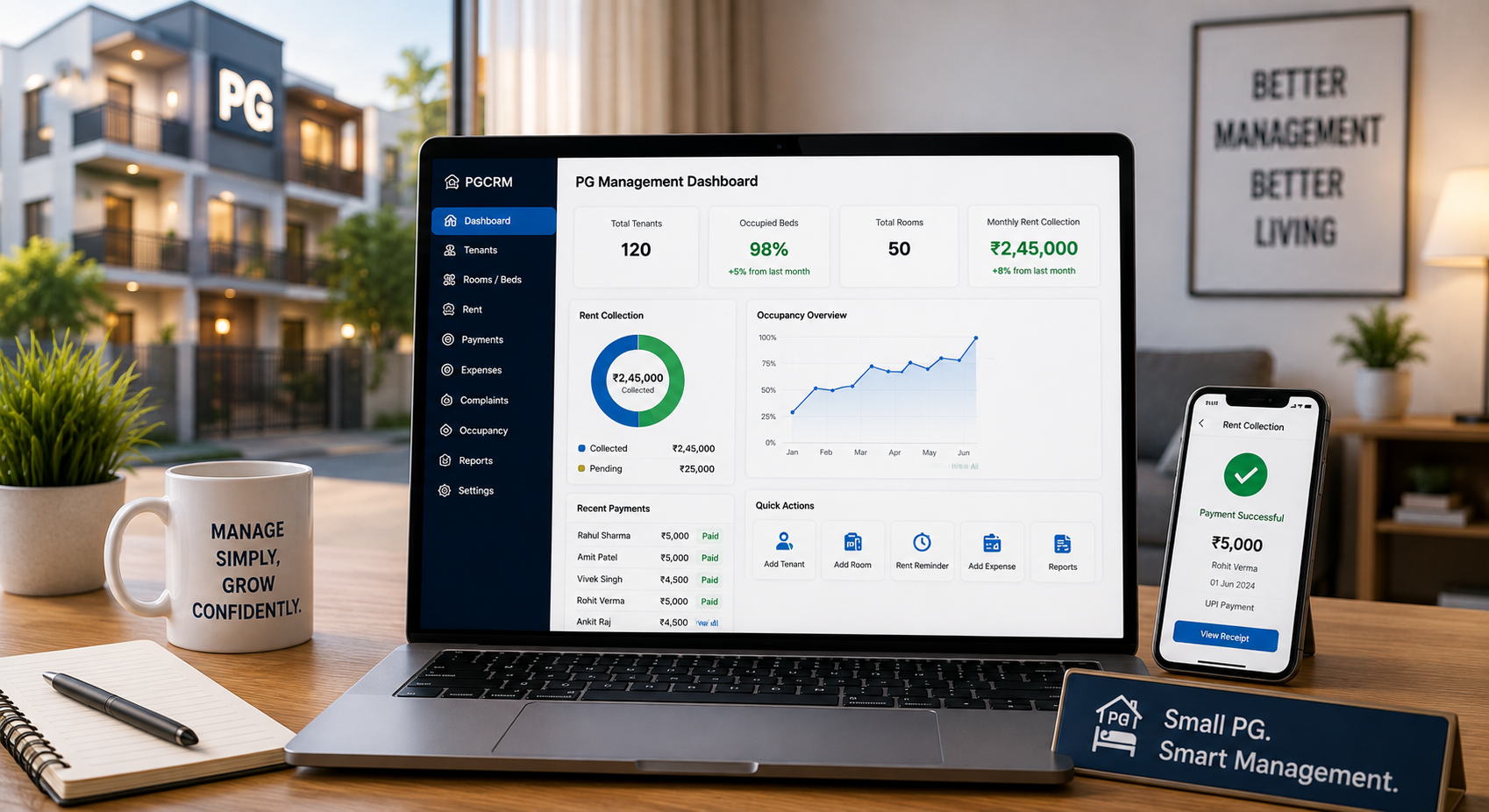
PGCRM lets you save each tenant with their KYC details, joining date and full stay history. Rent, deposits, complaints and expenses sit in the same system, so you don’t need separate notebooks or sheets. The platform works on both phone and web, and the data stays in sync.
For staff, PGCRM offers manager logins with role-based access, so each person gets only the access their job needs. You can read more about how data is handled in the PGCRM privacy policy.
Using one system for tenant records, rent tracking and daily operations makes it much easier to know who can see what.
A Simple Monthly Habit for Data Safety
You don’t need a big security plan. A 15-minute check once a month is enough to catch most problems.
- Check who has access to your system. Remove anyone who shouldn’t.
- Look for tenant documents saved in phone galleries or chats, and delete them.
- Review records of tenants who left and decide what you still need.
- Make sure your phone and apps are up to date.
- Remind your manager of the basic rules: no forwarding IDs, no sharing logins.
Frequently Asked Questions
What is PG tenant data security?
PG tenant data security means protecting the personal information tenants give you, such as ID proofs, phone numbers, addresses and payment details. It covers how you collect, store, share and delete that data, so only the right people can access it and it isn’t lost or misused.
What tenant details should a PG owner collect?
Collect only what you need for verification and running the PG, such as name, contact number, address, ID proof, emergency contact and joining details. Avoid asking for extra documents without a reason. The less personal data you hold, the lower your risk if something goes wrong.
Is it safe to store Aadhaar copies of tenants?
Aadhaar is sensitive, and UIDAI has specific guidance on how it should be handled. Where possible, ask for a masked copy and store it in a secure system, not a phone gallery or WhatsApp. Check the latest UIDAI rules or take legal advice before storing full numbers.
Is a paper register safe for tenant records?
A paper register is easy to lose, copy or photograph, and you can’t track who looked at it. It can work for very small setups if kept locked, but a management system with separate logins gives you better control as your PG grows.
How do I stop my manager from misusing tenant data?
Give your manager their own login with access limited to what the job needs, and never share your owner login. Set clear rules about forwarding documents, and remove access immediately when they leave. Separate logins also make it easier to see who did what.
What should I do if tenant data is leaked?
Act quickly. Find out what was exposed, remove access for anyone involved, and change passwords. Inform the affected tenants honestly. Depending on the situation, you may have legal duties, so speak to a legal professional and check the current rules under the DPDP Act.
Does PG management software make tenant data safer?
It can, mainly by keeping records in one place and letting you control who sees what, instead of leaving data in registers, galleries and chats. Safety still depends on good habits, such as separate logins, device locks and removing old staff access.
Conclusion
Protecting tenant records doesn’t need expensive tools or technical skills. Collect less, keep everything in one place, give each person their own login, and clean up what you no longer need. Do those four things and your PG tenant data security will be better than most.
If you’re still running on registers and WhatsApp, moving to a proper system is a good first step. Explore PGCRM to simplify your PG and hostel management and keep tenant records, rent and daily operations organised in one place.