Average Calls Per Day for a Telecaller: Benchmarks & KPIs
“How many calls should my telecaller make in a day?” It’s one of the first questions every sales manager asks when they start building an outbound team — and one of the hardest to answer with a single number.
The honest answer is that calls per day depends on your industry, your lead quality, your call duration, and how much manual work your team is doing outside the call itself. Teams using telecalling software to automate dialing and lead assignment typically see much higher call volumes than teams still dialing manually from spreadsheets, simply because the software removes the idle time between calls.
This article breaks down realistic benchmarks by industry, explains why call count alone is a poor KPI, and shows you how to set targets that actually improve sales outcomes.
Direct Answer: What Is a Good Number of Calls Per Day for a Telecaller?
A telecaller working manually typically makes 60 to 100 calls per day. A telecaller using an auto dialer or telecalling CRM can reasonably make 150 to 300+ calls per day, depending on average call duration and the nature of the leads being called.
These are working ranges, not fixed rules. A telecaller doing detailed insurance consultations will naturally make fewer, longer calls than one doing quick lead qualification for a real estate project.
Why “Calls Per Day” Alone Is Not Enough
Call count is easy to measure, which is why it gets used so often as a target. But it has a serious limitation: it says nothing about whether those calls were productive.
Two telecallers can both make 150 calls in a day and have completely different results:
- Telecaller A dials sequentially through a clean, pre-qualified lead list using an auto dialer, connects with 60 people, and books 8 follow-ups.
- Telecaller B manually dials a messy, duplicate-heavy list, connects with 20 people, and books 1 follow-up.
Both hit “150 calls.” Only one of them had a productive day. This is why experienced sales managers pair call volume with connection rate, talk time, and conversion metrics rather than tracking calls in isolation.
What Affects How Many Calls a Telecaller Can Realistically Make
Before setting a target, it helps to understand what actually drives call volume up or down.
1. Manual Dialing vs Auto Dialing
Manual dialing involves looking up a number, typing or tapping it in, waiting for it to connect, and then manually logging the outcome afterward. Each of these small steps adds up. Across a full day, this “dead time” between calls can eat up a large share of working hours.
An auto dialer removes most of this friction by moving straight to the next lead in the list once a call ends, which is one reason teams that switch to dialer-based telecalling software often report a sharp jump in daily call volume.
2. Average Call Duration
A quick lead-qualification call for a real estate project might last 90 seconds. A detailed loan or insurance consultation might run 8 to 10 minutes. Longer, consultative calls will always mean fewer calls per day — and that’s expected, not a performance problem.
3. Lead Quality and List Cleanliness
Duplicate numbers, wrong numbers, and stale leads waste dialing attempts without producing a single real conversation. Automatic de-duplication and DNC (Do Not Call) screening before leads reach an agent’s list directly protect the number of calls that actually connect.
4. Non-Calling Tasks
Data entry, manually updating spreadsheets, searching for a lead’s history, or drafting follow-up messages all cut into calling time. A CRM that logs call outcomes automatically and keeps customer history in one place frees up more of the day for actual calling.
5. Shift Length and Break Structure
An 8-hour shift with two short breaks allows for meaningfully more talk time than a shift interrupted by frequent, unstructured breaks or admin work. This sounds obvious, but it’s one of the most common reasons two teams with identical tools post very different call numbers.
Calls Per Day Benchmarks by Industry
These figures are general working ranges based on typical call patterns in each industry, not guaranteed outcomes. Use them as a starting point, then adjust based on your own team’s data.
| Industry | Typical Call Type | Approx. Calls/Day (Manual) | Approx. Calls/Day (With Auto Dialer) |
|---|---|---|---|
| Real Estate | Lead qualification, site-visit follow-up | 60–90 | 150–250 |
| Education / Admissions | Counselling calls, enquiry follow-up | 50–80 | 120–200 |
| Insurance | Policy explanation, renewal calls | 40–60 | 90–150 |
| Recruitment | Candidate screening | 50–80 | 120–200 |
| Financial Services / Loans | Eligibility check, documentation follow-up | 40–70 | 100–180 |
| B2B Sales | Cold outreach, discovery calls | 40–60 | 80–150 |
| E-commerce / D2C Support | Order confirmation, feedback calls | 70–100 | 180–300 |
Note: Insurance and financial services calls tend to be longer and more compliance-sensitive, which naturally caps daily volume even with automation. Real estate and e-commerce calls tend to be shorter, so automation has a bigger multiplying effect.
Better KPIs to Track Alongside Calls Per Day
Rather than managing telecallers to a single call-count number, most experienced sales managers track a small set of KPIs together:
- Connection rate – the percentage of dialed calls that actually connect to a person. A low connection rate usually points to a bad list, not a lazy agent.
- Talk time – total minutes spent actually speaking with prospects. This shows real engagement, not just dialing activity.
- Calls-to-follow-up ratio – how many calls it takes to book a genuine follow-up or next step.
- Conversion rate – leads converted to the next pipeline stage, divided by total calls or total connected calls.
- Idle time – time between calls where the agent isn’t dialing, talking, or logging. High idle time usually signals process friction, not poor effort.
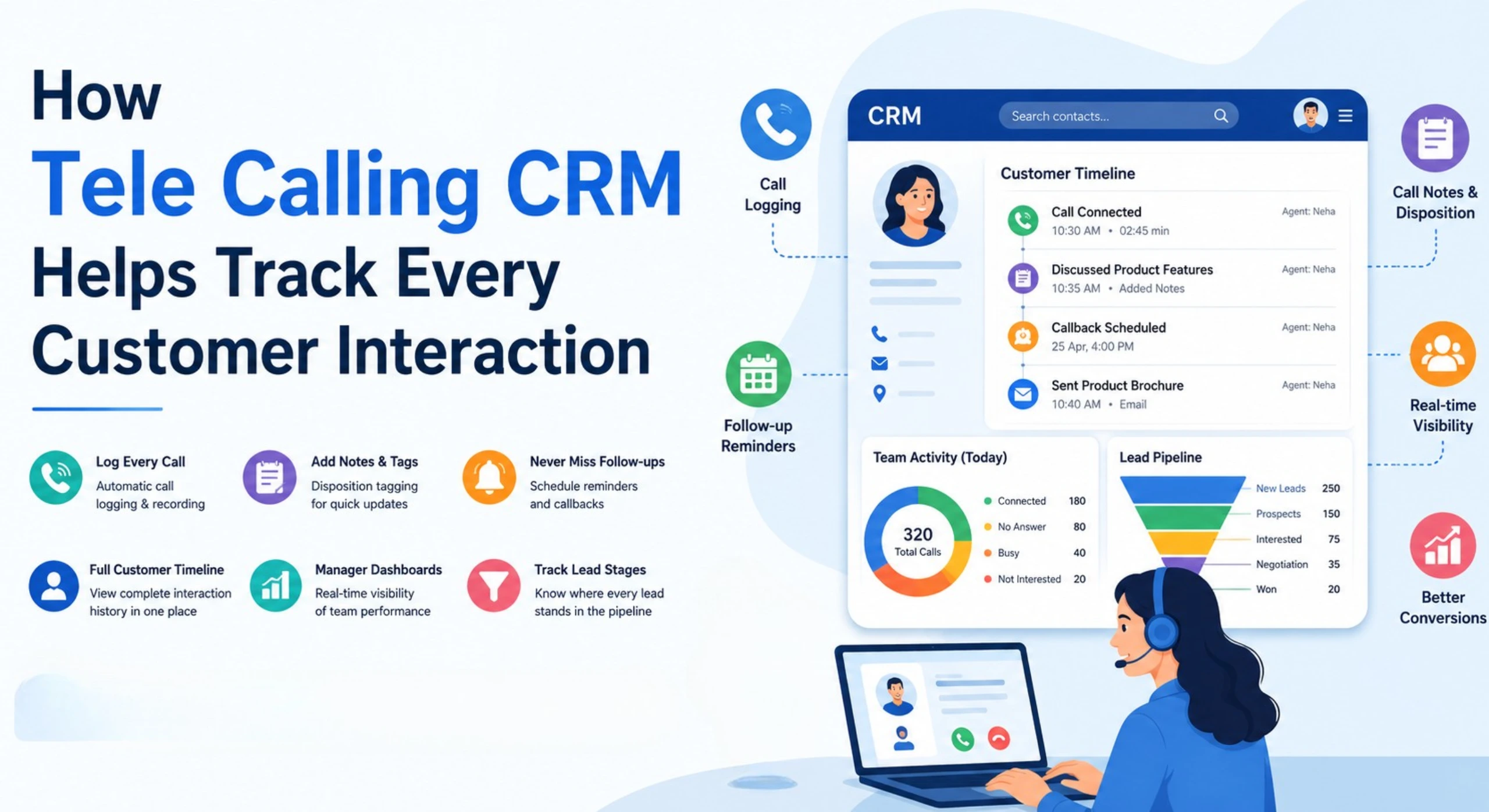
A CRM for telecallers that tracks these metrics automatically — rather than relying on manual end-of-day reporting — gives managers a much more accurate picture of team performance than call count alone.
How to Set Realistic Call Targets for Your Team
- Start with your current baseline. Pull two to four weeks of actual call data before setting any target. Guessing a number without data usually leads to targets that are either too easy or unrealistic.
- Segment by call type. Don’t apply one number to both quick qualification calls and long consultative calls. Set separate expectations for each.
- Account for list quality. If your lead list has a high percentage of stale or duplicate numbers, fix the list before raising the call target — otherwise you’re asking agents to work harder against a broken process.
- Balance volume with outcome metrics. Pair the call target with a minimum connection rate or conversion rate, so agents aren’t incentivised to rush through calls just to hit a number.
- Review and adjust monthly. Targets that made sense with a new team or a new lead source may need revising once the team matures or lead flow changes.
Common Mistakes When Setting Call Targets
- Copying an industry benchmark exactly, without adjusting for your own average call duration or lead quality.
- Rewarding call count alone, which pushes agents to rush calls, skip proper qualification, or hang up early to hit a number.
- Ignoring idle time between calls, which often hides the real productivity gap in a manual-dialing team.
- Setting one target for the whole team, regardless of whether an agent is handling fresh leads or a backlog of overdue follow-ups.
- Not tracking follow-up completion, so leads that need a second or third call get missed while the team chases first-call volume.
How TeleCallingCRM Supports Higher, Better-Quality Call Volume
For teams trying to improve their daily call output without burning out agents, the biggest gains usually come from removing friction rather than pushing agents to work faster. TeleCallingCRM’s smart auto dialer moves agents from one lead to the next automatically, so time isn’t lost between calls.
Leads coming in from sources like Facebook and Instagram ads, Google Ads, property portals, or web forms are de-duplicated and screened against the DNC list before they reach an agent, which protects the connection rate. Every call is logged automatically with duration and outcome, and the live war room and reporting dashboard shows talk time, idle time, and connection rate in real time — so managers can see productivity, not just activity.
This approach won’t turn every telecaller into a 300-calls-a-day performer overnight, and results will vary by industry, lead quality, and call type. But removing manual dialing friction and giving managers real visibility into call quality is what typically drives sustainable improvement in daily call output.
FAQs
How many calls should a telecaller make in an 8-hour shift?
Most manually-dialing telecallers make 60–100 calls in an 8-hour shift. With an auto dialer and clean lead lists, this can rise to 150–300+ calls, depending on average call length and industry.
Is 100 calls a day good for a telecaller?
100 calls a day is a solid, achievable number for a manually-dialing agent handling standard qualification or follow-up calls. For shorter calls with an auto dialer, 100 may be considered on the lower side.
Why do call center benchmarks vary so much by industry?
Call duration is the biggest factor. Quick qualification calls (real estate, e-commerce) allow far more calls per day than long, consultative calls (insurance, financial services), where accuracy and compliance matter more than speed.
Does an auto dialer really increase calls per day?
Yes. An auto dialer removes manual dialing steps and moves agents to the next lead automatically, which is why many teams see call volume rise significantly after switching from manual to automated dialing.
Should telecallers be penalised for not hitting a call target?
Call targets should be treated as a guide, not a strict penalty metric, especially when list quality or call type varies. Pairing call count with connection rate and conversion rate gives a fairer picture of actual performance.
What is a good connection rate for outbound calling?
Connection rates vary by list quality and industry, but a rate below 20–25% usually signals a stale or poorly-sourced lead list rather than an agent performance issue.
How can a CRM help improve calls per day without overworking agents?
A CRM reduces the manual admin work around each call — logging outcomes, searching lead history, scheduling follow-ups — so more of an agent’s day can go toward actual calling, rather than adding more hours or pressure.
Conclusion
There’s no single “right” number of calls per day for every telecaller — the realistic range depends heavily on industry, call length, and how much manual work sits around each call. What matters more than the raw number is whether those calls are connecting, converting, and moving leads forward.
If your team is stuck on manual dialing and messy spreadsheets, the fastest way to lift call volume without burning out agents is usually to fix the process first. Teams evaluating a sales calling software upgrade should look closely at auto dialing, lead de-duplication, and real-time reporting — these are the features that tend to move the calls-per-day number in a sustainable way.