Introduction
Most PG owners know roughly how much money comes in each month. Far fewer know what next March will look like, or whether they can afford to repaint the building without dipping into their own pocket. That gap is what PG financial planning is meant to close.
An annual plan gives you a month-by-month view of rent, expenses and cash, so you stop reacting to surprises. In this guide, you’ll build one in seven steps, see a worked example with real numbers, and learn which mistakes to avoid. You can do all of it in a notebook or a spreadsheet. Good PG and hostel management software just makes the data-gathering part much easier.
What Is PG Financial Planning?
PG financial planning is the process of estimating your income, expenses and cash flow for the coming year, then using that estimate to make decisions about rent, staffing, repairs and expansion. For a PG, it mostly means forecasting occupancy and rent collection, budgeting your costs, and keeping a reserve for slow months.
It’s different from bookkeeping. Bookkeeping records what already happened. Planning decides what should happen next.
Why Your PG Needs an Annual Financial Plan
A PG looks simple from outside: beds, tenants, rent. But your income depends on occupancy, which moves. Your costs, like building rent, salaries and electricity, mostly don’t.
That mismatch is where trouble starts. A plan helps you:
- Know your break-even occupancy before you sign a lease or take a loan
- Spot slow months early and prepare for them
- Decide when to raise rent, and by how much
- Set aside money for repairs instead of scrambling when the geyser dies
- Judge whether a second building is realistic
How to Build an Annual Financial Plan for Your PG
Here’s the process in order. Set aside a couple of hours and keep your rent records, bank statements and expense notes nearby.
Step 1: Pull Together Last Year’s Numbers
Your best forecast is your own history. Collect the last 12 months of:
- Rent collected, month by month
- Occupied beds on the first of each month
- Move-ins and move-outs
- Every expense, sorted into categories
- Deposits received and refunded
If your records are scattered across registers, WhatsApp messages and a few UPI screenshots, this step will be painful. That’s normal. It’s also the strongest argument for keeping everything in one place from now on.
A new PG with no history can use a similar PG nearby as a rough guide. Just treat those numbers as guesses and revise them quickly.
Step 2: Forecast Occupancy Month by Month
Don’t assume 100% occupancy. Even well-run PGs have empty beds between tenants.
Look at your history and mark which months fill up and which empty out. In many student-heavy areas, move-outs bunch up after exams and move-ins follow admission season. In areas with working professionals, the pattern is often flatter. Your own data will tell you which describes you.
Then build three versions for each month:
- Cautious: the lowest occupancy you’ve seen
- Expected: your realistic average
- Strong: the best you’ve seen
Base your budget on the cautious or expected version. The strong version is a bonus, not a plan.
Step 3: Project Rent and Other Income
For each month, multiply expected occupied beds by your average rent per bed. Then add the other income you actually receive, such as:
- Mess or food charges, if billed separately
- Fines for late payment
- Any extras tenants pay for, like laundry or a parking spot
Also allow for rent that comes in late. If a few tenants regularly pay after the 10th, your cash on the 5th will be lower than your income on paper. This is one reason timing matters as much as totals.
Step 4: List Every Expense
Split your costs into two groups.
Fixed costs stay about the same each month:
- Building rent or loan EMI
- Staff salaries (cook, caretaker, cleaner)
- Internet and basic subscriptions
- Insurance, if you carry it
Variable costs move with occupancy and season:
- Electricity and water
- Groceries and cooking gas
- Cleaning supplies
- Small repairs
Variable costs are where owners underestimate. Electricity often climbs in hotter months, and food costs rise with every extra tenant on a mess plan. Use last year’s actual bills, not your memory of them.
For taxes and licences that apply to your property, speak to a chartered accountant. Rules differ by city and by how your property is registered, so don’t guess.
Step 5: Plan for Repairs and Upgrades
This is the line most plans leave out. Beds, mattresses, fans, plumbing and paint all wear out. If you don’t budget for them, they arrive as emergencies.
Do a quick walk-through and list what’s likely to need attention this year. Put an estimated cost and a target month next to each item. Schedule big jobs in your slowest months, when empty rooms are easier to work on.
Step 6: Build a Cash Reserve
A reserve is money you set aside for slow months, sudden repairs, or a delayed deposit refund. There’s no universal number. A common rule of thumb is to hold a few months of fixed costs, but a PG with strong seasonality needs more than one with steady demand.
Treat the reserve as a monthly expense in your plan, not as whatever is left over. If you wait for leftovers, there usually aren’t any.
Step 7: Calculate Your Break-Even Occupancy
This is the single most useful number in your plan.
Break-even occupancy = total monthly costs ÷ average rent per bed
That gives you the number of beds you must fill just to cover costs. Divide by your total beds to get a percentage. Anything above it is surplus. Anything below is a loss.
A Simple Worked Example
These numbers are made up to show the method. Swap in your own.
Imagine a PG with 40 beds and an average rent of ₹7,000 per bed.
| Item | Monthly amount |
|---|---|
| Potential rent at 100% occupancy (40 × ₹7,000) | ₹2,80,000 |
| Planned occupancy: 85% (34 beds) | ₹2,38,000 |
| Building rent | ₹80,000 |
| Staff salaries | ₹40,000 |
| Electricity and water | ₹22,000 |
| Food and groceries | ₹45,000 |
| Internet, cleaning, small repairs | ₹15,000 |
| Total costs | ₹2,02,000 |
| Monthly surplus | ₹36,000 |
Over a year, that’s about ₹4,32,000 before you put anything aside for reserves and big repairs.
Now the break-even check: ₹2,02,000 ÷ ₹7,000 = about 29 beds, or roughly 72.5% occupancy.
So this owner has a cushion of about five beds. If occupancy dips to 70% in a slow month, that month runs at a small loss, and the reserve covers it. Without the plan, that dip would feel like a crisis. With the plan, it’s a line item.
Common PG Financial Planning Mistakes
Planning at full occupancy. It’s the easiest way to build a budget that never works.
Mixing personal and business money. If your PG account pays for your family’s groceries, you can’t read your real numbers.
Ignoring late rent. Income earned and income received are not the same thing in a given week.
Skipping the repair budget. Maintenance doesn’t disappear because you didn’t plan for it.
Raising rent without a reason. Increase it based on your costs and local demand, not a gut feeling. Know your numbers first.
Never looking at the plan again. A plan filed in a drawer is just a document.
Reviewing Your Plan Every Month
An annual plan only works if you check it. Once a month, compare actual numbers against the plan:
- Occupied beds vs. forecast
- Rent collected vs. rent expected
- Total expenses vs. budget
- Pending rent and how old it is
- Anything unusual, like a big repair or an unexpected move-out
Every quarter, adjust the rest of the year based on what you’ve learned. If occupancy is running ahead of plan, you may have room to invest. If it’s behind, you can cut costs early instead of late.
How PG Management Software Makes Planning Easier
The hardest part of PG financial planning isn’t the math. It’s getting clean data. If rent lives in one notebook, expenses in another and complaints in your head, every plan starts with a week of digging.
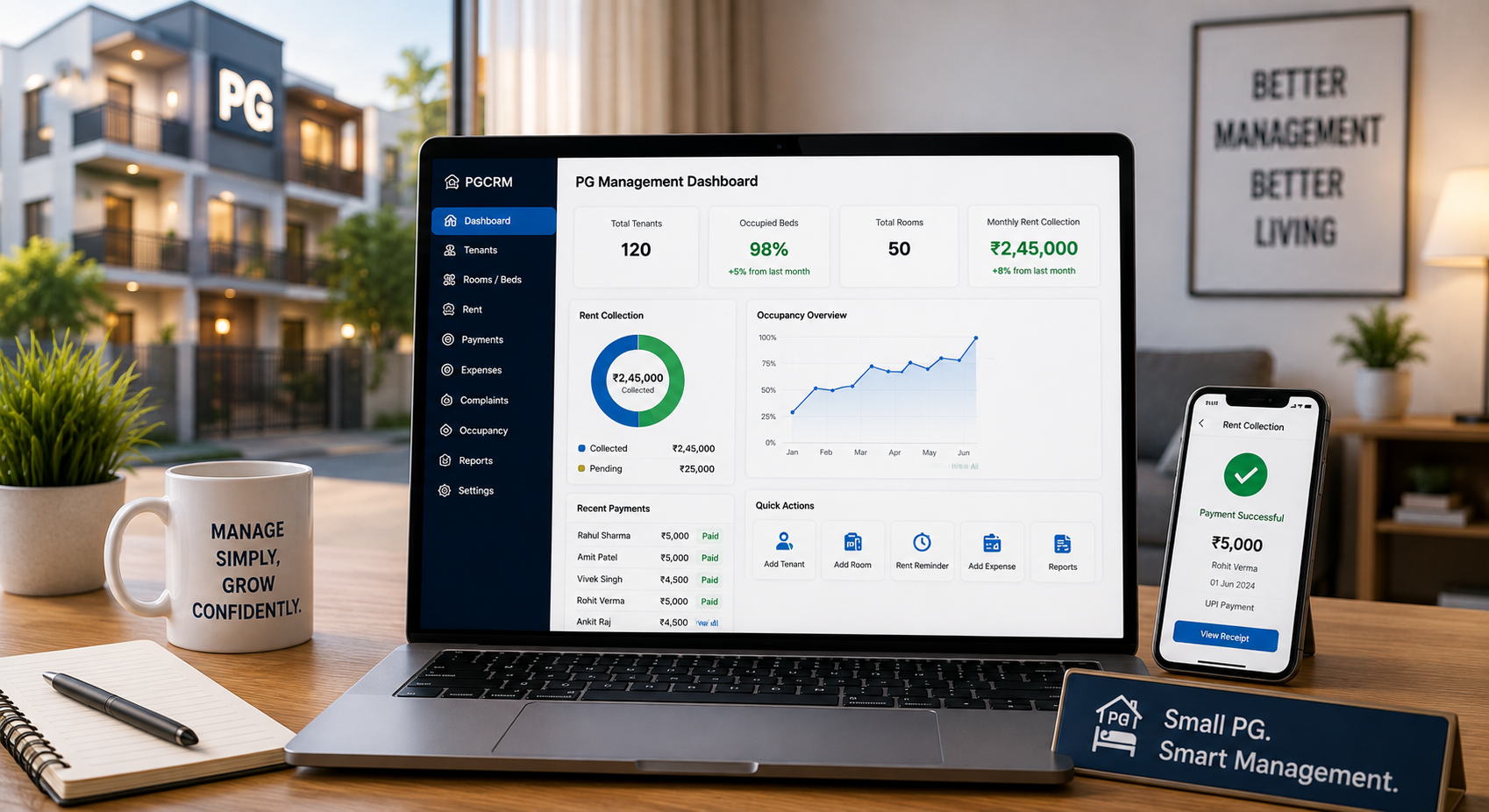
A PG management system keeps those records together as you go. With a tool like PGCRM, you can:
- Track rent collected by cash or UPI, with each payment linked to a tenant
- See who has paid and who is pending
- Record expenses by category and building
- View occupancy, income and expense reports
- Keep deposits, fines and refunds recorded properly
- Manage several buildings from one place
You can read about these on the PGCRM features page.
Here’s how the two approaches compare for planning:
| Planning task | Registers and spreadsheets | PG management software |
|---|---|---|
| Last year’s rent data | Collected by hand from several sources | Already recorded in one place |
| Occupancy history | Counted manually | Available through occupancy reports |
| Expense categories | Depends on how neatly you noted them | Tracked by category and building |
| Late payments | Easy to miss | Visible in the pending list |
| Monthly review | Hours of work | A quick look at the reports |
Software won’t build the plan for you. You still make the decisions. It just means those decisions rest on records you can trust.
Frequently Asked Questions
How often should I review my PG budget?
Check it monthly and adjust it quarterly. A monthly look compares actual rent, occupancy and expenses against your plan, so small problems get caught early. A quarterly review lets you update forecasts for the rest of the year, such as revised occupancy, new repair needs or changes in electricity and food costs.
What expenses should a PG owner include in an annual budget?
Include building rent or EMI, staff salaries, electricity, water, food and groceries, internet, cleaning, small repairs, and any insurance. Add a separate line for bigger repairs or upgrades, and another for your cash reserve. Also include any taxes or licence fees that apply to your property. A chartered accountant can confirm those.
How do I calculate break-even occupancy for my PG?
Divide your total monthly costs by your average rent per bed. The result is the number of beds you need filled to cover costs. Divide that by your total beds to get a percentage. For example, ₹2,02,000 in costs and ₹7,000 average rent gives about 29 beds.
How much cash reserve should a PG keep?
There’s no fixed rule. A common starting point is a few months of fixed costs, such as building rent and salaries. If your occupancy swings a lot between seasons, aim higher. Build the reserve gradually by treating it as a monthly expense in your plan, not something you save only if money is left.
Can I do PG financial planning in Excel?
Yes. A spreadsheet works well for a small PG, as long as your data is accurate. The weak spot is collecting that data, since rent, expenses and occupancy often sit in different places. Many owners start in Excel and move to PG management software once tracking everything by hand becomes slow.
Which numbers should I track every month?
Track occupied beds, rent collected, rent pending, total expenses and your surplus or loss. Add move-ins and move-outs if you want to spot patterns. These few numbers show whether you’re on plan. If any of them drifts, you can look into the cause before it becomes expensive.
Conclusion
PG financial planning isn’t about complicated spreadsheets. It’s about answering a few honest questions: how many beds will I realistically fill, what will it cost to run this place, and what do I need to keep aside for the bad months? Once you know your break-even occupancy and have a monthly review habit, most financial surprises stop being surprises.
The plan is only as good as the records behind it. Using PG management software such as PGCRM keeps rent, tenants, expenses and occupancy in one place, so next year’s plan takes hours, not weeks. Explore PGCRM to simplify your PG and hostel management.