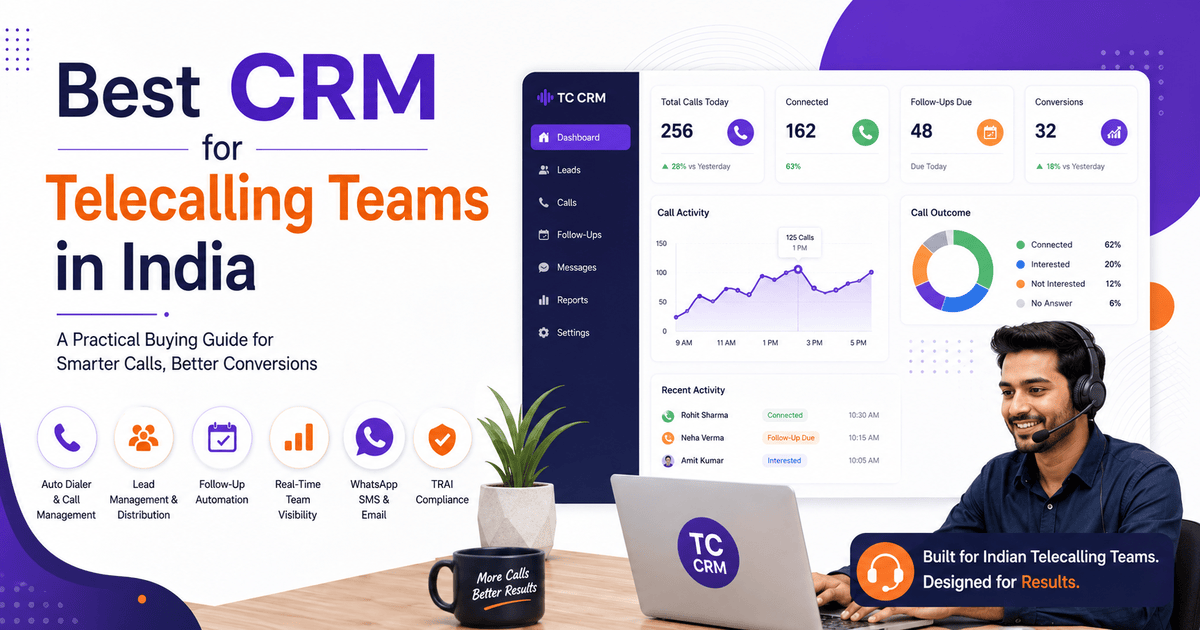
Best CRM for Telecalling Teams in India: A Practical Buying Guide
If your team spends more time chasing spreadsheets and missed callbacks than talking to leads, the problem usually isn’t your telecallers. It’s the tool they use. Telecalling teams in India run on volume. They make hundreds of outbound calls a day, with leads arriving from multiple property portals and ad platforms. Follow-ups often need to happen within minutes, not days. A generic CRM built for account management or email sequences rarely fits this rhythm. Nobody designed it for a team that lives on the phone.
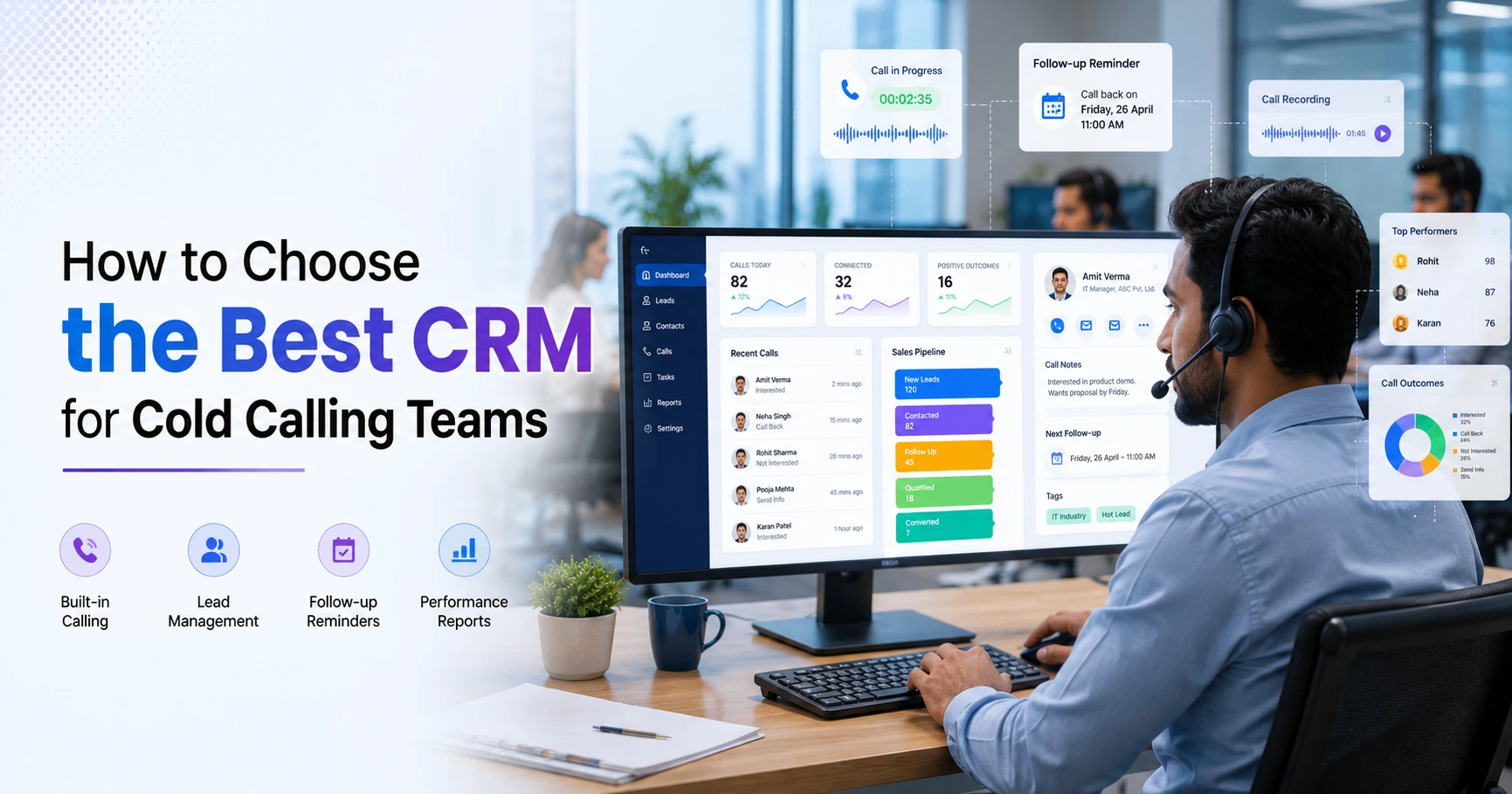
This is why sales managers increasingly look for a CRM for telecalling. It’s built around calling, lead distribution, and follow-up discipline, instead of a general-purpose tool stretched to do a job it wasn’t made for. Before comparing vendors or pricing, look closely at the features a telecalling CRM should actually offer. This is what separates a tool that fits outbound sales from one that just adds admin work.
This guide covers what a CRM for telecalling does and which features to prioritise. It also explains how to evaluate options for an Indian sales team, and the mistakes that commonly derail this decision.
What Is the Best CRM for Telecalling Teams?
There is no single “best” CRM that suits every telecalling team. The right choice depends on team size, lead volume, and industry. That said, strong options for Indian teams share common traits: a built-in auto dialer, automatic lead distribution, and follow-up reminders that don’t depend on memory. They also offer real-time visibility into agent activity, plus India-specific features such as WhatsApp messaging, Hindi call support, and TRAI-compliant calling controls.
What Is a CRM for Telecalling?
A CRM for telecalling is software built specifically for outbound, phone-first sales teams. A general sales CRM centres on emails, deals, and account records. A telecalling CRM instead organises around the call itself — who to call next, what happened on the last call, and when to call back.
In practice, the software combines three functions that are usually separate in a generic CRM. These are a dialer or calling interface, a lead database with source tracking, and a follow-up and reporting system tied to call outcomes. For a team making 50–200 calls a day per agent, this integration keeps the process manageable.
Why Generic CRMs Fall Short for Outbound Calling Teams
Many businesses start with a spreadsheet or a general CRM and switch once the cracks show. The common gaps include:
- No built-in dialer or call logging. Agents dial manually from a phone, and call outcomes never link back to the lead record.
- No follow-up automation tied to outcomes. A “call back tomorrow” note in a spreadsheet is easy to miss. A system that schedules the next action automatically won’t miss it.
- No real-time floor visibility. Managers can’t see who’s on a call, who’s idle, or how many calls went out today without asking around.
- Weak support for Indian lead sources. Leads from portals like 99acres, Housing.com, and JustDial often need manual import.
- Limited WhatsApp and SMS support. In India, a large share of lead follow-up happens over WhatsApp. Most generic CRMs treat it as an afterthought.
Key Features to Look For in a CRM for Telecalling
1. Auto Dialer and Call Management
The dialer should reduce manual work, not add steps. Look for automated calling from a prioritised lead list and automatic call-duration capture. Add one-tap outcome logging and call recording for training and quality checks.
2. Lead Management and Distribution
Leads should move from source to agent without manual sorting. Useful capabilities include bulk import with automatic de-duplication and rule-based assignment — round robin, language match, or fixed owner. Also look for lead scoring (hot, warm, cold) and a full timeline of calls and notes per lead.
3. Follow-Up Automation
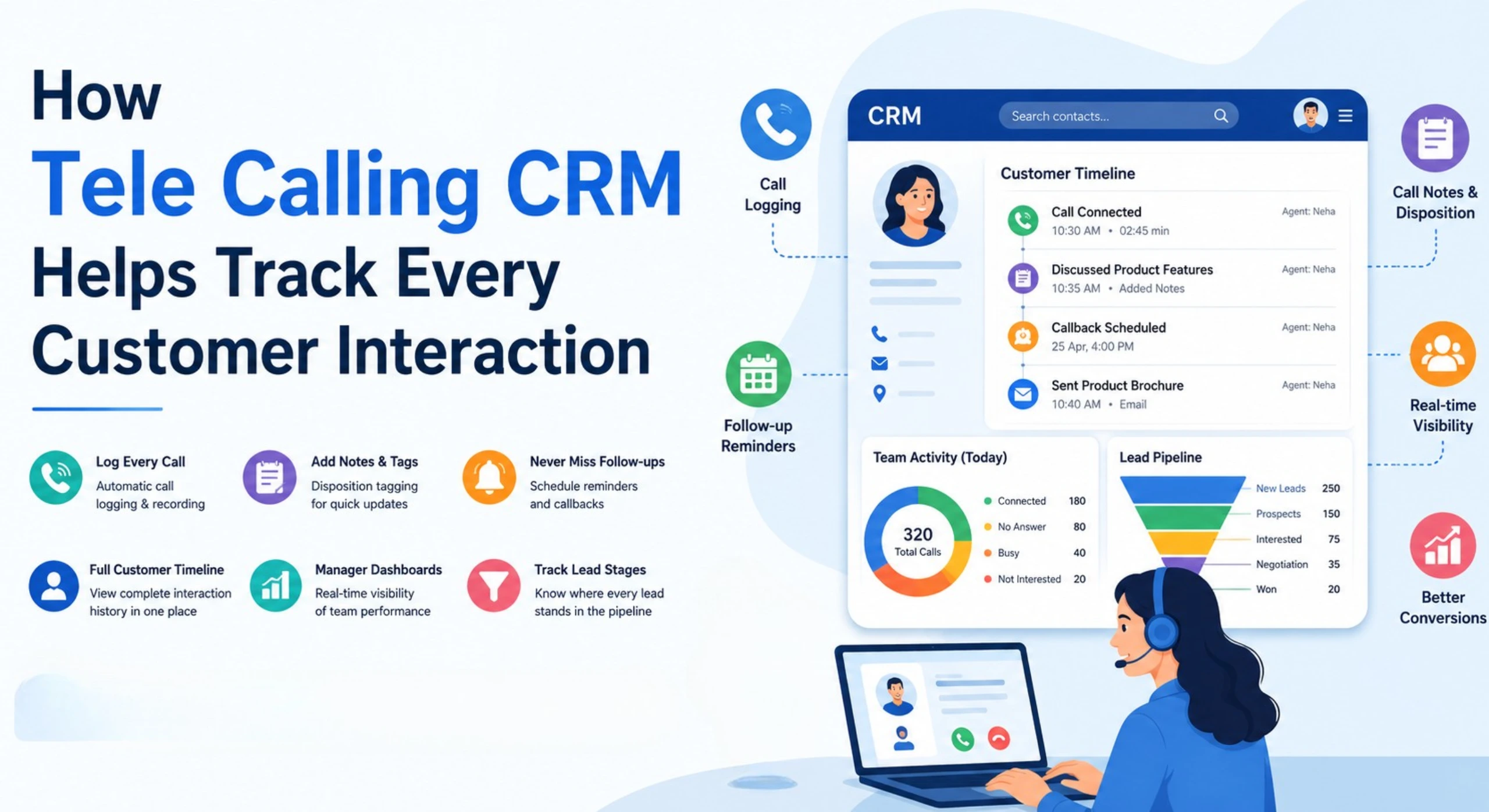
Missed follow-ups are one of the biggest reasons telecalling teams lose deals. A good telecalling CRM should auto-schedule the next follow-up based on the call outcome and send reminders to agents. It should also flag overdue callbacks and show today’s, overdue, and upcoming follow-ups in one view.
4. Real-Time Team Visibility
Sales managers running a floor of agents need to see activity as it happens. They should know who’s on a call, who’s idle, and how the day compares against target. This visibility shouldn’t require pulling manual reports.
5. Messaging: WhatsApp, SMS, and Email
For Indian sales teams, WhatsApp is often the primary follow-up channel after a call. Look for WhatsApp template messaging, SMS with DLT compliance, and email support. Ideally, all three show up in one unified conversation view per lead.
6. Compliance: DNC and Calling-Hour Controls
TRAI’s regulations on unsolicited commercial communication govern outbound calling in India (TRAI, Unsolicited Commercial Communication). These rules restrict calling to registered Do Not Disturb (DND) numbers and set boundaries on how such calls are handled. A telecalling CRM should support DNC list checks during import and calling. It should also offer configurable calling-hour windows, so agents aren’t manually tracking these rules.
7. Reporting and Pipeline Tracking
Beyond calls, the CRM should track leads through a sales pipeline with stages, deal values, and expected close dates. It should also report on connection rates, agent performance, and source-wise conversion.
8. Mobile Access
Many telecallers and field agents work outside a desk setup. A mobile app with dialing, outcome logging, and follow-up visibility keeps the process consistent. This holds whether an agent is in the office or out in the field.
How to Choose the Right CRM for Telecalling
Once you know what features matter, the decision usually comes down to fit. Use this as a working checklist:
| Factor | Question to Ask |
|---|---|
| Pricing model | Does cost stay predictable as agents are added? |
| Lead sources | Does it connect directly to your lead channels? |
| Follow-up automation | Are follow-ups scheduled automatically after a call? |
| Compliance | Does it check DNC lists and restrict calling hours? |
| Mobile usability | Does the app support full calling and logging? |
| Setup time | Can the team start within days, not weeks? |
Don’t choose on price alone. Test how a shortlisted CRM for telecalling handles a realistic scenario. For example, try importing 500 leads from a property portal, then run a full day of calls with follow-ups and see how the system holds up.
CRM for Telecalling by Industry: Real-World Examples
The core needs of a telecalling CRM stay similar across industries, but the details shift. These are illustrative examples, not case studies of specific customers.
- Real estate: A brokerage handling leads from 99acres, Housing.com, and Facebook ads needs fast agent assignment and disciplined follow-up. Property leads go cold quickly. Real estate teams can look at how a telecalling CRM handles property-portal leads specifically.
- Education: Admission counsellors calling enquiries during peak season benefit from stage-based scripts and reminders around application deadlines.
- Insurance: Agents handling renewals and new enquiries need compliant calling-hour controls and a clear conversation history for audit purposes.
- Recruitment: Consultants calling candidates and clients need quick lead tagging and the ability to route calls by language or specialisation.
- Finance and lending (DSA/loan teams): Loan enquiry follow-ups are time-sensitive. Prioritising hot leads for faster callbacks can reduce drop-off.
Common Mistakes When Choosing a Telecalling CRM
- Choosing on per-user pricing without projecting costs at scale. A low starting price can get expensive once the team grows.
- Treating compliance as an afterthought. Build DNC and calling-hour rules into the workflow instead of managing them manually.
- Not testing the mobile app before buying. A CRM that works well on desktop but poorly on mobile creates friction for field agents.
- Ignoring WhatsApp and SMS support. In the Indian market, phone-only follow-up is often not enough.
- Sticking with a generic CRM out of habit. Forcing it to behave like a calling tool usually means building manual workarounds a purpose-built system already solves.
How TeleCallingCRM Fits Into This
TeleCallingCRM is a cloud-based platform built specifically for outbound telecalling teams in India. It combines an auto dialer with call recording and lead management with automated assignment and de-duplication. It also adds follow-up scheduling tied to call outcomes and a real-time “war room” view for managers tracking agent activity.
It also includes WhatsApp, SMS, and email messaging in one place. For compliance, it adds DNC checks and configurable calling-hour windows. Android and iOS apps support agents working outside the office. Plans use flat monthly pricing rather than per-agent fees — worth checking against any shortlist, especially for teams planning to grow. If you’re still comparing what to prioritise, this related read on choosing the right telecalling CRM goes deeper into the process.
FAQs
What is a CRM for telecalling?
A CRM for telecalling is software for outbound, phone-based sales teams. It combines a calling interface, lead management, and follow-up tracking. Agents can call, log outcomes, and schedule next steps in one system, instead of switching between a phone, spreadsheet, and messaging app.
How is a telecalling CRM different from a regular CRM?
A regular CRM typically centres on deals, accounts, and email activity. A telecalling CRM centres on the call itself — dialing, outcome logging, and follow-up scheduling. This matters more for teams that make a high volume of outbound calls daily.
Do small teams need a CRM for telecalling, or is a spreadsheet enough?
A spreadsheet can work briefly for very small volumes. It breaks down once follow-ups need to happen on time and multiple agents call the same lead pool. Teams of even five to ten agents usually see fewer missed follow-ups with a dedicated system.
Is telecalling regulated in India?
Yes. TRAI’s regulations on unsolicited commercial communication govern how businesses contact numbers on the Do Not Disturb list. They also set restrictions relevant to outbound calling. A telecalling CRM with DNC checks and calling-hour controls helps teams stay within these rules.
Does a telecalling CRM support Hindi or regional languages?
Many platforms built for the Indian market support Hindi and Hinglish alongside English, including features like call transcription and language-based lead routing. Availability varies by provider, so confirm this directly.
How much does a CRM for telecalling cost in India?
Pricing varies widely by provider and plan. Some platforms charge per user, while others use flat monthly pricing regardless of team size within a tier. Compare the total cost for your actual team size, not just the lowest advertised price.
Can a telecalling CRM integrate with property portals or ad platforms?
Many telecalling CRMs built for the Indian market integrate with sources like Facebook and Instagram lead ads, Google Ads, and real estate portals such as 99acres, Housing.com, and MagicBricks. This lets leads land in the system automatically, instead of requiring manual download and import.
Is a free trial usually available before committing?
Most providers offer some form of trial period, though the length and terms vary. It’s reasonable to test the auto dialer, lead import, and mobile app during a trial before deciding.
Conclusion
Choosing the right CRM for telecalling comes down to matching the tool to how your team actually works. This means looking at how leads arrive, how many calls agents make a day, and how follow-ups get scheduled and tracked. Features like automated lead distribution, follow-up reminders tied to call outcomes, and TRAI-aware calling controls matter more for day-to-day performance than a long list of features you’ll rarely use.
If you’re evaluating options for your own team, start by looking at telecallingcrm.com. See how a platform purpose-built for Indian telecalling teams handles lead management, follow-ups, and compliance in practice.