A Real Estate CRM helps property sales teams respond to enquiries faster. A property buyer fills a form on 99acres at 9 PM. By the time your tele caller picks up the enquiry the next afternoon, the buyer has already spoken to two other builders.
In short, the real problem in Indian real estate sales isn’t a shortage of leads. Rather, it’s the delay in reaching them.
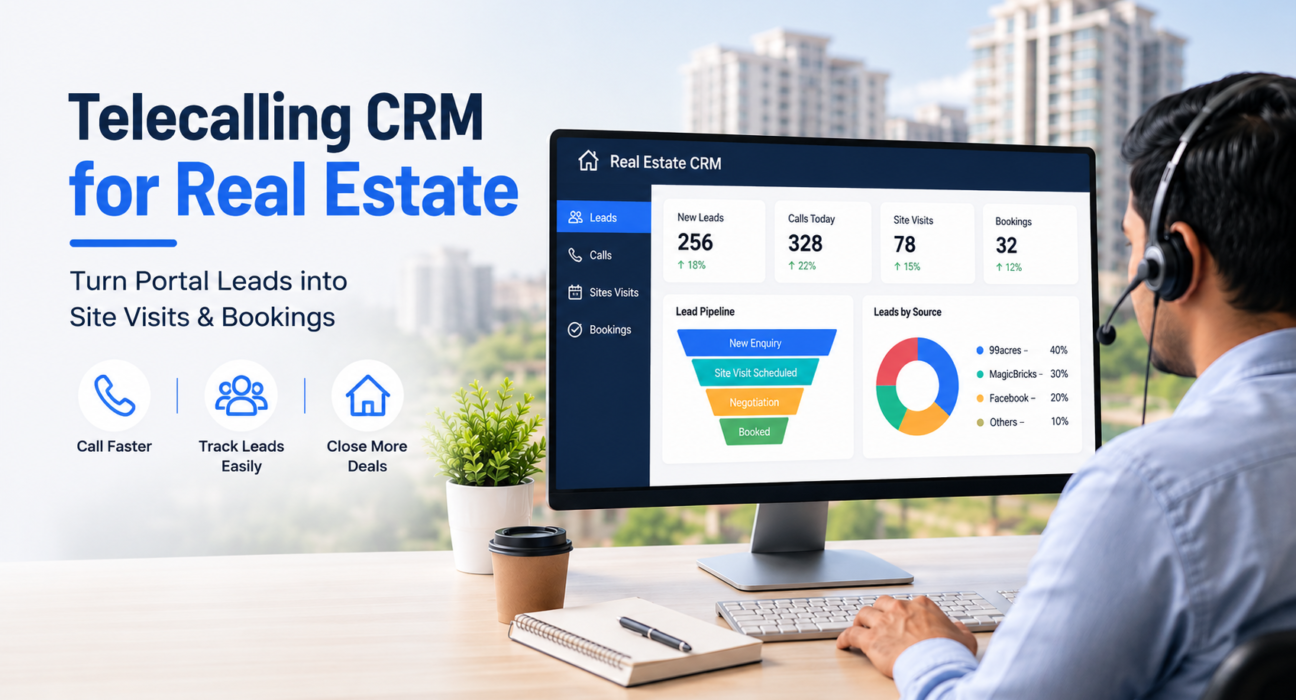
A Real Estate CRM closes that gap. Specifically, it pulls enquiries from every portal and ad account into one place, gets them to an agent’s dialer within minutes, and tracks every buyer from the first call to the booked flat.
As a result, teams looking for a telecalling CRM built specifically for real estate sales usually start here, because they want a system that treats calling as the core job, not just record-keeping.
Overall, this guide explains what a real estate CRM does, what to check before choosing one, and how telecalling-first CRMs differ from generic sales CRMs.
What Is a Real Estate CRM?
At its core, a real estate CRM helps property businesses capture buyer enquiries, assign them to agents, and track calls and site visits. In turn, it manages each deal until it closes or is lost.
Unlike a generic CRM, however, it centers on property-specific data – budget, configuration, location preference, possession timeline. In addition, it centers on outbound calling, since phone calls decide most real estate deals.
Who Uses a Real Estate CRM
Typically, this includes:
- Builder and developer sales teams
- Real estate brokers and channel partners
- Property marketplaces and aggregators
- Independent agents managing multiple projects
Why Real Estate Lead Management Is Different
Overall, real estate lead management runs into a few problems that other industries rarely face.
Leads Arrive From Too Many Places
For instance, a single project can generate enquiries from 99acres, Housing.com, MagicBricks, Facebook ads, Instagram ads, JustDial, and the builder’s own website. Often, the same buyer submits the same form twice on different platforms.
Speed Decides the Sale
Generally, property buyers shortlist two or three builders and call back whoever responds first. Consequently, a lead sitting in an inbox for a few hours is often a lead half-lost.
The Sales Cycle Has Many Steps
Unlike a single-call sale, real estate rarely closes in one conversation. Instead, it moves through enquiry, site visit, negotiation, and booking, sometimes over several weeks. Because of this, teams that don’t track the journey tend to lose buyers between steps.
Teams Are Large and Spread Out
Additionally, pre-sales callers, site-visit agents, channel partners, and managers all need visibility into the same lead. Without a shared system, however, work gets duplicated.
What to Look For in a Real Estate CRM
Admittedly, not every CRM handles these problems well. Below is what genuinely matters for a property sales team.
| Requirement | Why It Matters |
|---|---|
| Automatic lead capture from portals and ads | Removes manual downloading and copy-pasting from multiple sources |
| Lead de-duplication | Stops two agents from calling the same buyer |
| Auto dialer | Helps agents move through lists faster, without manual dialing |
| Property-specific lead fields | Captures budget, configuration, location, and timeline on every call |
| Pipeline stages built for real estate | Tracks enquiry, site visit, negotiation, and booking separately |
| Follow-up reminders | Keeps undecided buyers from falling through the cracks |
| Team visibility | Shows managers call volume, talk time, and conversions per agent |
| Mobile access | Lets field agents call and log outcomes on the move |
How a Telecalling CRM Works for Real Estate Teams
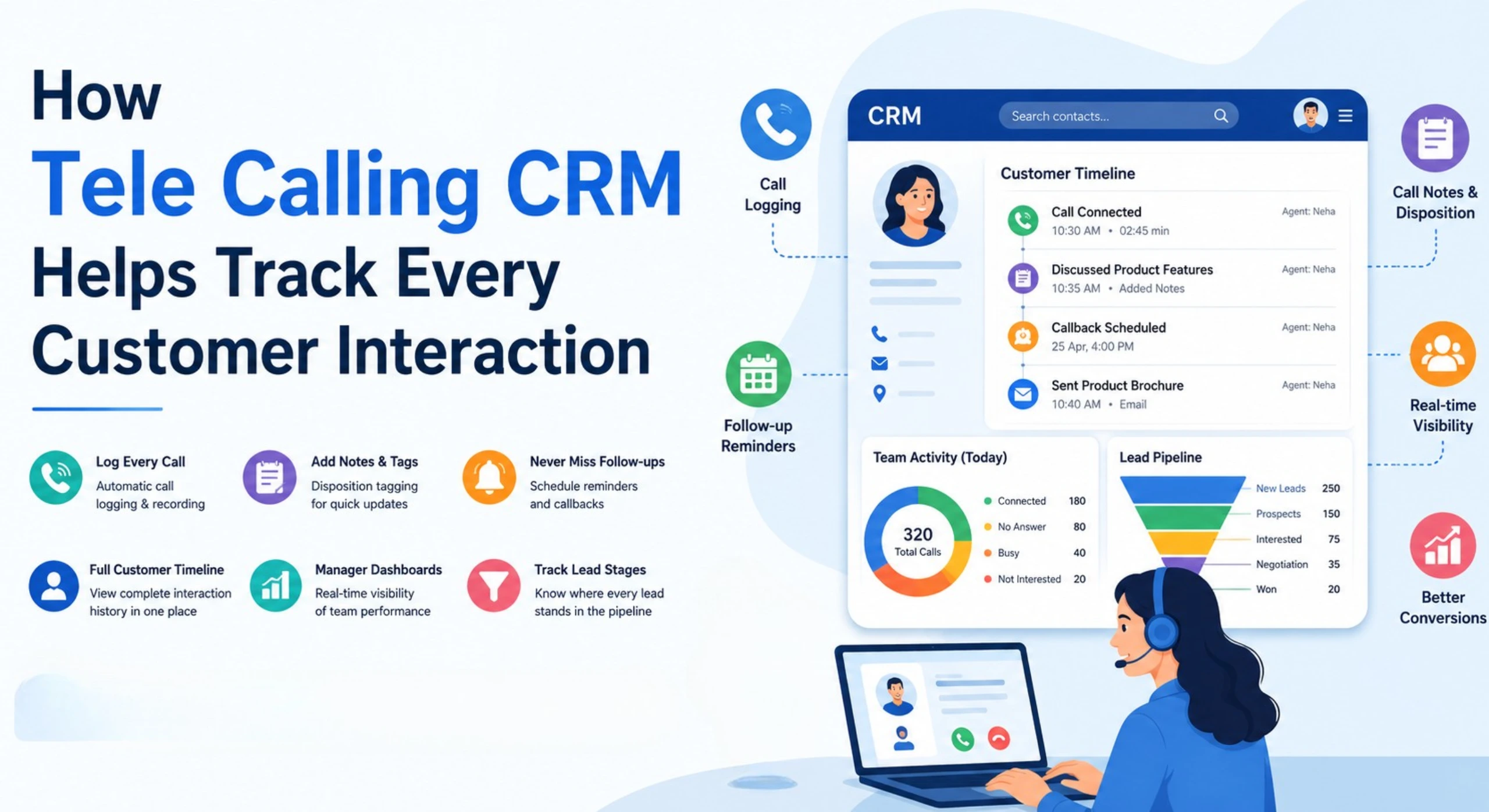
Generally speaking, a lead management software built around telecalling follows a simple flow, whether the team is a builder’s in-house pre-sales desk or a broker managing several developer projects.
- Connect lead sources. First, link ad accounts, property portals, and website forms once, so new enquiries flow in automatically.
- Auto-assign and de-duplicate. Next, the system checks incoming leads against existing records and routes each one to the right agent by project, location, or workload.
- Call through the auto dialer. Rather than dialing manually, agents then work through a queue that lets them spend more time talking and less time dialing.
- Log the outcome and move the stage. After each call, the agent records what happened, and the lead moves to the correct pipeline stage automatically.
- Track the follow-up. Meanwhile, buyers who need a second or third call get automatic reminders, so no site visit or callback gets missed.
- Report on pipeline and revenue. Finally, managers see open leads, converted site visits, and which source produces the best buyers.
Real-World Examples
Broadly, these examples illustrate how different real estate businesses typically use a telecalling CRM. However, they are not case studies or customer claims.
Builder Pre-Sales Team
For example, a builder launching a new residential tower might get several hundred enquiries in the first week from Facebook ads and portal listings. In this case, auto-assignment routes each enquiry to a caller within minutes, instead of letting it sit in a shared inbox. At the same time, duplicate enquiries from the same buyer get caught automatically.
Real Estate Broker
Similarly, a broker handling inventory across five developers could use pipeline stages to track buyer status. As a result, they can see who’s still deciding, who has a site visit scheduled, and which projects convert best – without five separate spreadsheets.
Channel Partner Team
Likewise, a commission-based channel partner team might rely on follow-up reminders for accountability. In this case, every “interested but not ready” lead gets called back on schedule, rather than called once and forgotten.
Benefits of Using a Real Estate CRM
In summary, the benefits typically include:
- Faster response time to new enquiries, improving the odds of reaching a buyer first
- Fewer lost leads, since every enquiry from every source lands in one tracked system
- Clear pipeline visibility, showing exactly how many site visits and bookings are in progress
- Better team accountability, with call volume and conversions visible to managers in real time
- Less manual work, since the system handles leads, dialing, and follow-ups instead of spreadsheets
Common Mistakes Real Estate Teams Make
Treating Every Portal as a Separate List
Without de-duplication, for instance, agents end up calling the same buyer twice, which frustrates the buyer and wastes agent hours.
Relying on Memory for Follow-Ups
Similarly, teams that skip a follow-up system often let warm leads go cold, especially during busy launch periods.
Ignoring Lead Source Performance
Likewise, teams that don’t track which source produces the best buyers often keep spending on the wrong channels.
Assigning Leads Manually
Meanwhile, distributing leads through a WhatsApp group or spreadsheet adds hours of delay, and buyers don’t wait around for that.
Giving Managers No Visibility
Finally, without real-time reporting, managers can’t spot which agents need coaching until the month’s numbers arrive.
How TeleCalling CRM Supports Real Estate Sales
Broadly, TeleCalling CRM follows the workflow described above. Specifically, for real estate teams, it connects directly with 99acres, Housing.com, MagicBricks, and Facebook & Instagram Lead Ads, so the system captures, de-duplicates, and auto-assigns enquiries without manual work.
In addition, the pipeline includes real estate-specific stages: New Enquiry, Contacted, Site Visit Scheduled, Site Visit Done, Negotiation, and Booked, with deal value tracked at every stage.
Furthermore, agents work from an auto dialer that queues calls and skips DNC-listed numbers automatically, logging call outcomes in one tap. Meanwhile, a live war room gives sales managers real-time visibility — who’s on a call, who’s idle, and how the day’s pipeline is moving.
Additionally, the full feature set includes automations, WhatsApp templates, and AI call analysis, and every plan includes these features without add-on charges.
That said, this isn’t the only way to solve the real estate lead management problem. Therefore, teams should evaluate any CRM against their own process before switching.
FAQs
What is the difference between a real estate CRM and a generic CRM? Essentially, a real estate CRM centers on property-specific data – budget, configuration, location, possession timeline – and on outbound calling as the main sales activity. A generic CRM, on the other hand, usually needs heavy customisation to handle these fields well.
Can a telecalling CRM pull leads automatically from 99acres, Housing, and MagicBricks? Yes, and in fact most real estate-focused telecalling CRMs, including TeleCalling CRM, offer this as standard. Once you connect a portal account, new enquiries flow into the pipeline automatically.
How does an auto dialer help real estate sales teams specifically? Essentially, an auto dialer queues calls from an assigned lead list, so agents spend time talking rather than dialing. Since speed of response often decides buyer interest, this shortens the gap between enquiry and first contact.
What lead fields matter most for real estate CRM software? Typically, budget, property type, configuration (like 2 BHK or 3 BHK), preferred location, possession timeline, and loan requirement matter most, since these fields directly affect which properties an agent should pitch.
Does a real estate CRM track site visits and bookings, not just calls? Indeed, a proper real estate CRM includes pipeline stages beyond the first call, such as site visit scheduled, site visit done, negotiation, and booked.
Is telecalling software useful for brokers managing multiple builder projects? Absolutely – brokers and channel partners can use pipeline tracking and lead source reporting to manage several projects from one system, instead of separate spreadsheets per builder.
Do real estate teams need a mobile app for their CRM? Generally, it helps significantly, since site-visit agents and field staff rarely work from a desk. A mobile app lets them call, log outcomes, and check follow-ups from wherever they are.
Conclusion
Ultimately, real estate sales rarely fail from a shortage of enquiries. Instead, they fail when leads sit too long before someone calls, or when a follow-up gets forgotten between site visits.
In this sense, a CRM built around telecalling, property-specific pipeline stages, and automatic portal capture addresses that gap directly.
Therefore, teams evaluating options can review how TeleCalling CRM’s real estate CRM is set up – from portal integrations to pipeline stages – and judge it against their own sales process before deciding.