Retail enquiries can come from many directions: a website form, social media advertisement, WhatsApp message, marketplace, showroom enquiry, or a customer who has previously purchased from the business. The challenge is not simply collecting these enquiries. It is making sure each one is contacted, followed up, updated and moved towards a purchase.
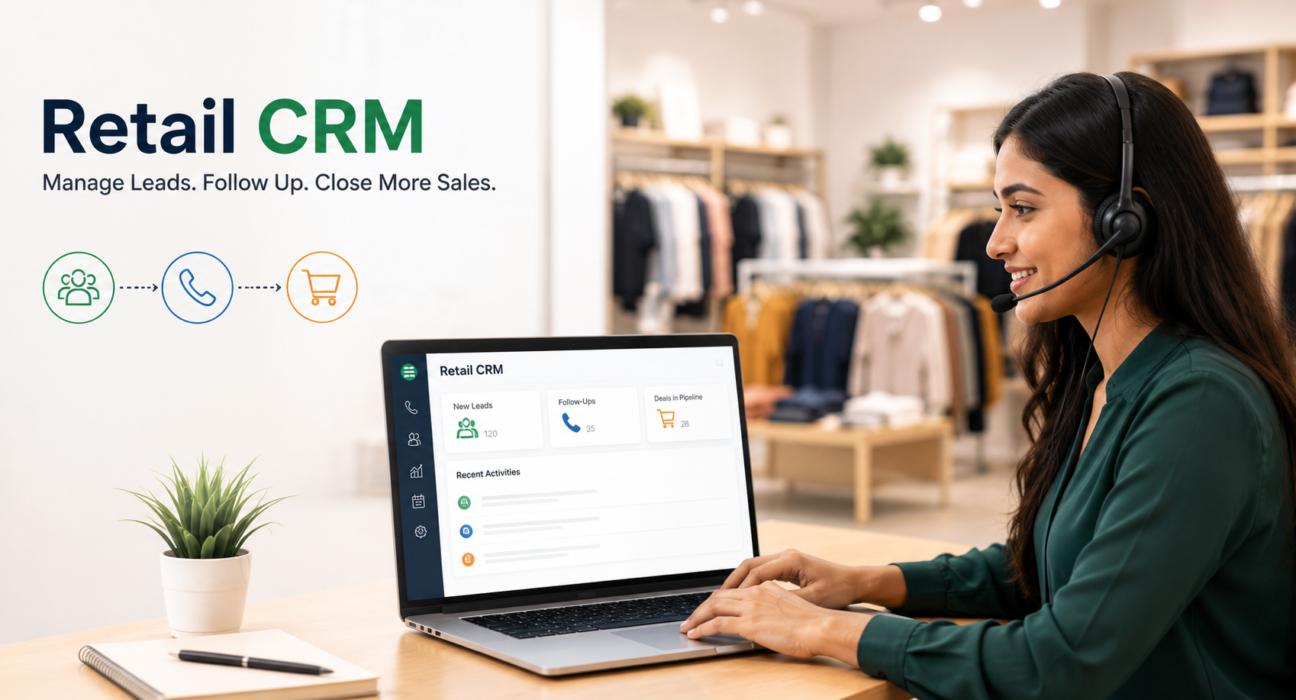
A Retail CRM gives sales teams a structured way to manage these interactions. For retailers with a large number of phone-based enquiries, a telecalling CRM adds calling, lead tracking, follow-ups and sales activity management to the process. Businesses looking for better lead management software can use a CRM to bring these activities into one organized workflow.
What Is a Retail CRM?
A Retail CRM is customer relationship management software used by retail businesses to organize customer and prospect information, track interactions and manage sales activities.
Instead of keeping customer details across spreadsheets, notebooks, messaging apps and individual phones, a CRM creates a central record for each lead or customer.
For a retail sales team, this can include information such as:
- Customer name and contact details
- Product or category of interest
- Budget
- Preferred store or branch
- Lead source
- Call history
- Follow-up dates
- Sales stage
- Deal value
- Notes and customer requirements
The exact information depends on how the retailer structures its sales process.
A Retail CRM becomes especially useful when the business receives a steady flow of enquiries and needs salespeople to contact customers quickly and consistently.
Why Do Retail Businesses Need CRM Software?
Retail sales can involve a high volume of enquiries, but not every customer purchases during the first interaction. Someone may ask about a product today, visit the showroom next week and make a purchase later.
Without a structured system, these follow-ups can easily become inconsistent.
A CRM helps retail teams maintain visibility over:
- New enquiries – Which leads arrived today?
- Contact status – Has an agent spoken to the customer?
- Customer interest – Which product or category is the customer considering?
- Follow-ups – Who needs a callback and when?
- Sales stage – Is the customer enquiring, visiting, evaluating or purchasing?
- Team performance – Which agents are handling leads and moving them forward?
The objective is not simply to store customer information. The objective is to make that information useful during the sales process.
How Does a Telecalling CRM Work for Retail?
A telecalling CRM combines CRM-based lead management with calling workflows.
A typical retail process can look like this:
Enquiry → Lead Assignment → First Call → Follow-Up → Store Visit/Quotation → Purchase → Repeat Follow-Up
For example, suppose a furniture showroom receives an enquiry from a customer interested in a sofa set.
The enquiry can be captured in the CRM. It can then be assigned to an available sales agent. The agent calls the customer, records the outcome, adds relevant information such as product preference and budget, and schedules the next follow-up if required.
The manager can then see where that lead stands without depending on a spreadsheet or asking the salesperson for a separate update.
This creates a repeatable process that can be adapted to different retail businesses.
Key Features to Look for in a Retail CRM
Not every CRM is designed around retail sales calls. When evaluating a system, retailers should focus on the features that support their actual workflow.
1. Lead Management
A Retail CRM should make it easy to capture, organize, assign and track enquiries.
Lead management becomes particularly important when enquiries come from multiple sources. Duplicate records and unassigned leads can create unnecessary work and delay responses.
Look for capabilities such as:
- Lead import
- Lead source tracking
- Lead assignment
- Duplicate detection
- Tags and custom fields
- Lead priority
- Call history
- Lead status
2. Auto Dialer and Call Management
For teams handling many enquiries by phone, manually selecting and dialing every number can slow down the calling process.
Telecalling software with an auto dialer can queue assigned leads so agents can move through their calling list more efficiently.
A good calling workflow should also make it easy to record the outcome of each call, add notes and move the lead to the appropriate stage.
3. Follow-Up Management
A customer who is interested today may not be ready to purchase immediately.
This makes follow-up management one of the most important parts of retail sales.
A CRM can help agents:
- Schedule callbacks
- Set reminders
- Track overdue follow-ups
- Prioritize important leads
- Record follow-up outcomes
- Continue the conversation from the previous interaction
This reduces dependence on personal reminders and scattered spreadsheets.
4. Retail Sales Pipeline
A sales pipeline gives managers a visual understanding of where leads are in the buying process.
A retail pipeline could include stages such as:
| Stage | Purpose |
|---|---|
| Enquiry | New customer enquiry received |
| Contacted | Initial conversation completed |
| Visit / Demo | Customer plans to visit or see the product |
| Quotation | Pricing or proposal discussed |
| Purchased | Sale completed |
| Lost | Lead did not convert |
The stages should match the retailer’s actual sales process rather than being copied from another business.
5. Product and Customer Information
Retail conversations often depend on what the customer wants to purchase.
A CRM can be structured to capture fields such as product interest, budget, preferred branch, offer and city.
This gives the sales agent useful context before making a follow-up call.
For example, an electronics retailer could record whether a customer is interested in a television, refrigerator or laptop and maintain relevant notes for the next conversation.
6. Team Monitoring and Reporting
Managers need more than a list of leads. They need to understand how the sales team is working those leads.
Useful reporting areas can include:
- Calls made
- Talk time
- Connection rate
- Follow-ups completed
- Overdue follow-ups
- Conversion by agent
- Pipeline value
- Revenue by source
- Agent activity
These reports can help identify process problems rather than relying only on the final sales number.
Retail CRM Use Cases
A Retail CRM can support different types of retail sales teams.
Showrooms
Showrooms often receive enquiries before customers visit the physical location.
A CRM can help sales teams contact these prospects, understand their requirements, schedule visits and track the opportunity through purchase.
D2C and Online Retail
Online retailers may receive customer enquiries through websites, advertising campaigns, WhatsApp and other channels.
A CRM can help sales teams manage high-value enquiries and follow up with customers who need additional assistance before purchasing.
Multi-Store Retail
Businesses with multiple branches can use lead assignment and reporting to route enquiries to the appropriate store or sales representative.
Managers can then compare activity and conversions across locations.
Repeat Sales
Retail relationships do not necessarily end after the first purchase.
Depending on the product and business model, teams may follow up with previous customers about new products, relevant offers or future purchases.
A CRM can provide a structured place to record these interactions and schedule appropriate follow-ups.
Retail CRM vs Spreadsheet: Which Is Better?
Spreadsheets can work for a small number of leads. The problem starts when several salespeople need to update and follow up with many customers at the same time.
| Area | Spreadsheet | Retail CRM |
|---|---|---|
| Lead storage | Basic | Structured |
| Lead assignment | Manual | Can be automated |
| Call tracking | Usually manual | Built into calling workflow |
| Follow-up reminders | Basic/manual | Dedicated reminders |
| Sales pipeline | Manual updates | Stage-based tracking |
| Team visibility | Limited | Centralized |
| Reporting | Requires manual work | Built-in reporting |
| Mobile sales activity | Limited | Designed for ongoing sales activity |
The right choice depends on the team’s size and process complexity. A spreadsheet may be sufficient for a very small operation, while a CRM becomes more valuable as lead volume, salespeople and follow-up requirements increase.
How TeleCalling CRM Supports Retail Sales Teams
TeleCalling CRM has a dedicated Retail CRM workflow for retailers and showrooms. Its retail setup is designed around enquiry capture, calling, follow-ups and sales pipeline tracking.
The platform’s retail workflow includes lead capture and assignment, an auto dialer, sales pipeline stages, follow-up scheduling, team monitoring and mobile access.
It also supports retail-specific lead fields such as product interest, budget, store or branch, offer, city and lead source.
For retailers handling enquiries through different channels, the platform supports lead sources and automatic routing into the CRM. This can help sales teams work from a central pipeline instead of maintaining separate lead lists.
TeleCalling CRM also provides features such as call outcome logging, DNC checks, pipeline value tracking, WhatsApp templates, live team monitoring and reporting.
The important point is to configure these capabilities around the retailer’s actual process. A CRM works best when the stages, fields, lead assignment rules and follow-up process reflect how the business really sells.
How to Implement a Retail CRM Successfully
Buying CRM software is only one part of the process. The sales team also needs a clear operating workflow.
Step 1: Map the Current Sales Process
Document what happens from the moment an enquiry arrives until the customer purchases.
Identify where leads currently get lost, delayed or forgotten.
Step 2: Define Lead Fields
Only capture information that salespeople genuinely need.
For example:
- Product interest
- Budget
- Branch
- City
- Lead source
- Purchase timeline
Too many unnecessary fields can make the system difficult for agents to use.
Step 3: Create Clear Sales Stages
Define stages that everyone understands.
For example:
New → Contacted → Visit → Quotation → Purchased → Lost
Clear stages make reporting more meaningful.
Step 4: Establish Follow-Up Rules
Decide when agents should follow up and how overdue leads should be handled.
Hot enquiries may require faster attention than low-priority leads.
Step 5: Train the Sales Team
Agents should know how to:
- Call leads
- Record outcomes
- Add notes
- Update stages
- Schedule callbacks
- Complete follow-ups
The simpler the workflow, the easier it is to maintain accurate CRM data.
Step 6: Review Reports Regularly
Managers should regularly review lead response, follow-up completion, conversion and agent activity.
The purpose is not simply to monitor employees. It is to identify where the sales process needs improvement.
Common Retail CRM Mistakes to Avoid
A CRM can become another source of administrative work if it is poorly configured.
Avoid these common mistakes:
Using too many fields: Agents may stop updating records if every call requires excessive data entry.
Creating unclear stages: If two salespeople interpret the same stage differently, reports become unreliable.
Ignoring follow-ups: Capturing a lead without defining the next action does not create a complete sales process.
Keeping parallel spreadsheets: Maintaining the CRM and separate spreadsheets can create conflicting information.
Failing to review data: A CRM becomes valuable when managers use the information to improve processes.
Treating every lead equally: Retail teams should have a way to identify priority enquiries and allocate attention appropriately.
Frequently Asked Questions About Retail CRM
What is a Retail CRM?
A Retail CRM is software that helps retail businesses organize customer and lead information, track interactions, manage sales opportunities and coordinate follow-ups. For retail teams that depend heavily on phone enquiries, a telecalling CRM adds calling and call-management workflows to the CRM process.
How can a CRM help retail sales?
A CRM can centralize enquiries, assign leads, record customer interactions, manage follow-ups and track sales stages. This gives salespeople a clearer view of what they need to do next and gives managers better visibility into team activity and the sales pipeline.
Is a Retail CRM useful for small retail businesses?
Yes, if the business receives enough enquiries or follow-ups to make manual tracking difficult. A small team may not need a complex enterprise platform, but a focused CRM can still provide structured lead management, reminders and sales tracking.
Can a Retail CRM manage phone leads?
Yes. A telecaller CRM is particularly suitable for retail teams that rely on outbound or follow-up calls. Calling, call outcomes, notes, lead stages and callback reminders can be managed as part of the same workflow.
Can retail teams use WhatsApp with a CRM?
Some CRM platforms support WhatsApp messaging or templates. The exact capabilities depend on the CRM and its messaging setup. TeleCalling CRM supports WhatsApp templates and messaging workflows for relevant retail use cases.
What should I look for when choosing retail CRM software?
Consider lead capture, lead assignment, calling, follow-ups, sales pipeline management, reporting, mobile access, messaging, integrations and ease of use. Most importantly, check whether the system matches your actual retail sales process.
Can a Retail CRM help with repeat customers?
A CRM can help teams maintain customer records and schedule future communication. Retailers can use this information to organise appropriate follow-ups, offers and repeat-sales activities based on their business model.
Conclusion
A Retail CRM is most useful when it turns scattered customer enquiries into a clear, repeatable sales process. Instead of relying on individual spreadsheets, notebooks or memory, retail teams can manage leads, calls, follow-ups and pipeline stages from one structured system.
For businesses with salespeople who spend a significant amount of time calling enquiries, a telecaller CRM can take this further by combining lead management software, calling workflows, reminders and team reporting.
Retailers evaluating a system should focus less on the number of features and more on whether the CRM makes their actual sales process easier to manage. Teams interested in a purpose-built Retail CRM can explore TeleCallingCRM’s retail workflow to see how it fits showroom, D2C and multi-store sales processes.