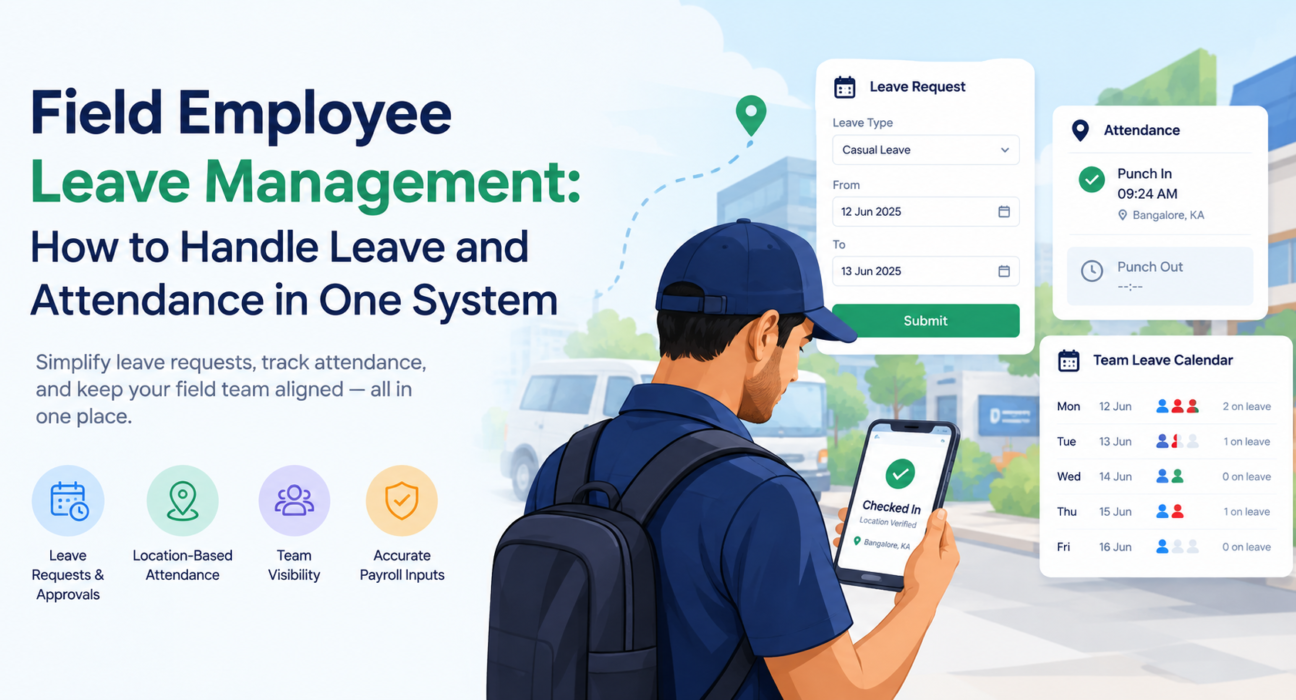
Field Employee Leave Management: How to Handle Leave and Attendance in One System
Field employee leave management is hard because the people you are managing are rarely in one place. A sales executive is at a dealer, a technician is on a service call, and a collection agent is on the road. When they apply for leave over WhatsApp and mark attendance on paper, you cannot tell who is absent, who is on leave and who is simply unreachable.
This guide explains how to manage leave and attendance for field teams in a single system. You will learn why keeping them separate causes problems, what a good process looks like, and what to look for in software.
What Is Field Employee Leave Management?
Field employee leave management is the process of recording, approving and tracking time off for employees who work outside a fixed office, and linking it to their attendance records.
For field teams, it covers four things:
- Leave requests and approvals
- Leave balances and policies
- Attendance verification (punch-in and punch-out)
- Visibility for managers, so coverage can be planned
When leave and attendance live in one system, each record supports the other. A day marked as leave cannot also show as absent. A punch-in cannot appear on an approved leave day without a flag.
Why Managing Leave and Attendance Separately Causes Problems
Most field teams start with simple tools: a WhatsApp group for leave requests, a spreadsheet for balances and a manual muster for attendance. This works for five people. It breaks down quickly after that.
1. Attendance and leave records don’t match
If leave sits in one place and attendance in another, someone has to reconcile them at month end. Gaps appear: days marked absent that were approved leave, or leave taken without a record.
2. Managers can’t plan coverage
A field manager needs to know who will be away next week before assigning visits, beats and tasks. Without a shared leave calendar, customer visits get missed because nobody knew a rep was off.
3. Verification is weak
Field attendance is easy to misreport when it relies on self-declaration. Without location checks, it is hard to confirm that someone who says they worked actually reached their assigned area.
4. Approvals get delayed
When a request is buried in a chat thread, approval takes longer and employees are left unsure whether they can travel or plan around the date.
5. Payroll inputs are unreliable
Leave and attendance are the base data for payroll. Errors here lead to disputes, rework and loss of trust with employees.
How to Manage Field Employee Leave and Attendance in One System
To manage field employee leave and attendance together, define a clear policy, capture attendance with location verification, route leave requests through an approval workflow, and review both on a shared dashboard.
Here is the process in five steps.
Step 1: Write down a clear leave policy for field roles
Start with the rules. Decide which leave types apply (casual, sick, earned, compensatory, unpaid), how requests are made, how much notice is needed and who approves them.
Leave rules in India can depend on the state’s Shops and Establishments Act and on your company policy, so check requirements with your HR or legal advisor before finalizing them. Field roles often need extra rules, such as notice periods for peak sales weeks or limits on how many people from one territory can be away at once.
Step 2: Capture attendance with proof, not just a tap
Attendance for field staff should confirm who punched in, when and where. Useful controls include:
- Server-time punch-in, so a changed phone clock cannot alter the record
- Geofencing, which checks that the punch-in happens in the expected area
- Mock-location detection, which flags attempts to fake GPS
- Offline capture, so punch-ins still work in areas with weak signal
Step 3: Move leave requests into a defined approval workflow
Employees should request leave from their phones, choosing the type and dates. The request then goes to the right reporting manager, who can approve or reject it with a comment.
A structured workflow gives you a record of every decision. It also removes the need to chase approvals through calls and chats.
Step 4: Give managers a shared leave calendar
A team leave calendar shows who is away on which dates. Managers can use it to rebalance territories, reassign visits and avoid scheduling critical customer meetings when a rep is on leave.
Step 5: Review leave and attendance together
Look at both data sets in one place every week or month. Useful questions include:
- Who has frequent unplanned absences?
- Which territories have the most leave overlap?
- Are there punch-ins on leave days that need correction?
- Are leave balances being used evenly across the team?
What to Look For in Leave and Attendance Software for Field Teams
Not every HR tool is built for people on the road. Use this checklist when you evaluate options.
| Capability | Why it matters for field teams |
|---|---|
| Mobile leave requests | Employees apply from the field without visiting an office |
| Approval workflow | Requests reach the right manager and decisions are recorded |
| Leave calendar | Managers plan coverage before assigning work |
| Geofenced punch-in | Confirms presence in the assigned area |
| Server-side time stamps | Prevents device clock manipulation |
| Offline-first app | Works in low-network areas and syncs later |
| Role and hierarchy setup | Approvals follow your reporting structure |
| Reports and dashboards | Gives one view of leave, attendance and activity |
| Integrations | Connects with HR, payroll or ERP tools you already use |
Leave Management vs. Attendance Management: What Is the Difference?
Attendance management records when and where an employee worked. Leave management records approved time away from work. Together they give a complete picture of availability.
| Attendance management | Leave management | |
|---|---|---|
| Purpose | Record working time and location | Record approved time off |
| Typical data | Punch-in/out, location, hours | Leave type, dates, balance, approval status |
| Main users | Managers, HR, payroll | Employees, managers, HR |
| Key risk if separate | Fake or missing punches | Unrecorded or disputed absences |
Treating them as one system avoids conflicts between the two and gives a single source of truth for payroll and planning.
Common Mistakes to Avoid
- Using one policy for every role. Office staff and field staff work differently, so rules around notice, travel days and territory coverage may need to differ.
- Allowing leave requests outside the system. If approvals still happen on chat, the system will always be incomplete.
- Ignoring location data entirely. Attendance without any verification is easy to misreport.
- Not reviewing patterns. Leave and attendance trends can reveal workload imbalance, burnout or territory gaps.
- Skipping training. Field teams adopt tools faster when managers show them how to punch in and apply for leave in a few taps.
How Field Force Management Software Brings Leave and Attendance Together
Businesses looking to simplify these processes can use field force management software such as FieldExecutives, which keeps attendance, leave, visits, tasks and expenses on one platform instead of spreading them across spreadsheets and chat groups.
Based on the FieldExecutives website, relevant capabilities include:
- Geofenced attendance: punch-ins use server time, geofence enforcement and mock-location detection.
- Leave management workflow: field employees can raise leave requests from the mobile app, and managers can handle approvals and view a leave calendar in the web console.
- Offline-first mobile app: reps can punch in and keep working with no network, and data syncs when they reconnect.
- Roles and hierarchy: the admin portal supports users, roles and reporting structures, so approvals can follow your organization.
- Live team visibility: managers see punch-ins, status and field activity on a real-time map.
- Reports and KPIs: managers get dashboards and reports to review team performance.
- Related workflows: the same platform also covers task assignment, visit proof, expense claims and collections, so leave and attendance connect to the rest of the field workflow.
Because everything runs on the same backend, a manager checking who is available can see attendance and leave status next to task and visit data. That helps with assigning work and planning coverage. Details such as leave types, balance rules and integration with your payroll or HR system should be confirmed in a demo against your own policy.
A Simple Example
Consider a distribution company with 40 field sales reps across several cities. Previously, reps sent leave requests to their area managers on WhatsApp, and attendance was marked in a shared sheet at the end of the week.
With a combined system, the process changes:
- A rep applies for two days of leave from the mobile app.
- The area manager sees the request, checks the leave calendar for overlap and approves it.
- The approved days appear in the team calendar, so visits for that rep can be reassigned.
- On other days, the rep punches in at the first outlet, and the system verifies time and location.
- At month end, HR reviews one report that shows attendance and leave together.
This is an illustrative scenario, not a customer story or a guaranteed outcome.
Best Practices for Field Employee Leave and Attendance
- Keep the policy simple and publish it in the app or internal handbook.
- Set clear approval timelines so employees are not left waiting.
- Use a team calendar before approving overlapping requests.
- Review attendance exceptions weekly rather than waiting for month end.
- Get employee consent and explain how location data is used. Location features should apply only to on-duty staff who have granted permission.
- Audit your data regularly to confirm balances and records match your policy.
Conclusion
Field employee leave management works best when leave and attendance are handled in the same system. It removes reconciliation work, makes approvals traceable, helps managers plan coverage and gives payroll cleaner inputs. The steps are straightforward: set a clear policy, verify attendance, run approvals through a workflow, share a leave calendar and review both data sets together.
If your team still tracks leave in chats and attendance on paper, a platform built for field operations is a practical next step. FieldExecutives brings attendance, leave and day-to-day field activity into one place so managers can see who is working, who is away and what needs coverage.