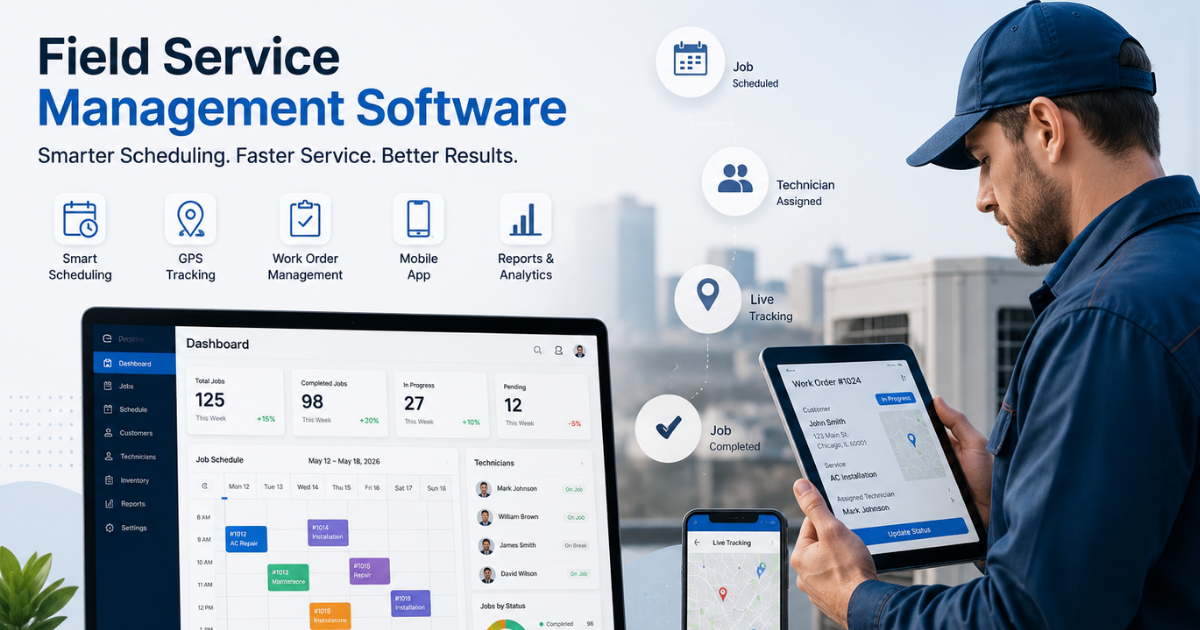
Best Field Force Management Software in India: Complete 2026 Guide
If your sales reps, service engineers, or collection agents work outside the office, you already know the problem: the moment they step out the door, visibility disappears. You get status updates over WhatsApp, attendance on paper registers, and expense claims in spreadsheets that never quite add up.
Field force management software fixes this by putting your entire field operation — attendance, location, tasks, visits, expenses, and collections — on one live system. This guide walks through what the software actually does, which features matter most for Indian field teams, and how to evaluate your options in 2026.
What Is Field Force Management Software?
Field force management software is a platform that helps businesses track, assign, and manage employees who work outside a fixed office location — field sales reps, service technicians, delivery agents, collection officers, and merchandisers.
At its core, it combines four things into one system:
- Attendance and location tracking — GPS-based punch-ins and live movement
- Task and visit management — assigning work and verifying it’s completed
- Route and beat planning — deciding the most efficient order of visits
- Reporting and analytics — turning field activity into management data
Instead of running attendance, task assignment, and expense approvals through separate tools, businesses use one platform that connects all of it in real time.
Why Indian Businesses Are Adopting Field Force Management Software
Field operations in India carry challenges that are somewhat unique to the market: large distributed teams, tier 2/3 city coverage, patchy internet connectivity in certain zones, and a heavy reliance on manual processes like paper attendance sheets and phone-based check-ins.
According to market research firm MarketsandMarkets, India’s field service management market was valued at $339.6 million in 2025 and is projected to reach $726.4 million by 2030, growing at a compound annual growth rate of 16.4%. That growth is being driven by wider cloud adoption and businesses actively digitizing field operations that used to run on spreadsheets and phone calls.
Common Problems Field Force Software Solves
- No visibility once reps leave the office — managers have no idea who is where, or whether a visit actually happened.
- Manual attendance and fudged punch-ins — paper registers and phone-time-based apps are easy to manipulate.
- Inefficient travel routes — reps waste hours on poorly planned routes instead of visiting customers.
- Delayed or inaccurate reporting — data trickles in late, making it hard to track SLAs or team productivity.
- Expense and collection leakage — cash collections and reimbursement claims get lost between the field and the back office.
Key Features to Look for in Field Force Management Software
Not every field team needs every feature. But a genuinely complete platform should cover the following areas.
1. Live GPS Tracking and Geofenced Attendance
The software should show every field employee’s location in real time on a single map, with attendance punch-ins that are geofenced to the customer site or office location. Server-side timestamping (rather than relying on the phone’s own clock) and spoof/mock-location detection are what actually prevent fraudulent attendance — a common leakage point for field teams.
2. Task and Field Visit Management
Managers should be able to assign tasks or customer visits with a checklist, priority, and deadline, and reps should receive them instantly on their phone. Look for proof-of-visit capture — photos, digital signatures, or OTP verification — so a visit can’t be marked complete without evidence.
3. Route and Beat Planning
AI-assisted route or beat planning arranges a rep’s daily visits in the most efficient order, cutting unnecessary travel. This is one of the highest-ROI features in field force management software, since travel time is often the single biggest drain on a field rep’s day.
4. SLA Monitoring
For service-heavy teams — installations, repairs, AMC visits — SLA tracking flags jobs that are at risk of breaching a committed response or resolution time, so managers can intervene before a customer complaint lands.
5. Expense and Collection Management
Field reps regularly submit fuel, travel, or client-entertainment expenses, and in sales or microfinance roles, they collect payments on the ground. Software that routes expense claims through an approval workflow, and tracks collections through to settlement, removes a major source of manual reconciliation.
6. Custom Forms and Workflows
Every field business — pharma, FMCG, banking, facility management — has its own checklist and data-capture needs. Configurable, no-code forms let a business capture exactly what it needs (audit checklists, doctor call reports, KYC details) without waiting on custom development.
7. Real-Time Reporting and KPIs
Dashboards for visits completed, on-time percentage, attendance, and productivity per rep let managers spot problems early and coach based on data rather than assumptions.
8. Offline-First Mobile Capability
Field connectivity in India is inconsistent, especially outside metro areas. A mobile app that lets reps punch in, complete visits, and capture proof without a live connection — syncing automatically once they’re back online — is a practical necessity, not a nice-to-have.
Field Force Management vs. Field Service Management: What’s the Difference?
The terms are often used interchangeably, but there’s a useful distinction:
| Aspect | Field Force Management | Field Service Management |
|---|---|---|
| Focus | Broader — sales, merchandising, collections, and any outdoor workforce | Narrower — service technicians handling repairs, installations, AMCs |
| Core activity | Visits, attendance, route efficiency, task completion | Work orders, SLA compliance, spare parts, job scheduling |
| Typical users | Field sales, distribution, banking/collections, surveys | Repair and maintenance, telecom, HVAC, appliance service |
In practice, most modern platforms — including FieldExecutives — support both use cases on the same system, since the underlying needs (location visibility, task assignment, proof of work, reporting) overlap heavily.
How to Choose the Right Field Force Management Software
1. Map your workflow before you shop. List out how your team currently gets assigned work, records attendance, and reports back. This tells you which features are non-negotiable and which are nice-to-have.
2. Prioritize based on your industry. A pharma sales team needs doctor-visit reporting and call frequency tracking; a collections team needs payment capture and settlement tracking; a facility management team needs checklist-based rounds. Look for a platform with industry-specific configuration rather than a generic tracker.
3. Check for offline support. If your reps work in areas with patchy connectivity, confirm the mobile app functions offline and syncs reliably — this is often overlooked until it becomes a daily frustration.
4. Evaluate proof-of-work capture. Photo, signature, and OTP verification protect you against disputed visits and fraudulent claims. Ask how granular this can get for your specific checklist needs.
5. Look at implementation time and support. Field teams can’t wait weeks for onboarding. Ask vendors how long setup typically takes and whether configuration (forms, workflows, roles) requires coding or vendor involvement.
6. Ask about customization. Your job types, approval chains, and SLAs are specific to your business. A platform that requires you to adapt your process to its rigid structure will cause friction; one with no-code custom forms and workflows will flex to fit you.
7. Confirm data security and role-based access. Field data often includes customer information, payment details, and employee location — make sure access controls, audit trails, and data separation between companies are in place.
How Field Force Management Software Helps Different Industries
- FMCG & Distribution: Beat plans, order capture, and outlet coverage tracking for distributor sales teams.
- Pharma & Medical Reps: Doctor and chemist visit logging with call reports.
- Banking & Collections: Field verification for onboarding and recovery visit tracking with receipt capture.
- Field Service & Repair: SLA-bound job assignment for installs, AMC visits, and repairs.
- Facility Management: Checklist-based housekeeping and maintenance rounds with proof of completion.
- Logistics & Last-Mile: Live delivery tracking and proof-of-delivery capture.
Businesses looking to simplify these processes can use field force management software such as FieldExecutives, which brings live GPS tracking, geofenced attendance, AI-assisted route planning, proof-of-visit capture, SLA monitoring, expense and collection tracking, and no-code custom forms into a single platform built around Indian field operations, with the mobile app working offline-first for reps in low-connectivity areas.
Common Mistakes Businesses Make When Adopting Field Force Software
- Choosing a tool that only tracks location and expecting it to solve task management, expenses, and reporting too.
- Skipping the workflow-mapping step, leading to a mismatch between the software’s structure and how the team actually works.
- Underestimating change management — reps who are used to paper or WhatsApp updates need clear onboarding, not just an app install.
- Ignoring offline capability until reps in low-network areas start losing data or facing sync issues.
- Overlooking reporting needs — collecting field data is only useful if it turns into dashboards managers actually check.
Conclusion
Field force management software solves a problem that’s easy to underestimate until you’re living with it: once your team steps outside, you lose visibility, and that gap quietly costs you time, money, and customer trust. The right platform brings attendance, visits, routes, expenses, and reporting into one connected system, so field work stops being a black box.
When evaluating options in 2026, focus on real-time tracking, proof-of-visit capture, route optimization, offline capability, and configurability to your specific workflow — not just a feature checklist. Platforms such as FieldExecutives are built specifically around these needs for Indian field teams, from sales and distribution to service and collections.
If you’re ready to see how this looks for your own team, book a field force management demo and map your workflow against a live system rather than a slide deck.