Best CRM for Direct Sales Teams in India: What to Look For
Most direct sales teams in India don’t lose deals because of a weak product. They lose them because a lead was called too late, a follow-up was forgotten, or a manager had no idea what the team did all day. A <a href=”https://telecallingcrm.com/features”>direct sales CRM</a> fixes these gaps by keeping leads, calls, follow-ups and pipeline in one place.
This guide explains what a direct sales CRM is, which features matter, how to compare options, and which mistakes to avoid. It is written for business owners and sales managers who sell mainly through calls, field visits, or both.
What Is the Best CRM for Direct Sales Teams in India?
The best direct sales CRM for an Indian team combines lead management, a call-first workflow, follow-up reminders, pipeline tracking and team reports in one simple, affordable plan. Choose based on how your team actually sells, whether by phone, in the field or both, and not on the longest feature list.
No single CRM suits every business. A five-person insurance team and a fifty-person real estate call floor have different needs. The sections below help you decide what matters for yours.
What Is a Direct Sales CRM?
A direct sales CRM is software that helps a sales team sell directly to customers, usually through calls, messages and meetings, without a middle layer of resellers. It stores every lead, records every conversation, schedules follow-ups and shows managers where each deal stands.
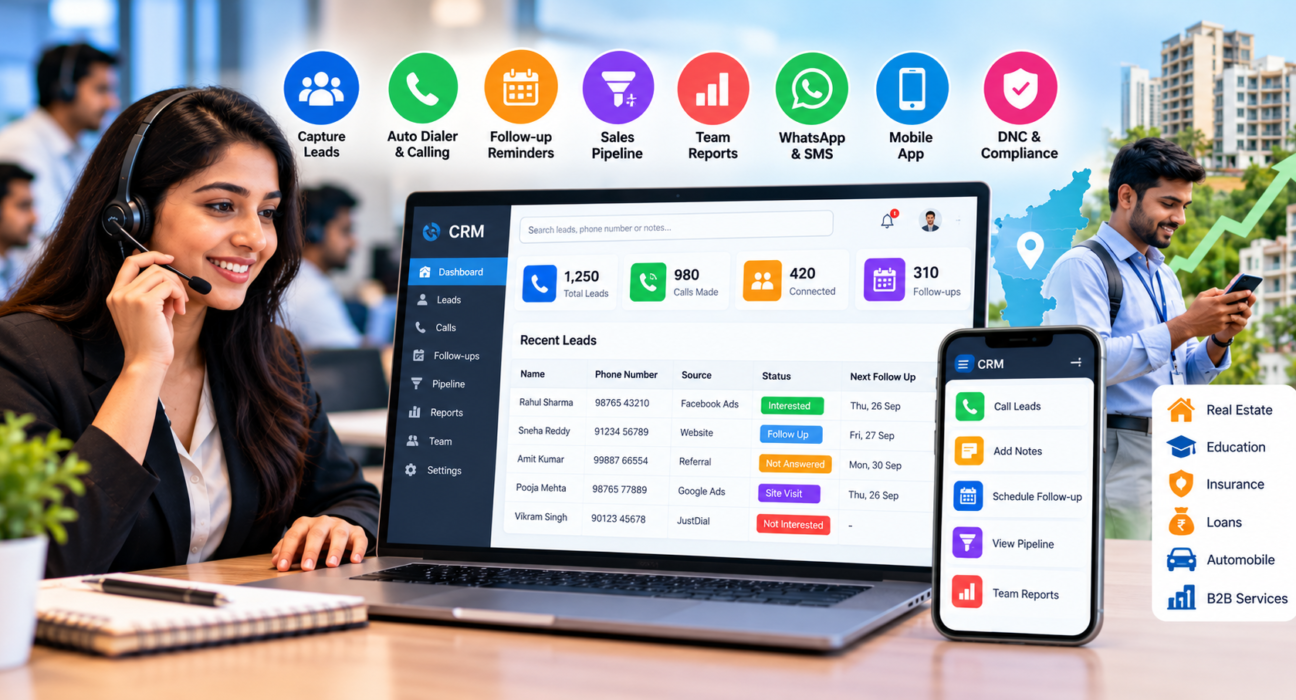
In India, these teams are common in real estate, insurance, education, loans, automobiles and B2B services. Their work depends on speed and consistency, which is why the CRM needs to fit the daily calling routine.
Why a Generic CRM Often Falls Short
Many general-purpose CRMs are built around email, marketing campaigns and long enterprise sales cycles. Direct sales teams work differently. An agent may need to make 80 to 100 calls a day, log each outcome quickly and move to the next lead.
If logging a single call takes six clicks, agents skip it. Data goes missing, and managers lose visibility. A CRM with a call-focused workflow removes this friction.
Must-Have Features in a Direct Sales CRM
1. Lead capture and import
Your leads probably come from many places: Facebook and Instagram ads, Google Ads, property portals, JustDial, your website and old Excel sheets. A good CRM brings all of them into one list.
Look for CSV import, de-duplication and integrations with the lead sources you already use. Without de-duplication, two agents may call the same person on the same day.
2. Lead assignment rules
Manual assignment wastes time and creates arguments. A CRM should assign leads by rules, such as round-robin, source, city or product, so every lead reaches an agent within minutes.
3. A fast calling workflow
This is the heart of a direct sales CRM. Agents should be able to call, add notes, set an outcome and schedule the next step without leaving the screen. An auto dialer helps by moving to the next lead automatically, so agents spend less time typing numbers.
4. Follow-up reminders
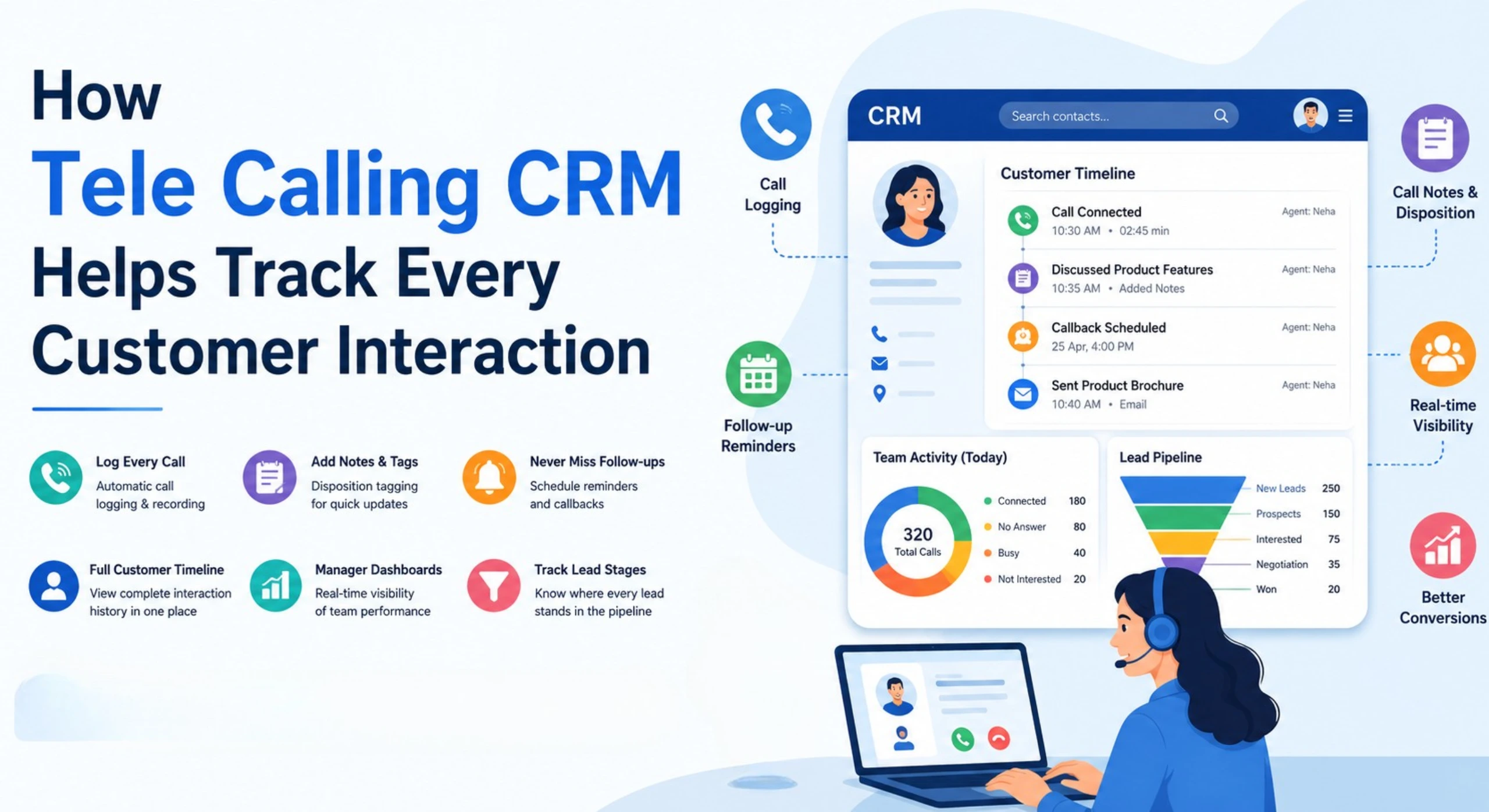
Most sales are closed after several conversations. Reminders and overdue alerts make sure a promised callback actually happens. This is often where teams see the biggest improvement, because forgotten follow-ups are a common source of lost leads.
5. Sales pipeline
A pipeline shows each lead’s stage, from new enquiry to closed. Look for custom stages, deal values and stage history. This tells you how much revenue is likely to close this month and where deals are getting stuck.
6. Mobile app
Many Indian sales teams work partly from the field or from home. A mobile app lets agents call, log outcomes and check follow-ups from their phones. Check that it supports the phones your team actually uses.
7. Reports and live team visibility
Managers need simple answers. Who made how many calls? What is the connection rate? Who is idle? Which lead source gives the best results? Reports and leaderboards make coaching easier and less subjective.
8. WhatsApp, SMS and email
Indian customers often prefer WhatsApp for quick details and documents. Built-in templates save agents from switching between apps. If you send SMS in India, confirm that the CRM supports DLT-registered templates.
9. Compliance tools
Outbound calling in India is regulated. Under the TRAI framework, promotional calls are meant to go through the 140 number series by registered telemarketers, and customers can block such calls through the DND registry. A CRM that supports DNC checks helps your team avoid calling people who have opted out. It does not replace your own compliance process, so check the current rules with your telecom provider or legal advisor.
Quick Checklist: Features and Questions to Ask
| Feature | Problem it solves | Question to ask the vendor |
|---|---|---|
| Lead import and de-duplication | Duplicate and scattered leads | Can I import from Excel and my ad platforms? |
| Auto-assignment | Slow lead response | Can I set rules by source or city? |
| Call logging and recording | Missing call history | Is logging one-click? Are recordings stored securely? |
| Follow-up reminders | Forgotten callbacks | Are there overdue alerts for agents and managers? |
| Pipeline and deal value | No revenue visibility | Can I create my own stages? |
| Mobile app | Field and remote agents | Is it available for Android and iOS? |
| Reports | Guesswork in coaching | Can I see agent-wise and source-wise data? |
| DNC checks | Calling opted-out numbers | How does the CRM handle DNC lists? |
How to Choose a Direct Sales CRM: A 6-Step Process
- Map your sales process. Write down the steps from lead arrival to closing. Note where leads get delayed today.
- List your lead sources. Check that the CRM connects to them, or can import from them easily.
- Count your users. Include agents, team leaders and managers. Pricing often depends on this number.
- Shortlist two or three options. More than that leads to confusion.
- Run a trial with real leads. Ask two or three agents to use it for a few days. Their feedback matters more than any demo.
- Check the reports. After the trial, see whether the data actually helps you manage the team.
For a deeper look at evaluation criteria, you can also read this guide on how to choose the best telecalling CRM.
Examples: How Direct Sales Teams Use a CRM
These are hypothetical examples to show how a CRM can fit different businesses. They are not customer case studies.
Real estate. A developer’s team receives enquiries from property portals and Facebook ads. The CRM assigns each enquiry to an agent, who calls, notes the budget and preferred location, and schedules a site visit reminder. Managers see how many enquiries turned into visits. Teams like this may want to look at a real estate CRM built for this flow.
Insurance. An agency calls prospects and also tracks renewals. The CRM stores each customer’s policy details in notes, sets renewal reminders and keeps call history in one place, so any agent can pick up a conversation. See the insurance CRM page for that use case.
B2B services. A small team sells software or services to businesses. Each lead moves through stages such as first call, demo, proposal and negotiation, with a deal value attached. The manager reviews the B2B CRM pipeline every week.
Common Mistakes When Choosing a CRM
- Buying for features you won’t use. A long feature list looks impressive, but a team that needs calling and follow-ups does not need a marketing suite.
- Ignoring agent experience. If the tool is slow or confusing, agents will go back to notebooks and Excel.
- Skipping the trial. Demos are polished. Real leads and real agents show the truth.
- Not cleaning your data first. Importing duplicate or outdated leads creates a messy CRM from day one.
- Comparing only the monthly price. Check per-user charges, add-on fees and support levels.
- Not training the team. Even a simple CRM needs a short onboarding and clear rules on how to log calls.
Understanding CRM Pricing in India
CRM pricing usually follows one of two models. The first is per user, per month, where cost rises with every agent you add. The second is a flat plan for a fixed number of users, where cost stays predictable within that limit.
To compare fairly, calculate the yearly cost for your current team size and for the team size you expect in twelve months. Then add any charges for extras such as AI features, WhatsApp or additional storage.
Also check whether GST is included and whether annual billing changes the price.
How TeleCallingCRM Can Help Direct Sales Teams
TeleCallingCRM is a CRM built around calling-led sales. It is designed for Indian teams that make outbound calls and need to manage leads and follow-ups in one place. Based on the information on its website, it offers:
- A smart auto dialer with call recording and notes
- Lead import, de-duplication and DNC checks
- Auto lead distribution and 12+ lead-source integrations, including Facebook and Instagram Lead Ads, Google Ads, 99acres, Housing, MagicBricks and JustDial
- Follow-up scheduling with reminders and overdue alerts
- A sales pipeline with custom stages, deal values and forecasting
- A live “war room” view of agent activity, plus reports and leaderboards
- WhatsApp templates, SMS and email
- A mobile app for Android and iOS
- AI call analysis that provides transcripts, summaries and quality scores
On pricing, the website lists flat plans: Basic at ₹999 per month for up to 5 users and Pro at ₹1,599 per month for up to 10 users. An Enterprise plan is listed at ₹2,999 per month for larger teams. It states that every plan includes all features, and a 3-day free trial is offered. Check the pricing page for the current details before you decide.
Where it may not fit: if your team rarely uses calls and relies mainly on in-person visits or email campaigns, test carefully during the trial to confirm the workflow suits you.
Direct Sales CRM for Startups and Small Teams
If you are a small business, start simple. You need lead capture, a calling workflow, reminders and a basic report. You can add complexity later. A CRM for startups should be easy enough that a new agent can start using it on day one, without a long training programme.
Frequently Asked Questions
What is a direct sales CRM?
A direct sales CRM is software that helps sales teams manage leads, calls, follow-ups and deals when selling directly to customers. It keeps customer history in one place, reminds agents about callbacks and gives managers visibility into team performance and pipeline.
Which CRM is best for a direct sales team in India?
The best option depends on your team size, lead sources and budget. Prefer a CRM with a call-focused workflow, follow-up reminders, lead-source integrations, a mobile app and clear reports. Shortlist two or three tools and test them with real leads before deciding.
Is a telecalling CRM the same as a direct sales CRM?
They overlap but are not identical. A telecalling CRM puts calling, dialing and call logging at the centre. A direct sales CRM is a broader term for tools used by teams selling directly, which may include calls, messages and field visits. Many calling-led teams use a telecalling CRM for both.
How much does a direct sales CRM cost in India?
Prices vary widely. Some CRMs charge per user each month, while others offer flat plans for a fixed number of users. Compare the yearly cost for your current and expected team size, and check for add-on charges, GST and support levels.
Do I need an auto dialer in my CRM?
If your agents make many outbound calls every day, an auto dialer can save time by moving to the next lead automatically. If your team makes only a few calls a day, it may not be essential. Consider your daily call volume.
Can a CRM help with DNC and TRAI compliance?
A CRM can help by checking numbers against a DNC list and keeping call records. However, compliance also depends on your telemarketer registration, number series, calling hours and consent process. Confirm current TRAI requirements with your telecom provider or a legal advisor.
Can I move my leads from Excel to a CRM?
Yes. Most CRMs allow CSV import. Clean your file first by removing duplicates and fixing phone number formats, so your CRM starts with accurate data.
How long does it take to set up a CRM?
Simple, calling-focused CRMs can be set up quickly. The time needed depends on how many leads you import, how many users you add and how much customisation you want. Allow time for a short team training session.
Conclusion
The right direct sales CRM should make your agents faster and your managers better informed. Focus on lead management, a smooth calling workflow, follow-up reminders, pipeline tracking, reports and compliance support. Test your shortlist with real leads before you commit.
If you want to see how a telecaller CRM handles your own lead list and calling process, you can request a demo and judge whether it fits your team.