What Is TeleCalling CRM? A Complete Guide for Businesses
Most telecalling teams do not lose leads because their agents sell badly. They lose them because a callback was forgotten, the same number was dialled twice, or nobody knew what was said on the last call. A telecalling CRM is built to fix these problems by keeping leads, calls and follow-ups in one system.
This guide explains what a telecalling CRM is, how it works, which features matter, who needs one and how to choose the right one for your team.
What Is a Telecalling CRM?
A telecalling CRM is software that helps phone-based sales teams manage leads, make and log calls, schedule follow-ups and track agent performance in one place. Unlike a general CRM, it puts the calling workflow (dialling, call outcomes and callbacks) at the centre of daily work.
You may also see it called a telecaller CRM, tele CRM, telecalling software, sales calling software or CRM for telecallers. These terms usually describe the same type of tool: a lead and call management system for teams that spend most of their day on the phone.
Why Businesses Need a Telecalling CRM
Many teams start with Excel sheets, WhatsApp groups and notebooks. This works for a few leads. It breaks down as volume grows.
Common problems include:
- Duplicate leads: two agents call the same person, which looks unprofessional.
- Missed follow-ups: callbacks live in someone’s memory or personal diary.
- No call history: a new agent has no idea what was discussed earlier.
- Poor visibility: managers learn about problems at the end of the month.
- Unclear lead distribution: good leads end up with whoever grabs them first.
A telecalling CRM replaces these scattered tools with one shared record for every lead.
How a Telecalling CRM Works
The exact steps differ between products, but the basic flow is similar:
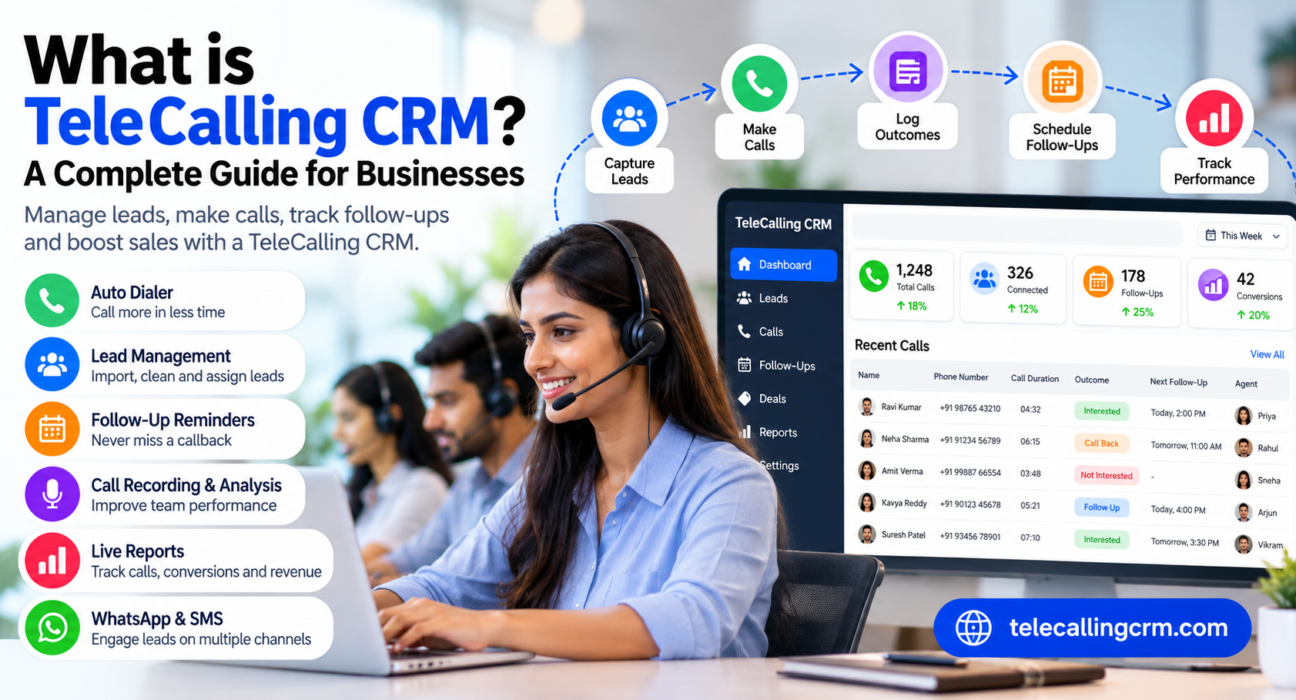
- Capture leads. Import a CSV or Excel file, or connect sources such as ad platforms, portals and website forms.
- Clean the data. Duplicate numbers are removed and Do Not Call (DNC) numbers are flagged.
- Assign leads. Rules distribute leads to agents, for example by round-robin or language.
- Make calls. Agents call from a queue, often using an auto dialer.
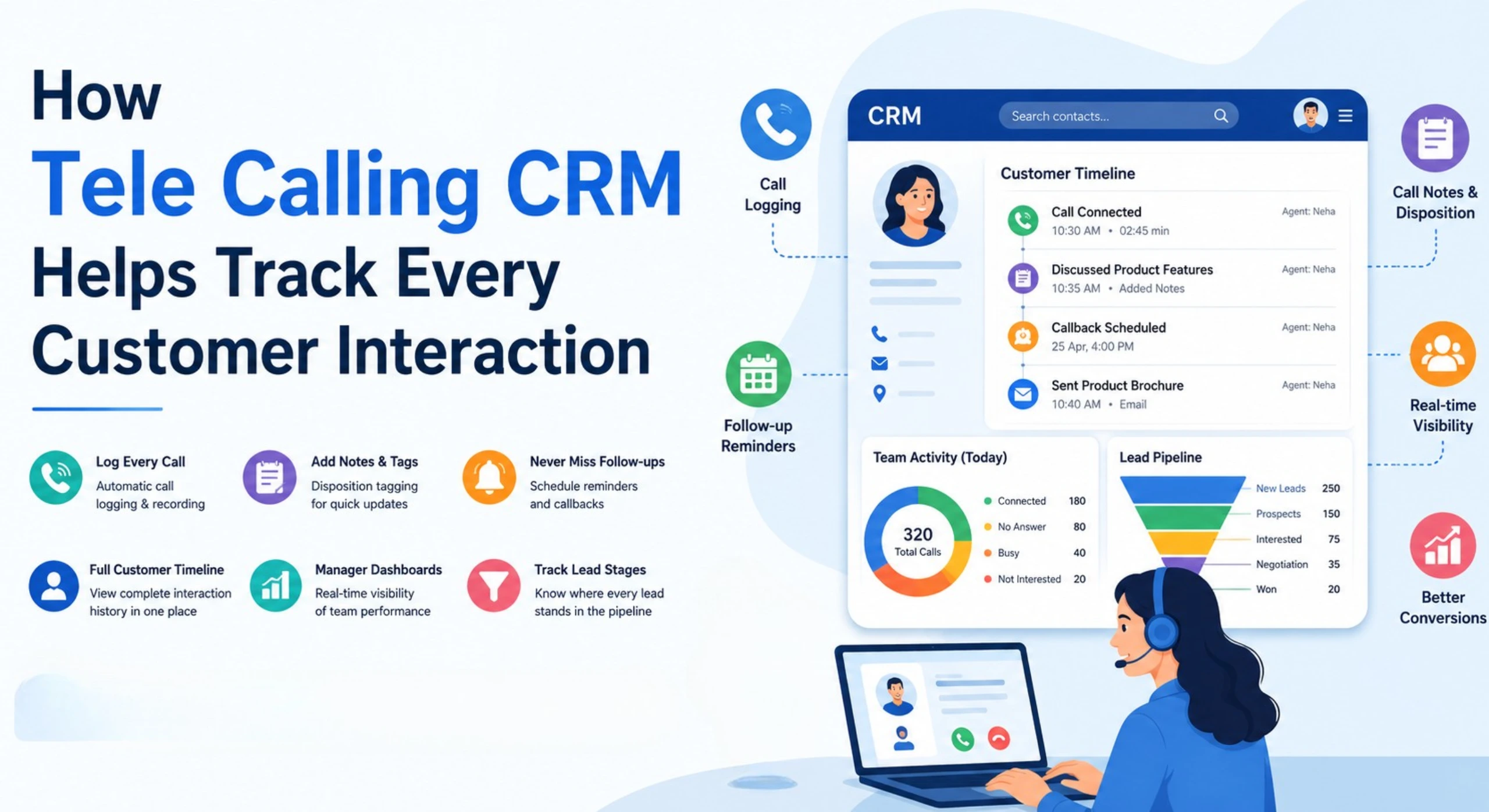
- Log the outcome. After each call, the agent records the result, such as interested, call back later or not interested.
- Schedule follow-ups. The system reminds the agent when the next call is due.
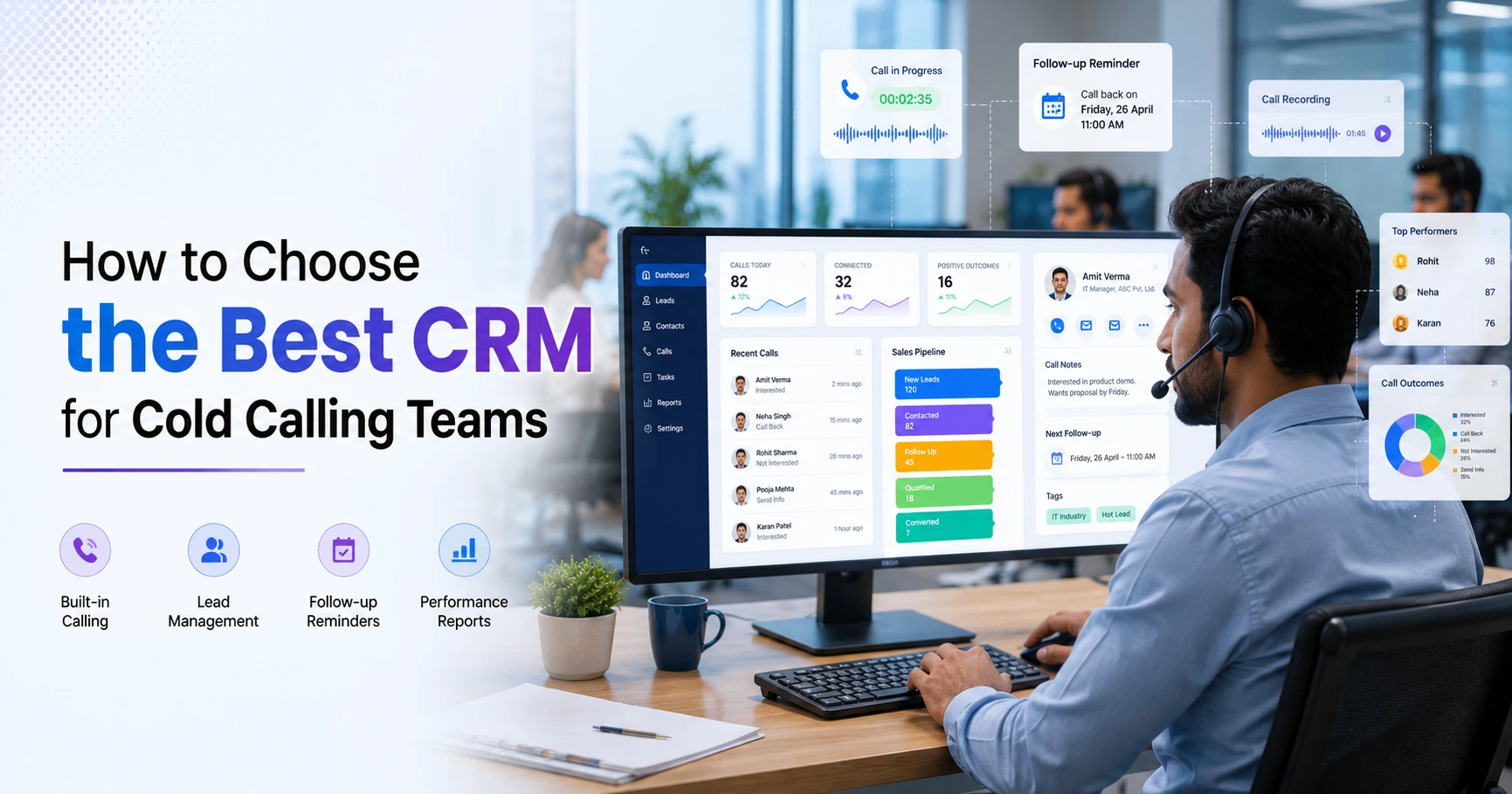
- Review performance. Managers check calls made, talk time, connection rate and conversions.
Key Features of a Good Telecalling CRM
Auto dialer
An auto dialer rings through the assigned lead list so agents do not type numbers manually. Useful controls include pause and resume, automatic call duration capture and one-tap outcome logging. TeleCalling CRM’s auto dialer also skips DNC numbers and enforces a calling-hours window.
Lead management and distribution
The CRM should store every lead with its source, notes and call history. Look for bulk import, de-duplication, lead scoring, tags and automatic assignment rules.
Follow-up management
Most sales need more than one call. Good follow-up tools offer one-tap scheduling, reminders before a call is due and overdue alerts for managers.
Call recording and AI call analysis
Recordings help with quality checks, training and dispute resolution. Some platforms also transcribe and summarise calls, score them and suggest coaching points. This reduces manual review, but managers should still listen to important calls.
Sales pipeline
A pipeline shows where each lead stands, such as qualified, proposal or negotiation. Adding a deal value to each lead gives managers a clearer revenue picture.
Messaging
Leads often respond better to a WhatsApp message or SMS after a missed call. Having calls and messages on one lead timeline saves agents from switching apps.
Reports and live monitoring
Managers need to see calls made, talk time, connection rate, idle time and conversions. Real-time dashboards help them act during the day, not after it.
Mobile app
Field teams and remote agents need to call, log outcomes and check follow-ups from their phones.
Telecalling CRM vs Generic CRM vs Spreadsheet
| Area | Spreadsheet | Generic CRM | Telecalling CRM |
|---|---|---|---|
| Calling workflow | Manual dialling | Often needs a separate dialer | Built around the call queue |
| Follow-up reminders | Manual | Available, but not always call-focused | Core feature |
| Call history per lead | Hard to maintain | Yes | Yes, with call logs and recordings |
| Team monitoring | Very limited | Basic reports | Agent-level calling metrics |
| Best for | Very small lead lists | Long sales cycles and account management | High-volume outbound and inbound calling |
A generic CRM is not “bad”. If your sales depend on long email threads and meetings, it may suit you well. A telecalling CRM makes more sense when phone calls are your main sales channel.
Who Should Use a Telecalling CRM?
A telecalling CRM is useful for any team that makes or receives a high number of calls:
- Real estate teams handling enquiries from portals and ads. See Real Estate CRM.
- Education businesses managing admission counselling. See Education CRM.
- Insurance agencies tracking renewals and fresh leads. See Insurance CRM.
- Call centres and BPOs that need agent-level monitoring. See Call Center CRM.
- Recruitment, finance, healthcare and B2B teams with regular outbound calling.
If your team makes fewer than a handful of calls a day, a simple spreadsheet may be enough for now.
Practical Examples
These are hypothetical examples to show how a telecalling CRM may be used.
Example 1: Real estate. A builder’s team receives enquiries from property portals and Facebook ads. The CRM assigns each new lead to an available agent, who calls and logs the outcome. If the buyer says “call me after the weekend”, the agent sets a follow-up for Monday. The manager can see which sources produce site visits.
Example 2: Coaching institute. An admissions team calls parents who filled an enquiry form. Counsellors log the course of interest and budget. If a parent does not answer, the CRM can prompt a retry and the counsellor can send a WhatsApp message with fee details.
Benefits and Limitations
Benefits
- Fewer missed follow-ups and duplicate calls
- Complete call and lead history in one place
- Less time spent on manual dialling and data entry
- Better visibility for managers
- Easier onboarding for new agents
Limitations
- A CRM is only as good as the data your team enters. Poor logging gives poor reports.
- Automation does not fix weak scripts, poor lead quality or untrained agents.
- Auto dialling and messaging must still follow telecom rules.
- Teams need a short training period to build the habit of logging every call.
How to Choose the Right Telecalling CRM
Use this checklist while comparing options:
- Does it include a dialer, or will you need a separate tool?
- Can you import existing leads easily and connect your lead sources?
- Does it offer automatic lead assignment?
- Are follow-up reminders and overdue alerts reliable?
- Is there a mobile app for your agents?
- Does it give you call recordings and clear reports?
- Is the pricing clear? Check whether it is per user or per plan, and what costs extra.
- Can you test it with your own leads before paying?
For a deeper comparison, read our guide on how to choose the best telecalling CRM.
Common Mistakes to Avoid
- Choosing only on price. Check what is included and what costs extra.
- Skipping training. Agents who do not log calls make the CRM useless.
- Importing messy data. Clean your lists before the first import.
- Tracking too many fields. Keep call outcome forms short.
- Ignoring reports. Review the numbers weekly and coach agents accordingly.
A Note on Telecom Compliance in India
Commercial calling in India is regulated by TRAI under the Telecom Commercial Communications Customer Preference Regulations, 2018, which aim to curb unsolicited commercial communication. Features such as DNC checks and calling-hours controls can help, but compliance remains the business’s responsibility. Rules are reviewed from time to time, so check the current TRAI guidance or take professional advice.
How TeleCalling CRM Can Help
TeleCalling CRM is a telecalling CRM built for Indian sales teams. Based on the information on its website, it includes:
- A smart auto dialer with call duration capture and one-tap outcome logging
- Lead import, de-duplication, DNC checks and rule-based lead assignment
- Follow-up scheduling with reminders and overdue alerts
- Encrypted call recording and AI call analysis (transcripts, summaries, sentiment and quality scores)
- A sales pipeline with deal values and weighted forecasting
- 12+ lead-source integrations, including Facebook and Instagram Lead Ads, Google Ads, 99acres, MagicBricks and JustDial
- SMS, email and WhatsApp messaging
- A live war room, reports and an Android and iOS app
Plans start at ₹999 per month (excluding GST) and are priced per plan, not per user. The website also mentions a 3-day free trial without a credit card. Please confirm current pricing and limits on the pricing page before deciding.
Frequently Asked Questions
What does a telecalling CRM do?
It stores leads, helps agents call them, records call outcomes, schedules follow-ups and shows managers how the team is performing. Many also include recordings, messaging and reports.
Is a telecalling CRM different from a normal CRM?
Yes, in focus. A normal CRM manages customer relationships broadly, often through emails, meetings and accounts. A telecalling CRM is designed around high-volume calling, with dialling, call logs and callbacks as central features.
Who needs a telecalling CRM?
Teams that depend on phone calls for sales or admissions need one most. Examples include real estate, education, insurance, finance, recruitment and call centre teams.
How much does a telecalling CRM cost in India?
Prices vary. Some vendors charge per user per month, while others charge a flat price per plan. Compare what each plan includes, the user limits and any add-on charges. TeleCalling CRM plans start at ₹999 per month, excluding GST.
Can a telecalling CRM be used on mobile?
Many can. A mobile app lets agents call, log outcomes and manage follow-ups from their phones. TeleCalling CRM offers an Android and iOS app.
Does a telecalling CRM help with DND and TRAI compliance?
It can help through DNC list checks and calling-hour controls. However, consent, registration and message rules remain the business’s responsibility, so review current TRAI requirements.
How long does it take to set up a telecalling CRM?
Basic setup can be quick if your lead list is ready. TeleCalling CRM states that teams can start dialling within minutes. Allow extra time for cleaning data, creating users and training agents.
Conclusion
A telecalling CRM gives phone-based teams a single place to manage leads, calls and follow-ups. It reduces missed callbacks, improves visibility and saves agents from repetitive work. The best choice depends on your team size, lead sources, budget and how much reporting you need.
If you want to see how a CRM for telecallers works in practice, you can review the plans and try it with your own leads.