GPS Field Workforce Tracking: How It Improves Visibility
You can’t manage what you can’t see. Once your team leaves the office, most managers rely on phone calls, WhatsApp messages and end-of-day reports to know where people are.
GPS field workforce tracking closes that gap. It shows where employees are, whether they reached the right place, and what happened along the way. This guide explains how it works, where it helps most, what it can’t do alone, and how to introduce it responsibly.
What Is GPS Field Workforce Tracking?
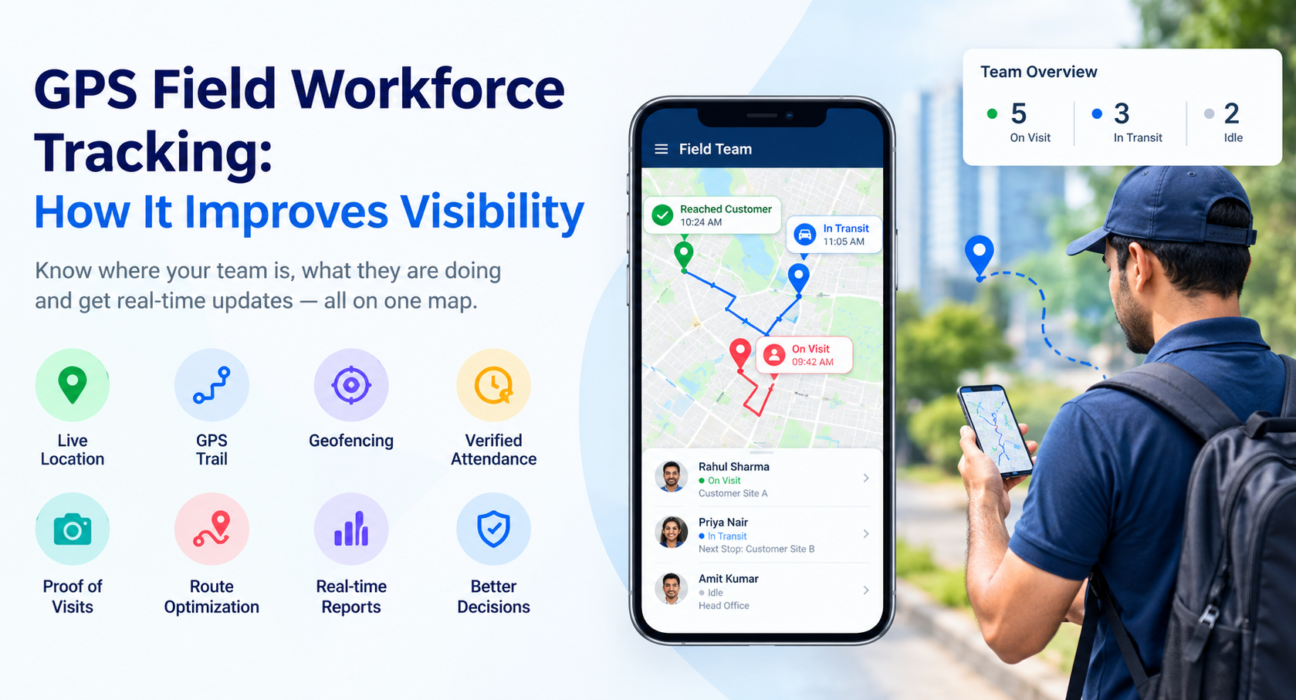
GPS field workforce tracking is the use of location data from employees’ smartphones to see where field staff are, where they have been and whether they completed planned visits. Managers view this data on a live map and in reports, usually alongside attendance, tasks and visit records.
In practice, it covers several capabilities:
- Live location: current position and status of each employee.
- GPS trail: the path a person travelled during the day.
- Geofencing: a virtual boundary around a customer site, office or territory.
- Location-stamped actions: punch-ins, check-ins and visit updates tied to a place and time.
Why Field Workforce Visibility Breaks Down
Field teams work away from supervision, so problems tend to stay hidden until they cost money. Common gaps include:
- No live picture. Managers don’t know who is at which customer, who is in transit and who is idle.
- Unverified attendance. Paper registers, manual reports or phone-based punch-ins are easy to inflate.
- Visits without proof. A report says a visit happened, but nothing confirms it.
- Scattered updates. Information sits in chat groups, spreadsheets and memory, so no one has a single view.
- Slow reaction. Delays, missed appointments and SLA risks surface after the customer complains.
These are visibility problems before they are performance problems. Fixing visibility is usually the first step toward fixing the rest.
How GPS Tracking Improves Field Workforce Visibility
1. A Live View of the Whole Team
A live map shows every field employee’s position and status in one place. A manager can see who is closest to an urgent job, which team members are on the road and who hasn’t started their day.
This changes how decisions get made. Instead of calling each person, you reassign work based on what you can actually see.
2. Attendance You Can Trust
GPS-based attendance records where and when an employee punched in, instead of relying on a manual entry. Combined with geofencing, it can require a punch-in to happen inside a defined area.
Reliable attendance also depends on how the record is created. Strong systems use server time rather than the phone’s clock, and flag suspicious behaviour such as mock-location apps.
3. Verified Customer Visits
Location data shows whether a rep reached the customer’s site. Pair it with a photo, signature or OTP and you have proof of presence and proof of work.
This matters most where visit claims drive payments, incentives or compliance, such as sales calls, service jobs, collections and field verification.
4. Route Trails and Travel Insight
A GPS trail shows the route each employee actually took. Over time, you can spot patterns:
- Territories where reps spend too much time travelling.
- Visit sequences that force backtracking.
- Long idle gaps between stops.
That data helps you rebalance territories and plan tighter routes. It is more useful for improving the process than for policing individuals.
5. Faster, Smarter Dispatch
When you know where everyone is, you can assign the nearest available person to an urgent task. That shortens response times and reduces unnecessary travel.
For service teams working against deadlines, this supports SLA management. Managers see which jobs are at risk while there’s still time to act.
6. Reports That Support Coaching
Location and visit data feed reports on coverage, visits completed and time spent per stop. These give managers factual starting points for coaching conversations, rather than relying on impressions or self-reported numbers.
What GPS Tracking Shows and What It Doesn’t
GPS is a strong foundation, but it answers a narrow question: where. Here is how it compares with what a manager usually needs to know.
| Question | GPS tracking alone | Full field force management |
|---|---|---|
| Where is the employee now? | Yes | Yes |
| Did they punch in at the right place? | Partly | Yes (geofenced attendance) |
| Did the visit actually happen? | Only shows presence | Yes (presence plus proof of work) |
| What was done at the visit? | No | Yes (forms, checklists, photos) |
| Which job is at risk of missing its SLA? | No | Yes |
| What did the trip cost? | No | Yes (expense and claim tracking) |
This is why many businesses move from a basic tracking app to field force management software once they see the limits of location data alone.
Best Practices for Implementing GPS Tracking
Tracking works best when the team understands it and trusts it. These steps help.
- Define the purpose first. Decide what you want to improve: attendance accuracy, visit coverage, response time or route efficiency. Track only what supports that goal.
- Communicate openly. Tell employees what is tracked, when and why, before rollout.
- Limit tracking to working hours. Location monitoring should apply to on-duty time, not personal time.
- Get consent and give clear notice. Explain what data is collected and for what purpose in plain language.
- Set geofences deliberately. Use realistic boundaries around customer sites and offices, so genuine punch-ins aren’t rejected.
- Use the data to help, not only to police. Share route insights and coverage gaps with the team, and use them for coaching.
- Review regularly. Check reports weekly and adjust territories, schedules and targets based on what you find.
A Note on Privacy in India
Employee location data is personal data. India’s Digital Personal Data Protection framework is relevant here: the government notified the DPDP Rules in November 2025, with an eighteen-month phased compliance period, and organisations acting as data fiduciaries must issue a clear, separate notice explaining what data they collect and why. Requirements for employment-related processing can be nuanced, so speak to a qualified legal advisor about your specific setup before rollout. pib
What to Look For in GPS Tracking Software
When comparing tools, check for these capabilities:
- Live map with status: not just a dot, but whether the person is on a visit, in transit or idle.
- Geofenced, tamper-resistant attendance: server-time punch-ins and mock-location detection.
- Proof of visit: photo, signature or OTP capture tied to the location.
- Offline capability: field staff often work in weak coverage, so the app should capture data offline and sync later.
- Route and beat planning: tools that help plan the day, not just record it.
- Reporting: clear reports on visits, coverage and SLA performance.
- Configurable workflows: forms and checklists that match how your team works.
- Privacy controls: role-based access and location tracking limited to on-duty staff.
How FieldExecutives Supports GPS Field Workforce Tracking
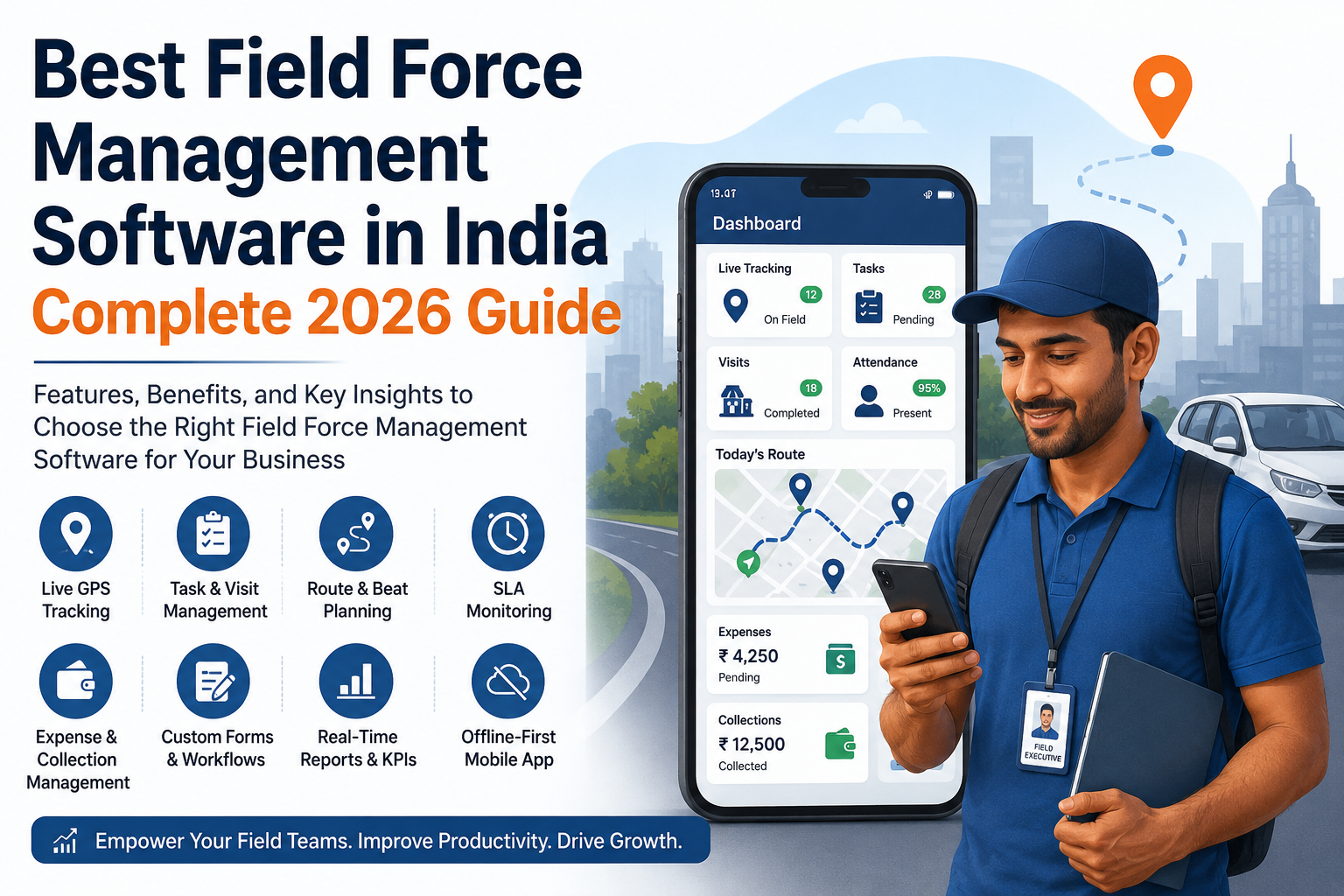
Businesses looking to simplify these processes can use field force management software such as FieldExecutives. It combines GPS tracking with the rest of the field workflow on one platform.
Based on the features described on the FieldExecutives website, this includes:
- Live team map: see field employees’ positions, status and movement in real time, with a GPS breadcrumb trail of where each person went.
- Geofenced attendance: punch-ins are stamped with server time, enforced against geofences and screened for mock-location spoofing.
- Proof of visit: capture photos, signatures and OTPs so managers see proof of presence and proof of work.
- Route and beat planning: AI-assisted route ordering with distance and ETA per stop.
- SLA monitoring: track job timers and escalations.
- Offline-first mobile app: reps can work without network coverage, and data syncs when they reconnect.
- Expenses and collections: track claims and field collections in the same system.
Location features apply to on-duty staff who have granted permission, which supports the responsible-tracking approach described above. Teams in logistics, FMCG distribution, field service and other sectors can also configure forms and workflows to match how they operate.
Conclusion
Field teams create value away from the office, and that’s exactly where visibility is weakest. GPS field workforce tracking gives managers a live view of the team, trustworthy attendance, verified visits and route data they can use to improve.
The practical takeaway is to start with a clear purpose, be transparent with your team, and choose a system that combines location data with proof of work, task management and reporting. That combination turns tracking into real operational visibility.
If you want to see this in practice, explore how FieldExecutives can bring your field team onto one live map.