Sales Call Management: How to Organize and Track Customer Calls
A telecaller finishes a call, says “I will call you back on Thursday,” and moves on to the next number. By Thursday, that promise is buried in a notebook, a WhatsApp chat or someone’s memory. The customer never gets the call, and the lead goes cold.
This is the everyday problem that sales call management solves. Teams that use sales call management software can log every call, schedule every callback and see what each agent is doing, without depending on spreadsheets. This guide explains how to set up a simple, reliable system, whether you use a tool or not.
What Is Sales Call Management?
Sales call management is the process of planning, making, recording and following up on sales calls in an organised way. It covers who calls which lead, what was discussed, what the outcome was, and when the next call will happen. The goal is that no lead is forgotten and every conversation is visible to the team.
In practice, it includes:
- Collecting and assigning leads
- Deciding the calling order
- Recording call outcomes and notes
- Scheduling follow-ups
- Reviewing team performance
Why Sales Call Management Matters
Most sales teams do not lose leads because their product is weak. They lose them because of poor process. A few common examples:
- A lead asks for a callback, but nobody notes the time.
- Two agents call the same customer and repeat the same questions.
- A manager cannot tell how many calls were made or what happened on them.
- An agent leaves, and the lead history leaves with them.
A proper system gives you one shared record of every customer interaction. That makes follow-ups reliable, handovers easy and coaching possible.
Who Needs a Sales Call Management System?
The need grows with the number of leads and agents. It is most useful for:
- Telecalling and telesales teams that make high volumes of outbound calls
- Sales managers who need visibility without asking each agent for updates
- Small businesses and startups moving away from Excel sheets
- Industries with long follow-up cycles, such as real estate, education, insurance and loan sales
- Call centres that need consistent logging and reporting
A single salesperson with 20 leads can manage with a notebook. A team with 500 leads a week cannot.
How to Organize and Track Customer Calls: A 7-Step Process
Here is a practical process you can follow with any tool.
Step 1: Keep All Leads in One Place
Bring leads from every source (ads, website forms, property portals, referrals, Excel files) into a single list. When leads sit in five different places, follow-ups get missed.
Also remove duplicates. Calling the same person twice from different agents creates a poor first impression.
Step 2: Assign Leads Clearly
Every lead should have one owner. You can assign by:
- Agent (round-robin or equal distribution)
- Location or language
- Product or service
- Lead source or lead quality
Clear ownership avoids overlap and makes it easy to ask, “Who is responsible for this lead?”
Step 3: Prioritise Who to Call First
Not every lead deserves the same urgency. A simple order that works for most teams:
- Callbacks due today
- New leads that have not been contacted
- Leads that showed interest earlier
- Older leads that need re-engagement
Calling fresh enquiries quickly is usually better than letting them wait, because the customer’s interest is highest right after they enquire.
Step 4: Record Every Call in a Standard Format
After each call, the agent should log the same basic details:
- Date, time and call duration
- Call outcome (connected, not answered, busy, wrong number, not interested, interested)
- Key points the customer shared
- Next action and next follow-up date
Use fixed outcome options instead of free-text remarks alone. Standard statuses make reports far more accurate.
Step 5: Schedule Follow-Ups Immediately
A follow-up should be set before the agent moves to the next call. Attach a date, a time and a short note about what to discuss.
Good follow-up notes look like this: “Wants a site visit on Saturday. Confirm on Friday afternoon.” Poor notes say only “Call later.”
Step 6: Review Performance Regularly
Managers should look at a small set of numbers daily or weekly:
- Total calls made
- Connected calls versus unanswered calls
- Talk time per agent
- Follow-ups completed versus overdue
- Leads moved to the next stage
These figures show where the process is breaking down. For example, a high number of overdue follow-ups points to a reminder or workload problem, not a lead problem.
Step 7: Listen and Coach
Numbers tell you what happened. Call recordings and notes tell you why. Reviewing a few calls each week helps managers spot weak openings, missed questions or poor objection handling, and coach agents with specific examples.
Spreadsheet vs. CRM: Which Should You Use?
Spreadsheets are a fine starting point. They become difficult as volume grows.
| Factor | Spreadsheet | Telecalling CRM |
|---|---|---|
| Setup cost | Very low | Paid subscription |
| Call logging | Manual entry | Can be automatic |
| Follow-up reminders | Manual | Built-in reminders |
| Lead assignment | Manual | Rule-based options |
| Team visibility | Limited | Real-time dashboards |
| Data safety | Easy to overwrite or lose | Central, role-based access |
| Best for | Very small teams | Growing teams |
If your team is small and the lead count is low, a well-maintained sheet may be enough. Once agents start missing callbacks or managers spend hours collecting updates, it is time to move to a telecaller CRM.
What to Look for in Sales Calling Software
Whichever product you evaluate, check these basics:
- Lead management: import, de-duplication, assignment and tagging
- Call tracking: duration, outcome and notes for each call
- Follow-up scheduling: reminders and overdue alerts
- Reporting: agent-wise and team-wise call reports
- Mobile access: so agents can call and log from their phones
- Access control: so agents only see what they should
- Compliance support: such as Do Not Call list checks
- Ease of use: agents should learn it in a day, not a month
A tool that is too complicated will simply not be used. Simplicity matters more than a long feature list.
Real-World Examples
The following are hypothetical examples to show how the process works.
Real estate (example): A sales team receives enquiries from property portals and Facebook ads. All leads go into one list and are assigned by project. After every call, the agent records the budget, preferred location and site-visit date. The manager sees which site visits are due tomorrow. TeleCallingCRM also has a dedicated real estate CRM page for this use case.
Education (example): A coaching institute gets admission enquiries throughout the year. Counsellors log the course of interest and set follow-ups around exam results and admission deadlines. Unanswered leads are called again at a different time of day. See how this works on the education CRM page.
Insurance (example): An agent sets renewal reminders for policyholders and records objections such as premium concerns. The follow-up note tells the next caller exactly what to discuss. The insurance CRM page covers this in more detail.
Common Mistakes in Sales Call Management
Avoid these frequent errors:
- Logging calls late. Notes written at the end of the day are usually incomplete.
- Vague outcomes. “Talked, will see” tells the next person nothing.
- No fixed follow-up rules. Decide how many attempts you will make and over how many days.
- Too many statuses. Five to eight lead statuses are easier to follow than twenty.
- Ignoring unanswered calls. Many leads answer on the second or third attempt at a different time.
- Tracking only call volume. More calls do not help if outcomes and follow-ups are not tracked.
- Not respecting Do Not Call rules. Indian businesses making promotional calls should check the current TRAI regulations and scrub numbers accordingly.
How TeleCallingCRM Can Help
TeleCallingCRM is a telecalling CRM built for outbound sales teams in India. According to its website, it includes:
- An auto dialer for calling through lead lists
- Lead import, assignment and de-duplication
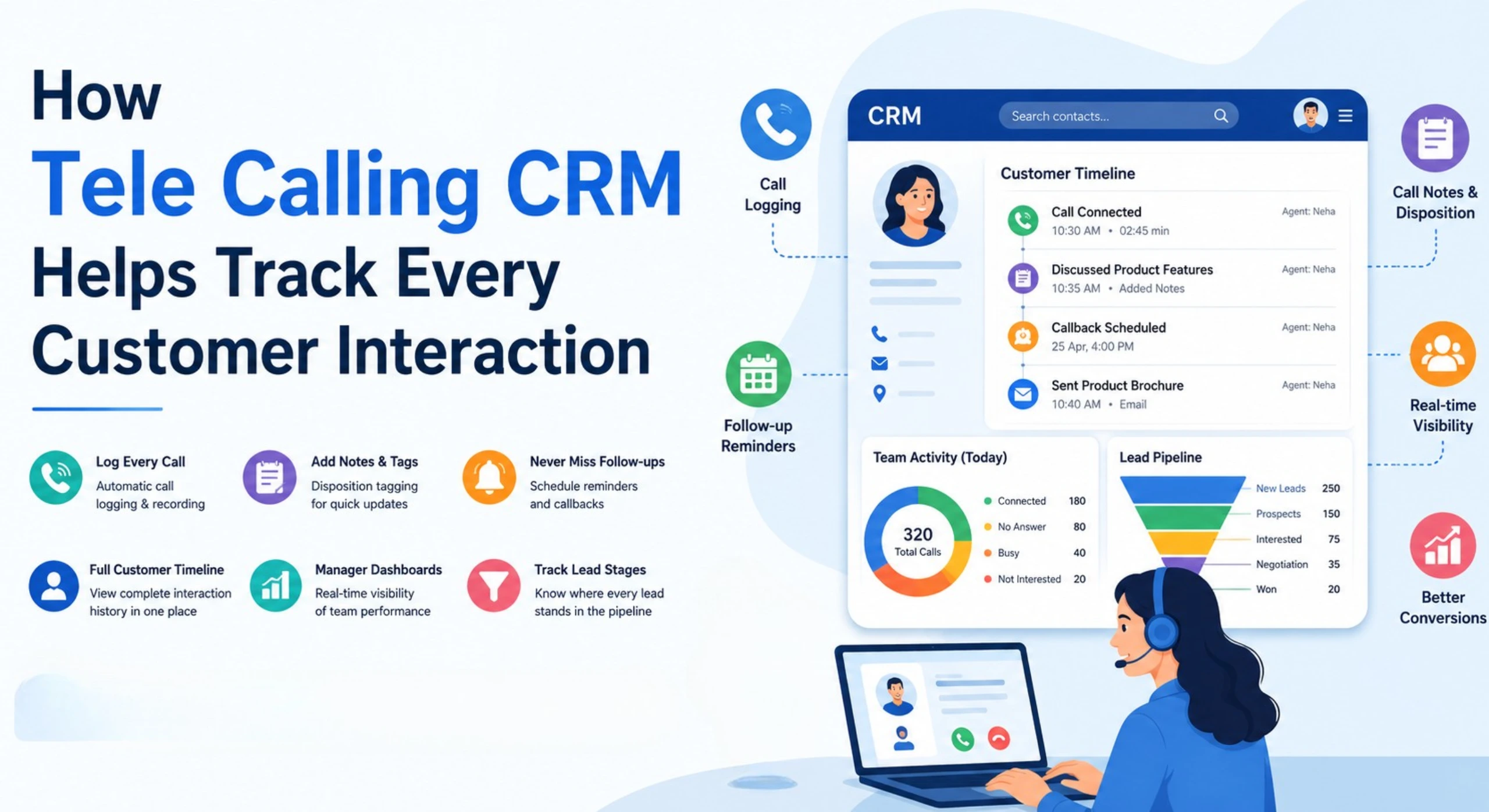
- Call tracking with duration, outcome, recordings and notes
- Follow-up scheduling with reminders and overdue alerts
- Lead integrations with sources such as Facebook and Instagram Lead Ads, Google Ads, 99acres, MagicBricks and Google Sheets
- A sales pipeline with deal values and stages
- A live team monitor and reports for talk time, answer rates and leaderboards
- Android and iOS apps
- AI call analysis, including transcripts, summaries and sentiment
You can see plan details on the pricing page and check that the features match your needs before deciding. The process in this guide will work with any tool, so choose based on your team’s size, workflow and budget.
Frequently Asked Questions
What is sales call management?
Sales call management is the practice of organising leads, planning calls, recording outcomes and scheduling follow-ups so that every customer conversation is tracked. It gives sales teams one shared record of what was discussed and what needs to happen next.
How do you track sales calls effectively?
Log every call with its date, duration, outcome and notes. Use fixed outcome categories, set the next follow-up before ending the call, and review team reports regularly. A CRM can capture much of this automatically, which saves agents time and reduces errors.
What details should be recorded after a sales call?
Record the call time and duration, the outcome, the customer’s main requirements or objections, and the next action with a date. If relevant, also note budget, decision-maker and preferred contact time. Keep notes short and specific.
Can Excel be used for sales call management?
Yes, for small teams with few leads. Excel becomes difficult when several agents update the same file, follow-ups need reminders, or managers need live reports. At that stage, a CRM is usually more reliable.
What is the difference between a CRM and telecalling software?
A general CRM stores customer records and sales activity. Telecalling software focuses on the calling workflow, such as dialing, call logging and follow-ups. Many telecaller CRMs combine both, so calling and lead management sit in one system.
How many follow-up attempts should a sales team make?
There is no universal number. Many teams set a clear rule, such as several attempts over one to two weeks at different times of day, and then move the lead to a nurture list. Test what works for your industry and customer type.
How can managers monitor telecallers without micromanaging?
Use shared dashboards and agreed metrics, such as calls made, connected calls, follow-ups completed and pipeline movement. Review these regularly and use recorded calls for coaching. Clear numbers reduce the need for constant status checks.
Is a CRM necessary for small businesses?
Not always. If your call volume is low and one person handles all leads, a simple sheet may be enough. Consider a CRM once you have multiple agents, missed follow-ups or growing lead sources.
Conclusion
Good sales call management comes down to a few habits: keep leads in one place, assign clear owners, log every call in a standard way, schedule follow-ups immediately and review the numbers each week. These steps work whether you use a notebook, a spreadsheet or software.
When your team outgrows manual tracking, a telecaller CRM can handle the logging, reminders and reporting so agents can spend more time talking to customers. Start with the process first, then choose the tool that fits it.