Best CRM for Lead Conversion and Follow-Ups
Most businesses don’t lose sales because their product is weak. A lead calls in interested, someone adds them to a spreadsheet, and nobody calls back on time. By the time someone remembers, the lead has already called a competitor.
A good lead conversion CRM solves exactly this problem. It keeps every lead visible, reminds your team when to follow up, and shows managers exactly where leads are dropping off in the funnel. If your team is still tracking leads in Excel or relying on memory for callbacks, a proper lead management software can fix most of this within a week.
In this guide, we’ll look at what actually causes lost leads, what to look for in a CRM built for conversion, and how to choose the right one for your team.
What Is a Lead Conversion CRM?
A lead conversion CRM manages leads from the moment they enter your pipeline until they become a paying customer. Unlike a general-purpose CRM, it centres on the two things that decide whether a lead converts: fast first contact and consistent follow-up.
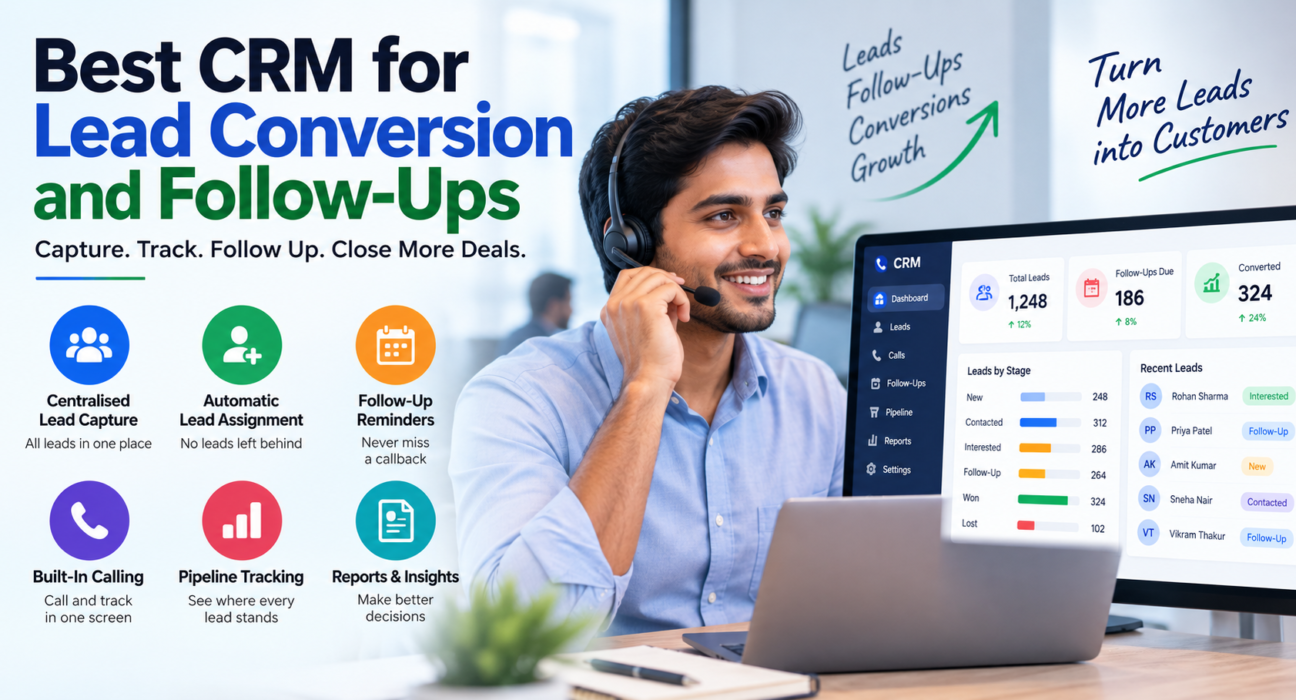
A good lead conversion CRM typically includes:
- A place to capture and store every lead, from every source
- Automatic assignment so leads don’t sit unattended
- Follow-up reminders that don’t depend on a person remembering
- Visibility into where each lead is in the sales process
- Reporting on which leads convert and why
For teams that spend most of their day on the phone — telecalling teams, inside sales, and call centres — this usually takes the shape of a telecaller CRM, where calling and lead tracking happen in the same screen instead of two separate tools.
Why Leads Fail to Convert
Before choosing software, it helps to understand where leads actually get lost. In most sales teams, it isn’t one big failure. It’s a series of small delays that add up.
1. Slow First Response
Research on lead response time repeatedly shows that a delayed first call sharply lowers the odds of qualifying a lead. A lead who enquired ten minutes ago is far more likely to answer and engage than the same lead contacted six hours later, simply because they’re still actively comparing options.
2. No Single Place to Track Leads
When leads live across WhatsApp chats, Excel sheets, and a notebook by the telecaller’s desk, nobody has a full picture. Two agents call the same lead twice, or nobody calls at all.
3. Follow-Ups Depend on Memory
A telecaller handling 50–100 calls a day can’t realistically remember which of last week’s leads asked for a callback “next Tuesday.” Without a system, follow-ups either happen too late or never happen.
4. No Visibility for Managers
If a manager can’t see which leads are pending, which are overdue, and which agent is falling behind, there’s no way to fix the problem before it costs a sale.
5. Leads From Multiple Sources Sit in Different Places
A business running ads on Facebook, listing on property portals, and collecting enquiries through its website often ends up checking several different logins and inboxes, with no single follow-up queue.
What to Look for in a CRM for Lead Conversion
Not every CRM is built for fast-moving, call-heavy sales teams. Here are the features that actually move the needle on conversion.
1. Centralised Lead Capture
Every lead — from a form fill, a phone call, an ad, or a property portal — should land in one pipeline automatically, instead of moving manually between tools. This alone removes the most common reason teams miss leads.
2. Automatic Lead Assignment
The CRM should route leads to an available agent the moment they arrive, using rules like round-robin distribution or language match, rather than leaving them in a queue until someone notices them.
3. Follow-Up Scheduling and Reminders
This is the core of any lead follow-up software. Agents should be able to schedule a callback in one tap, get a reminder before it’s due, and see an overdue list if they miss it. Managers should be able to see how many follow-ups are pending across the whole team.
4. Built-In Calling (for Telecalling Teams)
If your team’s main activity is outbound or inbound calling, a CRM with a built-in dialer removes the need to switch between a phone, a dialler app, and the CRM. This is where telecalling software and CRM functionality work best combined, rather than as separate tools.
5. Lead Scoring and Prioritisation
Not every lead deserves equal attention. A CRM that can flag hot, warm, and cold leads helps agents spend their limited calling hours on the leads most likely to convert.
6. Pipeline and Stage Tracking
Leads should move through clear stages — New, Contacted, Interested, Follow-up, Won, Lost — so both agents and managers know exactly where things stand without asking.
7. Call and Interaction History
Agents should see every call, message, and note tied to a lead in one timeline. This stops an agent from asking a lead the same question a colleague already asked last week.
8. Reporting on Conversion, Not Just Activity
Call counts and dial numbers are easy to measure but don’t tell you what’s converting. Look for reporting on connection rate, follow-up completion, and win rate by agent or lead source.
How These Features Work Together: A Practical Example
Take a real estate business running Facebook ads for a new project. Here’s how a lead conversion CRM setup could work:
- A prospect fills out the ad form and the lead lands directly in the CRM.
- The system auto-assigns it to an available telecaller based on the caller’s language and current workload.
- The telecaller calls within minutes using the CRM’s built-in dialer, logs the outcome, and schedules a follow-up for two days later.
- The CRM reminds the telecaller automatically on the follow-up date, so nothing is left to memory.
- The sales manager checks the pipeline dashboard and sees this lead is now in the “Site Visit Scheduled” stage.
This is a hypothetical example, but it reflects how a properly connected sales calling software setup typically reduces the gap between lead capture and first contact.
The same pattern applies across industries — an education business chasing admission enquiries, an insurance agency following up on policy renewals, or a B2B company qualifying inbound demo requests. The details change; the underlying need for fast response and reliable follow-up does not.
Common Mistakes Businesses Make When Choosing a CRM
Choosing a CRM That’s Too Generic
A general-purpose CRM built for account management may lack telecalling features like an in-built dialer, call logging, or DNC compliance — features that matter for high-volume calling teams.
Skipping Follow-Up Automation
Some CRMs store leads well but leave follow-up scheduling entirely manual. If reminders don’t fire on their own, the core problem — missed follow-ups — remains unsolved.
Ignoring Mobile Access
Field sales teams and agents working outside the office need a mobile app to log calls and check follow-ups on the move. A desktop-only CRM slows this down.
Overlooking Compliance
In India, calling numbers on the Do Not Call (DNC) registry can trigger complaints and penalties. A telecaller CRM should check and enforce DNC lists automatically.
Picking Features Without Checking Pricing at Scale
Some CRMs charge per user, and costs climb quickly as a team grows. Check whether the pricing model still works at your team’s size before committing.
How TeleCalling CRM Supports Lead Conversion and Follow-Ups
TeleCalling CRM targets telecalling and inside sales teams that need calling, lead management, and follow-ups in one place, rather than stitched together from separate tools.
Features Relevant to Lead Conversion
TeleCalling CRM includes:
- A smart auto dialer that rings through assigned leads, so agents spend time talking instead of dialing manually
- Lead management with auto-distribution rules (round-robin, language-match, or fixed agent), so new leads get assigned the moment they arrive
- Follow-up scheduling with automatic reminders, overdue alerts, and smart follow-up creation based on call outcomes
- Lead scoring (hot, warm, cold) to help agents prioritise who to call first
- A sales pipeline with custom stages and deal values, so managers can see where leads are stuck
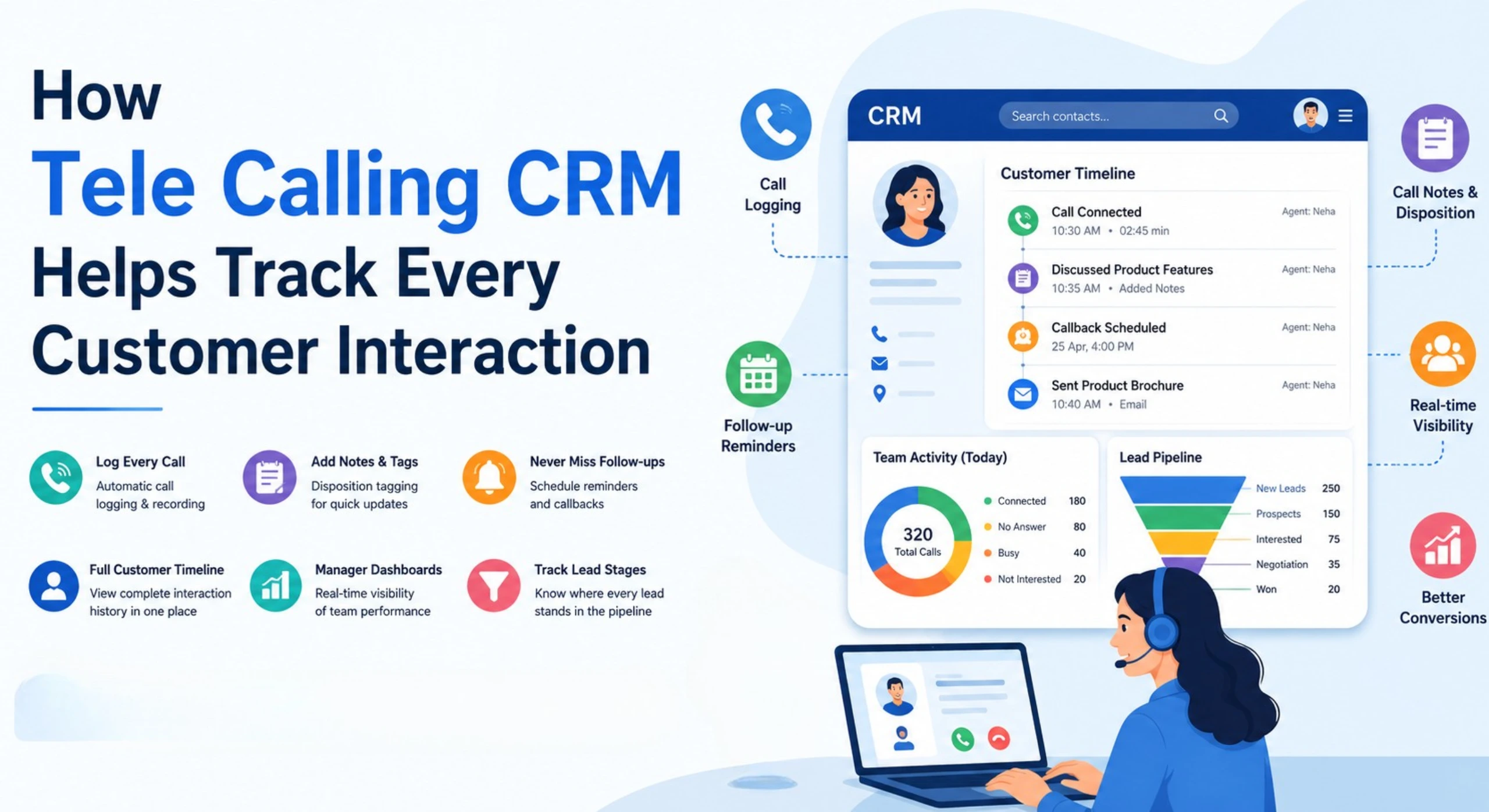
- Call and message history — SMS, email, and WhatsApp — on a single timeline per lead
- 12+ lead-source integrations, including Facebook and Instagram Lead Ads, Google Ads, and property portals like 99acres, Housing, and MagicBricks
- A live war room and real-time analytics dashboard, so managers can track connection rate, pending follow-ups, and team performance without waiting for a report
- DNC list enforcement and calling-hours controls for compliance
- A mobile app for agents working outside the office
Checking Plans and Pricing
Businesses evaluating options for telecaller CRM software can check current plans and included features directly. Every plan includes the full feature set, rather than locking follow-up automation or reporting behind a higher tier.
This isn’t the only way to solve the lead conversion problem, and the right CRM for any business depends on team size, call volume, and existing workflows. The underlying requirement stays the same: leads need centralised capture, quick assignment, and reliable follow-up.
Frequently Asked Questions
What is the best CRM for lead conversion? The best CRM for lead conversion is one that captures leads automatically, assigns them without delay, and reminds agents to follow up on time. For calling-heavy teams, a CRM with a built-in dialer and call tracking, like a telecaller CRM, usually converts better than a generic CRM without calling features.
How does a CRM improve lead conversion rates? A CRM improves conversion by reducing the time between a lead coming in and the first call, and by making sure follow-ups happen on schedule instead of being forgotten. It also gives managers visibility into where leads are getting stuck, so they can fix bottlenecks early.
What features matter most for follow-up management? Automatic follow-up reminders, overdue alerts, and the ability to see all pending follow-ups across the team in one place matter most. Without these, follow-ups depend on individual agents remembering, which doesn’t scale as lead volume grows.
Is a telecalling CRM different from a regular CRM? Yes. A telecalling CRM is built around the calling workflow, often including an auto dialer, call recording, and DNC compliance, in addition to standard lead management. A regular CRM may handle leads and deals well but often lacks these calling-specific features.
Can small businesses use a lead conversion CRM? Yes. Many CRMs, including TeleCalling CRM, offer plans designed for small teams, starting at a flat monthly rate rather than charging per user. This makes it practical for a 5-person team to get the same features as a larger sales floor.
How quickly should a business follow up with a new lead? Faster is generally better. Leads are usually still comparing options right after they enquire, so a quick first call has a better chance of reaching an interested prospect than one made hours later. Automating assignment and dialing helps reduce this delay.
Does CRM pricing usually scale with team size? It depends on the CRM. Many charge per user, which increases costs as a team grows. Others, including TeleCalling CRM, use flat plans that cover a set number of users with every feature included, which can work out cheaper for growing teams.
Conclusion
Lead conversion rarely fails because of one big mistake. It fails through small delays — a slow first call, a follow-up nobody remembered, a lead sitting unassigned for a day. A CRM built for this problem fixes it by making lead capture, assignment, and follow-up automatic instead of dependent on memory.
Whatever CRM a business chooses, the priority should be the same: leads should never sit unattended, and follow-ups should never depend on a sticky note. Teams that want calling, lead tracking, and follow-up reminders in one connected system can see how this works in practice on the TeleCalling CRM features page.