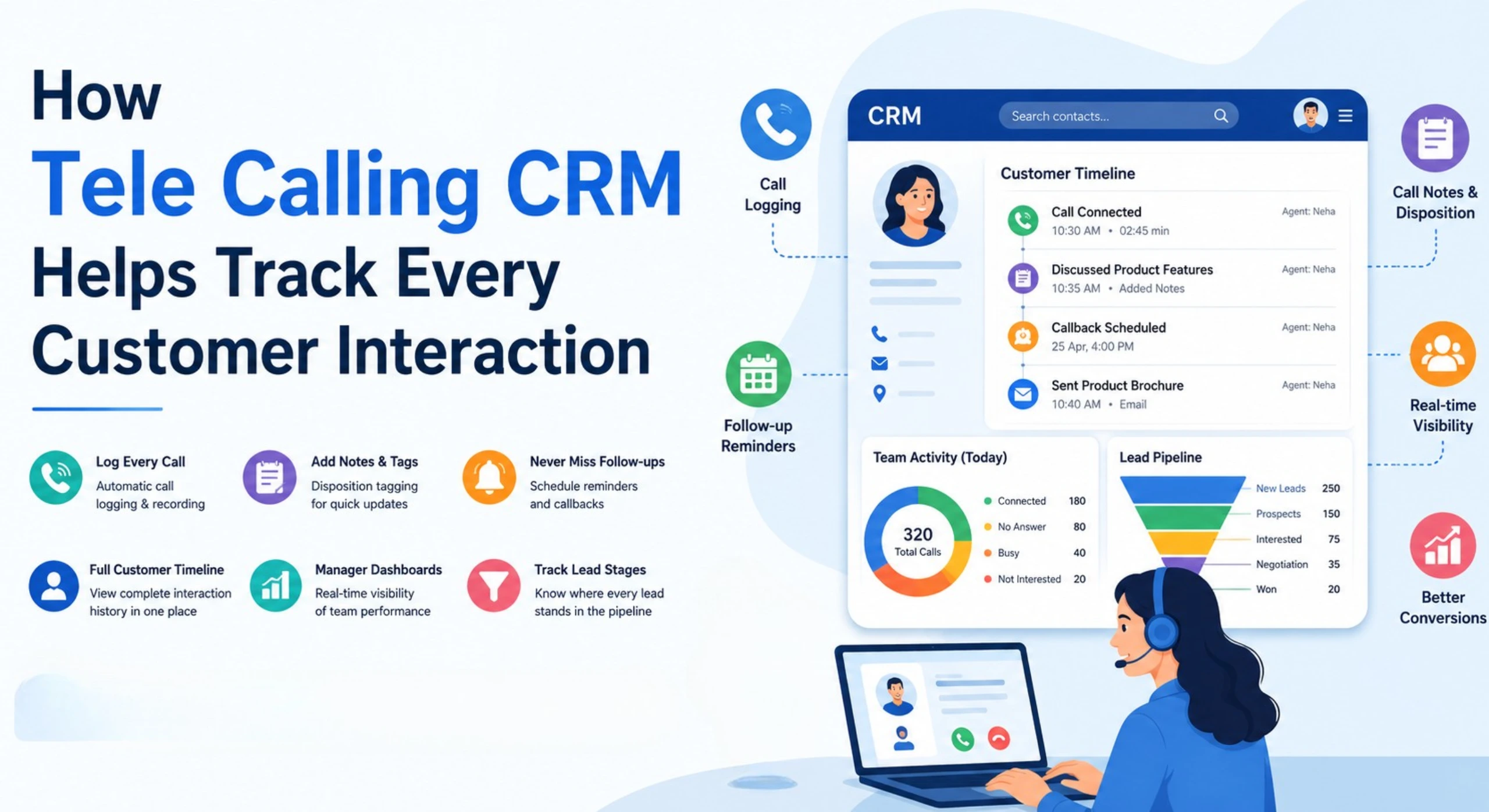
How to Automate Sales Calls and Follow-Ups
Most sales teams don’t lose deals because they can’t sell. They lose deals because a lead didn’t get called on time, a follow-up got forgotten, or an agent spent half the day dialing numbers that didn’t pick up. This is a process problem, not a skill problem — and it’s exactly what sales call automation is built to fix.
If you run a sales team that makes 50, 100, or 500 outbound calls a day, the manual way of doing this — spreadsheets, sticky notes, and memory — breaks down fast. Businesses that want to fix this properly usually start by looking at sales call automation tools that combine dialing, lead tracking, and follow-up reminders in one place instead of juggling separate apps.
This guide explains what sales call automation actually means, how it works, and how to set it up for your team — without turning your sales process into something robotic and impersonal.
What Is Sales Call Automation?
Sales call automation is the use of software to handle the repetitive parts of outbound calling — dialing numbers, logging call outcomes, scheduling follow-ups, and sending reminders — so sales agents spend more time talking to prospects and less time on admin work.
It does not mean replacing human conversation with robocalls. A human agent still speaks to the lead. Automation handles what happens before and after that conversation: who gets called, when, in what order, and what happens next.
Why Manual Calling Doesn’t Scale
Manual outbound calling has a few structural problems that get worse as a team grows.
- Dialing takes time. An agent manually dialing a number, waiting for it to connect, and hanging up on no-answers can lose a significant chunk of the day to dialing alone, not talking.
- Follow-ups get missed. Without a system, follow-ups live in an agent’s memory, a notebook, or a spreadsheet that nobody checks consistently.
- Leads sit unassigned. A lead that comes in from a Facebook ad or a website form at 7 PM might not get called until the next afternoon, by which time the prospect has usually moved on.
- Managers fly blind. Without call logs and reminders in one place, it’s hard to know which agent is handling which lead, or whether a hot lead has gone cold from neglect.
These aren’t small inefficiencies. In outbound sales, response speed and follow-up consistency are often the biggest differences between teams that convert well and teams that don’t.
How Sales Call Automation Actually Works
At a practical level, sales call automation usually combines four things working together.
1. Automated Dialing
An auto dialer works through an assigned list of leads and connects the agent to the next number automatically, instead of the agent dialing each one by hand. This removes idle time between calls and lets agents focus purely on the conversation.
2. Lead Routing and Assignment
Instead of a manager manually deciding who calls which lead, rules can auto-assign leads the moment they arrive — by round robin, by language preference, or to a fixed agent — and only to agents who are actually available at that time.
3. Automated Follow-Up Scheduling
After a call, the system prompts the agent to schedule the next follow-up in one tap. Reminders fire before the callback is due, and overdue follow-ups get flagged so nothing quietly disappears.
4. Call Logging and Reporting
Every call’s duration, outcome, and notes get recorded automatically against the lead, building a call history that any agent or manager can refer back to — without depending on someone’s memory.
Direct Answer: Is Sales Call Automation Right for My Team?
If your team makes outbound calls regularly and struggles with missed follow-ups, slow lead response times, or inconsistent call tracking, sales call automation is worth adopting. It typically helps most for teams of 3 or more agents handling steady lead volume — real estate, education, insurance, recruitment, financial services, and B2B sales teams are common examples.
Setting Up Sales Call Automation: A Step-by-Step Approach
You don’t need to automate everything on day one. A phased approach works better and gives your team time to adjust.
Step 1: Centralise your leads. Bring leads from all your sources — Facebook and Instagram ads, Google Ads, your website, property portals, or spreadsheets — into one system instead of scattered across WhatsApp, Excel, and email.
Step 2: Set up lead assignment rules. Decide how leads should be distributed. Round-robin works well for teams where any agent can handle any lead. Language-based or region-based routing works better for teams with specialised agents.
Step 3: Turn on the auto dialer for outbound lists. Let the system queue up calls in priority order instead of agents choosing numbers manually.
Step 4: Standardise follow-up scheduling. Make it mandatory for agents to log an outcome and set a next follow-up date before moving to the next lead. This single habit change prevents most lead leakage.
Step 5: Review reports weekly. Check connection rates, follow-up completion rates, and call volumes by agent. Adjust assignment rules or calling hours based on what the data shows.
Real-World Example: A Small Sales Team
Consider a hypothetical example: a 10-person insurance sales team receiving 200 leads a day from multiple sources. Without automation, leads sit in a shared spreadsheet, get assigned inconsistently, and follow-ups depend on individual agents remembering to check back.
After introducing sales call automation, incoming leads are auto-assigned the moment they arrive, agents work through their day using an auto dialer instead of manual dialing, and every call outcome triggers a scheduled follow-up automatically. The manager gets a live view of who’s calling, who’s idle, and which leads are overdue for a callback — replacing guesswork with visibility.
This is illustrative, not a documented case study, but it reflects the kind of workflow change most telecalling teams experience when moving from manual to automated calling.
Benefits of Automating Sales Calls and Follow-Ups
| Benefit | What It Means in Practice |
|---|---|
| More calls per day | Agents spend less time dialing and waiting, more time talking |
| Fewer missed follow-ups | Reminders and overdue alerts catch leads before they go cold |
| Faster lead response | New leads get assigned and called within minutes, not hours |
| Better visibility | Managers see call activity and pipeline status in real time |
| Consistent process | Every lead follows the same call-and-follow-up sequence, regardless of which agent handles it |
Common Mistakes When Automating Sales Calls
Even with the right tools, teams run into avoidable problems.
- Automating without cleaning up lead data first. Duplicate or outdated leads waste dialer time. De-duplication should happen before automation, not after.
- Ignoring Do Not Call (DNC) compliance. Automated dialing at scale makes it easy to accidentally call numbers that have opted out. Any automation setup should enforce DNC checks by default.
- Over-automating the human parts. Automating dialing and reminders is useful. Automating the actual sales conversation with generic scripts or bots often backfires — prospects can tell the difference.
- Not reviewing the data. Automation generates call logs and reports, but they’re only useful if someone actually reviews them and adjusts strategy.
- Skipping calling-hours restrictions. Auto dialers should respect legal and courteous calling windows, not just technical capacity.
How TeleCalling CRM Supports Sales Call Automation
TeleCalling CRM brings the pieces described above into a single platform built for Indian sales teams. It includes a smart auto dialer that works through assigned lead lists automatically, rule-based lead assignment that routes new leads to available agents the moment they arrive, and follow-up scheduling with reminders and overdue alerts so callbacks aren’t left to memory.
It also pulls leads in automatically from 12+ sources — including Facebook and Instagram Lead Ads, Google Ads, property portals like 99acres, Housing and MagicBricks, and tools like Google Sheets — with de-duplication and DNC checks applied before a lead reaches an agent. Call outcomes, durations, and notes are logged automatically against each lead, and a live war room view gives managers real-time visibility into talk time, idle time, and follow-up status across the team.
For teams that want deeper insight into each conversation, TeleCalling CRM’s lead management software also includes AI call analysis that transcribes and summarises calls, flags sentiment, and generates coaching notes — without needing a separate QA process.
None of this replaces the sales conversation itself. It removes the manual work around it, so agents spend their time on calls that matter.
Frequently Asked Questions
What does sales call automation actually automate?
It automates dialing, lead assignment, follow-up scheduling, reminders, and call logging. The actual sales conversation is still handled by a human agent.
Will automating my sales calls make them feel robotic?
Not if it’s set up correctly. Automation should remove manual admin work like dialing and note-taking, not replace genuine conversation with scripted bots. Prospects still speak to a real agent.
Is an auto dialer legal in India?
Auto dialers that connect calls to human agents and respect DNC (Do Not Call) registrations and calling-hour restrictions are commonly used by Indian sales teams. Always confirm compliance requirements relevant to your industry, such as TRAI regulations for telecom-related calling.
How is sales call automation different from a regular CRM? A regular CRM stores customer and lead information. Sales call automation specifically focuses on the calling workflow — dialing, call logging, and follow-up reminders — which is why telecalling-focused software often includes CRM features built around the call itself.
Can automation help reduce missed follow-ups?
Yes. Missed follow-ups are one of the most common reasons leads go cold. Automated reminders, overdue alerts, and mandatory follow-up scheduling after each call directly address this.
Do I need a large team to benefit from sales call automation?
No. Even small teams of 3–5 agents benefit, especially if lead volume is steady. The time saved on dialing and the reduction in missed follow-ups scale with call volume, not just team size.
What should I look for in sales calling software?
Look for an auto dialer, automated lead assignment, follow-up scheduling with reminders, call logging, DNC compliance, and reporting — ideally in one platform rather than several disconnected tools.
Conclusion
Sales call automation isn’t about removing people from the sales process — it’s about removing the manual admin work that slows people down. Dialing, lead assignment, and follow-up tracking are exactly the kind of repetitive tasks that software handles reliably, freeing up agents to focus on actual conversations with prospects.
If missed follow-ups, slow lead response, or inconsistent call tracking are recurring problems for your team, it’s worth evaluating telecalling software that brings dialing, lead management, and follow-up automation together, so your process stays consistent no matter how many leads come in.