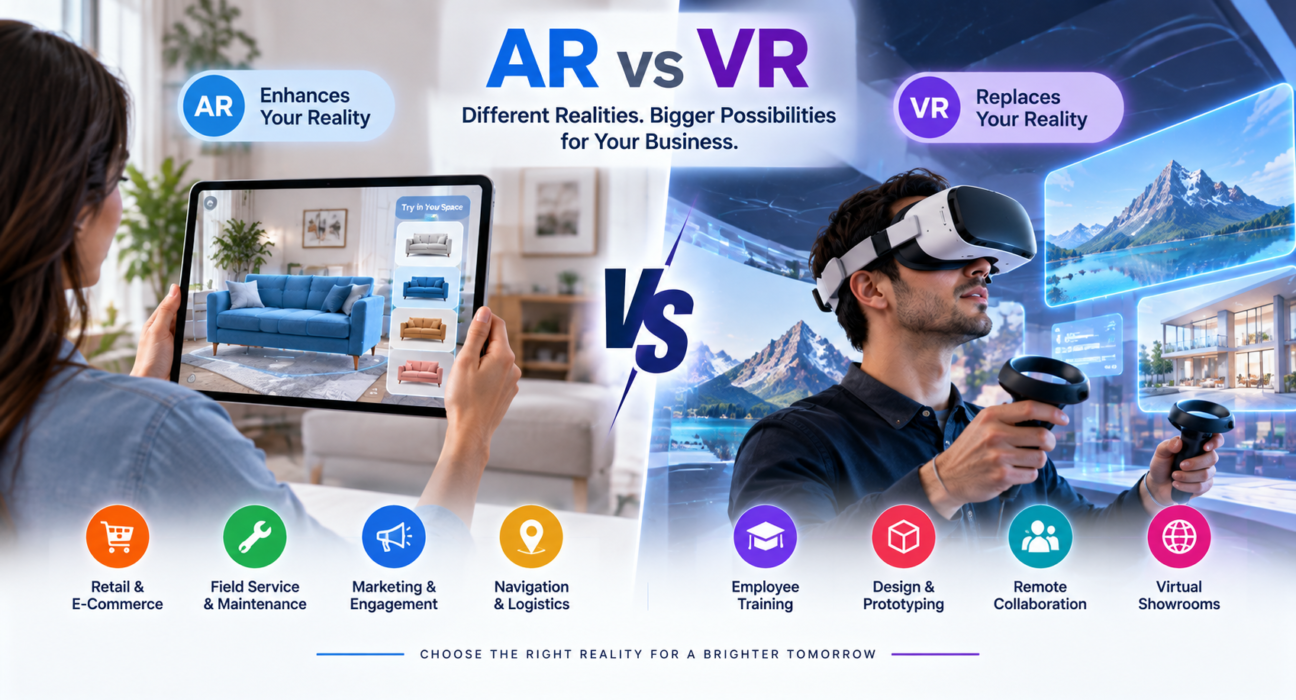
Augmented reality and virtual reality often get lumped together in business conversations, but they solve very different problems. If you’re trying to decide which one deserves your budget this year, the honest answer is: it depends on what you’re building and who you’re building it for.
This guide breaks down the real differences between AR vs VR, shows where each technology performs best in a business context, and gives you a practical framework for choosing between them – without the marketing fluff.
AR vs VR: The Quick Answer
Augmented reality (AR) overlays digital content onto the real world, usually through a smartphone camera, tablet, or smart glasses. The user still sees and interacts with their physical environment – the technology just adds information, graphics, or interactive elements on top of it.
Virtual reality (VR) replaces the real world entirely with a fully digital, immersive environment, typically experienced through a headset. The user is cut off from their physical surroundings and placed inside a simulated space.
In short: AR enhances reality, VR replaces it. That single distinction drives almost every decision about which technology fits a given business use case.
How AR and VR Actually Work
Augmented Reality
AR uses a device’s camera, sensors, and software to detect the physical environment and layer digital objects into it in real time. Common delivery methods include:
- Smartphone and tablet apps (using the camera)
- Smart glasses (like enterprise AR headsets used in manufacturing or logistics)
- Heads-up displays in vehicles or industrial equipment
Because most AR experiences run through a phone or tablet, they require no special hardware for the end user – which is a major factor in adoption cost.
Virtual Reality
VR relies on a headset (standalone or tethered to a PC/console) with built-in displays, motion tracking, and often handheld controllers. The headset blocks out the physical world and renders a 3D environment the user can look around, move through, and interact with.
VR adoption depends heavily on hardware availability. Employees or customers generally need a dedicated headset, which affects both cost and scalability.
AR vs VR: Side-by-Side Comparison
| Factor | Augmented Reality (AR) | Virtual Reality (VR) |
|---|---|---|
| Environment | Real world + digital overlay | Fully digital, simulated world |
| Hardware | Smartphone, tablet, smart glasses | VR headset (standalone or PC-tethered) |
| User awareness of surroundings | Full awareness maintained | Surroundings blocked out |
| Typical hardware cost | Low (uses existing devices) | Higher (dedicated headset required) |
| Best for | Real-world guidance, visualization, on-site tasks | Simulation, training, immersive experiences |
| Adoption barrier | Low | Moderate to high |
| Common business use | Retail try-before-you-buy, field service support | Employee training, virtual showrooms, design review |
Business Use Cases: Where AR Wins
AR tends to perform best when the goal is to enhance a real-world task or decision without removing the user from their environment.
Retail and e-commerce. AR lets customers visualize products in their own space before buying – furniture in a living room, makeup on a face, glasses on a face shape. This directly reduces return rates and purchase hesitation, since the customer sees the product in context.
Field service and maintenance. Technicians using AR smart glasses can see repair instructions, diagrams, or remote expert annotations overlaid directly onto the equipment they’re working on, without needing to look away at a manual or tablet.
Marketing and customer engagement. AR filters, packaging-triggered experiences, and interactive print campaigns give brands a way to create memorable, shareable experiences with very low hardware friction, since most customers already own a smartphone.
Wayfinding and logistics. Warehouses and large facilities use AR overlays to guide staff to inventory locations or optimal routes, improving speed and reducing training time.
Business Use Cases: Where VR Wins
VR tends to perform best when the goal is full immersion, simulation, or an experience that would be expensive, dangerous, or impractical to recreate physically.
Employee training and onboarding. VR is widely used to simulate high-risk or high-cost scenarios – equipment operation, emergency response, customer service role-play – allowing employees to practice repeatedly without real-world consequences.
Virtual showrooms and product design. Architecture, automotive, and industrial design teams use VR to walk through full-scale digital models before anything physical is built, catching design issues earlier and reducing costly revisions.
Remote collaboration. VR meeting spaces let distributed teams interact in a shared 3D environment, which can be more engaging than a standard video call for design reviews or spatial planning discussions.
Immersive customer experiences. Real estate virtual tours, travel previews, and entertainment experiences use VR to let customers “experience” something before committing, which can shorten sales cycles for high-consideration purchases.
How to Choose Between AR and VR for Your Business
Ask these four questions before committing to either technology.
1. Does the task require awareness of the physical environment?
If your users need to keep working in the real world – on a factory floor, in a store, at a job site – AR is almost always the better fit. VR’s immersion is a disadvantage in any scenario where the user needs to stay physically engaged with their surroundings.
2. What’s your realistic hardware budget and rollout timeline?
AR generally has a lower barrier to entry because it runs on devices your customers or employees already own. VR requires headsets, which means procurement, device management, and a higher upfront cost – worth it for the right use case, but not something to underestimate.
3. Is the goal enhancement or simulation?
If you’re trying to improve an existing real-world process (shopping, servicing equipment, navigating a space), lean AR. If you’re trying to recreate an environment or scenario that doesn’t exist yet, or is costly/dangerous to do in person, lean VR.
4. How will you measure success?
Define your KPI before development starts. AR projects are often measured by conversion rate, return rate reduction, or task completion speed. VR projects are more commonly measured by training retention, error reduction, or sales cycle length for high-consideration products. Knowing this upfront shapes both the technology choice and how the experience should be built.
A Note on Mixed Reality and Hybrid Approaches
Some businesses don’t need a strict either/or decision. Mixed reality (MR) blends elements of both – digital objects that interact with the physical world more convincingly than typical AR, often through advanced headsets. It’s a smaller category, generally more expensive, and best suited to specialized industrial, medical, or design applications rather than mainstream consumer use. If your use case seems to need both immersion and real-world interaction, it’s worth discussing MR specifically with a development partner rather than defaulting to AR or VR alone.
Choosing a Development Partner for AR or VR Projects
AR and VR development requires a specific skill set – 3D modeling, spatial computing, real-time rendering, and platform-specific SDKs (like ARKit, ARCore, or major VR headset frameworks). Not every software development company has hands-on experience in this space, so it’s worth vetting a potential partner specifically for AR/VR project history, not just general mobile or web development experience.
When evaluating potential partners, look for:
- Prior AR or VR projects in your industry
- Experience with the specific hardware or platform you’re targeting
- A clear process for prototyping before full-scale development
- Transparent discussion of hardware and scalability limitations
Businesses researching AR and VR development companies can use GoFirms to compare technology and software development providers, review their focus areas, and narrow down partners with relevant experience before reaching out for proposals.
Frequently Asked Questions
What is the main difference between AR and VR? AR overlays digital content onto the real world while keeping the user aware of their physical surroundings, usually through a phone or smart glasses. VR fully replaces the real world with a simulated digital environment, typically through a headset that blocks outside surroundings.
Which is cheaper to implement, AR or VR? AR is generally cheaper to implement for a broad audience because it runs on devices people already own, like smartphones. VR usually requires dedicated headsets, which adds hardware, procurement, and device management costs on top of development.
Can a business use both AR and VR? Yes. Many businesses use AR for customer-facing, real-world tasks like product visualization, and VR for internal use cases like training or design review. The two aren’t mutually exclusive and often serve different departments or goals within the same company.
Is AR or VR better for employee training? VR is generally better for training scenarios that involve simulation, risk, or environments that are expensive to recreate physically, such as equipment operation or emergency response. AR works well for step-by-step, real-world task guidance where employees still need to see their actual workspace.
Do customers need special hardware to use AR? Usually not. Most consumer AR experiences run through a smartphone or tablet camera, so customers can use devices they already own. VR experiences almost always require a headset, which limits accessibility compared to AR.
How long does it take to build an AR or VR application? Timelines vary significantly based on complexity, platform, and features, and depend on the specific scope defined with a development partner. Simple AR features can take a few weeks, while complex VR simulations or enterprise applications can take several months. It’s best to get a project-specific estimate from a development team.
What industries benefit most from AR and VR? Retail, real estate, manufacturing, healthcare, automotive, architecture, and logistics are among the industries seeing the most practical adoption. AR tends to dominate in retail and field service, while VR is more common in training, design, and immersive sales experiences.
Conclusion
The AR vs VR decision isn’t about which technology is “better” – it’s about which one matches your goal. If you need to enhance a real-world task without removing users from their environment, AR is the practical choice. If you need to simulate an experience, train for high-risk scenarios, or let people explore a space that doesn’t physically exist yet, VR is worth the investment.
Whichever direction fits your business, the technical execution matters as much as the concept. Take time to define your use case and KPIs clearly, then look for a development partner with real AR or VR project experience – not just general app development background. Platforms like GoFirms can help you research and compare software development companies with relevant AR/VR expertise as you narrow down the right fit for your project.