How to Track Sales Pipeline Progress During Field Visits
A rep walks out of a customer’s shop and says, “It went well. They’re interested.” Back at the office, you have no idea what that means. Is the deal moving to the next stage? Did anyone actually discuss pricing? When is the next visit?
This is the gap that field sales pipeline management software is built to close. It connects what happens on a visit (who was met, what was discussed, what comes next) to the pipeline you review every week. In this guide, you’ll learn how to track pipeline progress during field visits, what to capture, and what to look for in a tool.
What Is Field Sales Pipeline Management?
Field sales pipeline management is the practice of tracking every deal handled by an outside sales team, from first visit to closure, using visit-level data instead of memory or end-of-day messages.
A normal pipeline tracks leads moving through stages. The field version adds a layer: each visit becomes a data point. You know where the rep was, when they got there, what they did, and what changed in the deal as a result.
That matters because in field sales, the visit is where the pipeline actually moves. If visits aren’t recorded properly, the pipeline is only a guess.
Why Pipeline Tracking Breaks Down in the Field
Most pipeline problems in field teams aren’t about effort. They come from how information travels back to the office.
- Updates arrive late. Reps note things down in the evening, if at all. Details get fuzzy by then.
- Updates arrive in different formats. One rep sends a WhatsApp message, another fills a spreadsheet, a third calls the manager.
- Stages mean different things to different people. One rep’s “negotiation” is another rep’s “interested.”
- Visits can’t be verified. Without location and proof, you can’t tell a real meeting from a quick drive-by.
- Follow-ups slip. A promise to send a quotation by Thursday lives in someone’s head.
The result is a pipeline that looks tidy on a dashboard but doesn’t match reality. Forecasts miss, and managers spend review meetings asking basic questions.
How to Track Sales Pipeline Progress During Field Visits
Here is a simple process any field sales team can follow. You don’t need to do everything at once. Start with steps one and two and build from there.
- Define your pipeline stages in plain language.
- Attach a clear outcome to every visit.
- Verify that the visit actually happened.
- Capture the next step before the rep leaves.
- Review pipeline movement daily, not monthly.
- Coach using the data.
1. Define Your Pipeline Stages in Plain Language
Agree on stages that everyone reads the same way. Keep them few, and describe each one by what has happened, not by how the rep feels.
| Stage | What it means | Evidence from the visit |
|---|---|---|
| New lead | Contact identified, no meeting yet | Lead details added |
| Visited | First meeting completed | Check-in, visit notes |
| Requirement confirmed | Customer’s need is clear | Filled requirement form |
| Quote shared | Pricing sent | Quote reference, date |
| Negotiation | Terms being discussed | Notes, decision-maker name |
| Won / Lost | Final outcome | Order details or loss reason |
The “evidence” column is the useful part. If a deal moves to “Requirement confirmed,” there should be something recorded that shows it.
2. Attach a Clear Outcome to Every Visit
Every visit should end with a short, structured update. Free-text notes are fine as a bonus, but the core should be a few quick fields:
- Who was met (and whether they’re the decision-maker)
- Visit outcome (moved forward, no change, lost, needs follow-up)
- Deal stage after the visit
- Expected value or order quantity, if relevant
- Competitor mentioned, if any
- Reason for any delay or loss
Keep the form short. If it takes more than a minute or two on a phone, reps will skip it or rush through it.
3. Verify That the Visit Actually Happened
A pipeline built on unverified visits is risky. Location-stamped check-ins, geofencing and proof capture (such as a photo, signature or OTP) give you confidence that a meeting really took place at the customer’s location.
This isn’t about distrust. It protects honest reps too, because their effort is on record, and it keeps your pipeline data clean enough to rely on.
4. Capture the Next Step Before the Rep Leaves
The most useful field in any visit report is the next action and its date. “Send revised quote by Friday” is a task. “Follow up soon” is not.
Good practice is to make the next step a required part of closing the visit, and to turn it into a task with a due date. That way, nothing depends on someone’s memory.
5. Review Pipeline Movement Daily, Not Monthly
A monthly review tells you what already went wrong. A short daily look at the pipeline tells you what to fix today.
Useful questions for a daily check:
- Which deals moved forward yesterday?
- Which high-value deals haven’t had a visit in two weeks?
- Which visits ended with “no change,” and why?
- Which follow-ups are overdue?
6. Coach Using the Data
Once visit outcomes are recorded consistently, patterns appear. One rep may visit often but rarely move deals past the first stage. Another may do fewer visits but close more. That’s coaching material, and you can only see it if the data exists.
What to Look for in Field Sales Pipeline Management Software
If you’re comparing tools, focus on how well they handle the field reality: patchy networks, busy reps and managers who need answers quickly. Here’s a practical checklist.
Visit check-in with location verification. The tool should confirm where the rep was, not just accept a typed update.
Custom forms. Every business tracks different things. A pharma rep records doctor details; an FMCG rep records orders and shelf data. You should be able to build forms around your own pipeline.
Offline capability. Reps often work in areas with weak signal. Data should save on the phone and sync when the network returns.
Task and follow-up management. The next step needs a due date, an owner and a reminder.
Real-time reporting. Managers should see visit activity and outcomes without chasing people for updates.
Route and beat planning. Planning the day around the highest-value visits improves the pipeline directly.
Integrations. If you already use a CRM or ERP, the field tool should be able to exchange data with it instead of creating a second set of records.
Simple pricing. Check whether cost scales per user and whether every feature is available on every plan.
How a Field Force Platform Helps Track Pipeline Progress
Businesses looking to simplify these processes can use field force management software such as FieldExecutives. It is built for teams that work outside the office, and several of its capabilities map directly to the steps above.
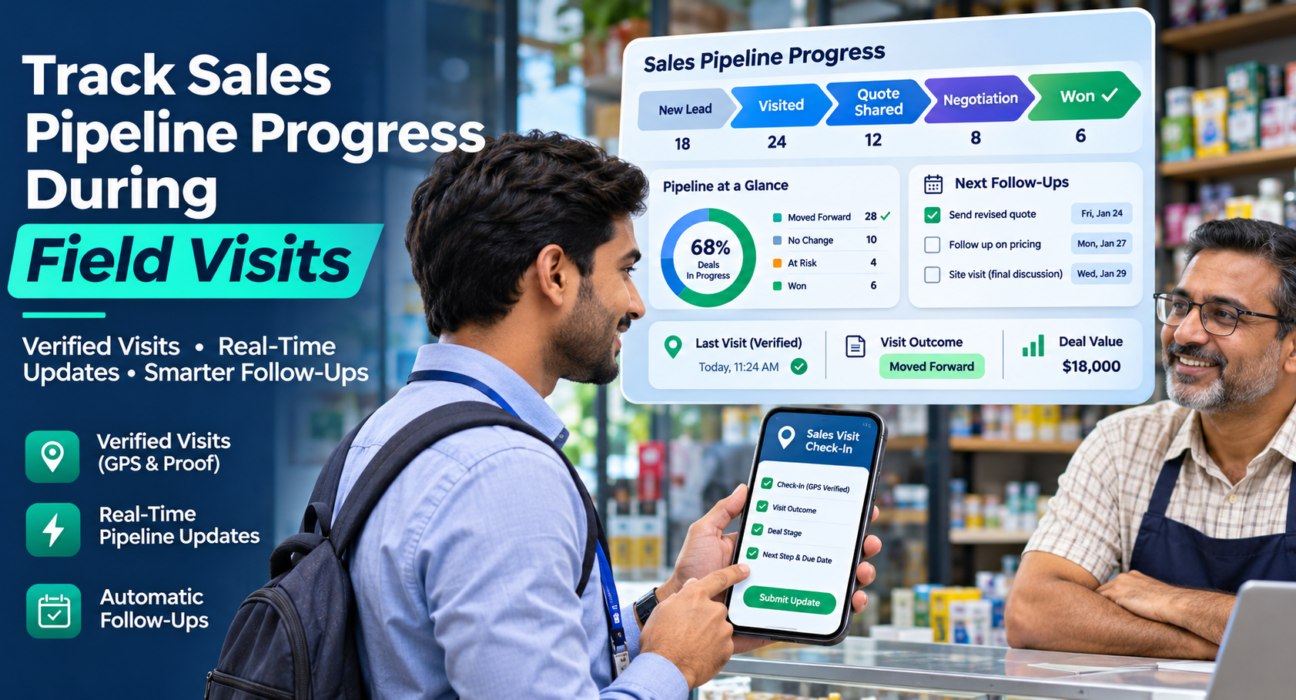
- Verified visits. Geofenced attendance and check-ins, plus proof capture through photos, signatures and OTP, show that a visit happened.
- Custom forms and workflows. You can build visit forms and workflows around your own stages and fields, without writing code. For example, a “visit outcome” form can capture the deal stage, order value and next step in one place.
- Tasks with SLAs. Follow-ups can be assigned as tasks with deadlines and tracked until they’re done.
- Live visibility. Managers see team location, visit status and outcomes in real time, which removes the end-of-day status chase.
- Route and beat planning. AI-assisted route planning helps reps spend more of the day with customers and less on the road.
- Offline-first mobile app. Reps can log visits without a network and sync later.
- Reports and KPIs. Visit activity and team performance appear in dashboards and reports, which supports daily reviews and coaching.
- Integrations. FieldExecutives connects with CRM, ERP, accounting and HR systems through APIs, so field data doesn’t have to live in isolation.
If your pipeline already lives in a CRM, the practical approach is to use the field platform for verified visit data and outcomes, then sync stage updates with your CRM. If you don’t have a CRM, you can start by capturing stage and outcome through custom visit forms. Either way, confirm the exact setup you need during a demo.
A Simple Example
Take a regional distributor with eight field reps visiting retailers.
Before: reps send WhatsApp messages each evening. The manager reads thirty messages, copies a few things into a spreadsheet and guesses which retailers might place a big order.
After: each visit ends with a short form. The rep marks the stage, adds the expected order size and sets a follow-up date. The manager opens one dashboard in the morning, sees which retailers moved forward, which visits ended without progress and which follow-ups are due today.
Nothing about the sales work changed. What changed is that the information now arrives complete, on time and in the same format.
Common Mistakes to Avoid
- Too many stages. Five or six is usually enough. More than that and reps guess.
- Long forms. Long forms get rushed or skipped. Keep the required fields minimal.
- Tracking visits without outcomes. Visit counts alone don’t tell you whether deals are moving.
- No follow-up discipline. A pipeline update without a next step is just a diary entry.
- Using data only for policing. If reps feel the system exists to catch them out, data quality drops. Use it to coach and to remove admin work.
Conclusion
Tracking sales pipeline progress during field visits comes down to a few habits: shared stage definitions, a structured outcome after every visit, proof that the visit happened, and a clear next step. Doing this with spreadsheets and chat messages is possible, but it rarely holds up as the team grows.
That’s where field sales pipeline management software earns its place. It gives you verified visits, consistent updates and live visibility, so your pipeline reflects what is really happening on the ground.