Running a small shop in India means juggling a lot: GST bills, stock that never seems to match the shelf, power cuts, patchy internet, and staff who need to be trusted with the cash drawer. A notebook and a calculator can only take you so far.
The right POS software brings billing, stock, and reports into one place, so you spend less time counting and more time selling. Here is what to look for, and why many small shops are moving to AvenuePOS.
What is POS software?
POS (point of sale) software is the system at your counter. It scans or searches items, makes the bill, takes payment, prints the receipt and records the sale. Modern POS software also works as your billing software and your inventory management software, all in one tool.
6 things to check before you choose
1. It should keep billing when the internet is down
A billing counter that freezes during a power cut or network drop costs you customers. Choose POS software with offline mode, so you can bill, hold bills, take returns and close the shift without internet, and have everything sync automatically when the connection returns.
2. GST billing should be built in
Your billing software should handle tax properly: prices with or without tax, a rate for each item, and a clear breakup on the invoice. For India, that means GST split into CGST and SGST (or IGST for another state), plus a tax invoice or bill of supply.
3. Billing and inventory should be one system
If stock doesn’t update after every sale, you end up maintaining two records. Good inventory management software reduces stock automatically on every sale, adds it back on returns, records supplier deliveries and warns you before items run out.
4. Barcode and printer support
Scanning is faster and more accurate than typing. Look for support for standard USB or Bluetooth barcode scanners, weighing-scale labels for loose goods, thermal receipt printers (58 mm and 80 mm) and a cash drawer that opens on its own.
5. Staff controls
Cashier mistakes and “just this once” discounts quietly eat into profit. Choose software with staff PINs, discount limits, a manager approval for anything above the limit, and an activity log that shows who did what and when.
6. Price that suits a small shop
You shouldn’t need a big budget to bill properly. Look for a free trial, no long contract, and pricing that grows only when you add more stores, counters or people.
Why AvenuePOS works well for small shops
AvenuePOS is POS billing software built for retail counters. It covers each point above:
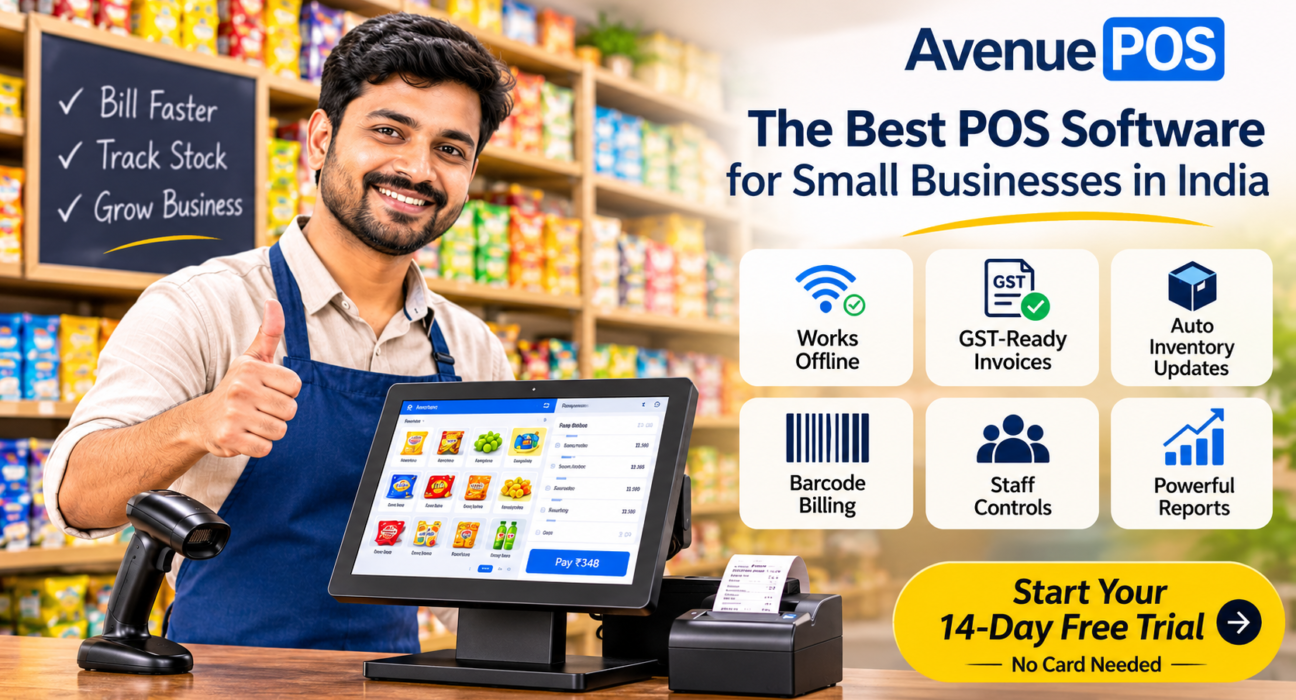
- Works offline. Bill, hold, return and close the shift with no internet. Data syncs in order when you’re back online, and nothing is sent twice.
- GST-ready invoices. Item-wise tax rates, CGST/SGST/IGST breakup, tax invoices and bills of supply.
- Billing and inventory together. Stock updates after every sale, with low-stock alerts, supplier deliveries and a view of your best sellers.
- Barcode billing. Works with common scanners, weighing-scale labels and thermal printers. You can also make your own barcodes and print shelf labels.
- Easy payments and receipts. Cash, cards, wallets and QR payments, including split payments on one bill. Share receipts on WhatsApp or email, or print a full A4 invoice for business buyers.
- Staff controls. Every person signs in with a PIN, cashiers get discount limits and every action is logged.
- Reports that show profit. See sales, profit, best sellers, tax and cash by shift, and download any report to Excel.
- Check your shop from anywhere. It runs in the browser on a laptop, tablet or phone, so you can see how the day is going without standing at the counter.
- Easy to start. Import your product list from Excel, set up in about ten minutes and use the computer you already have.
It is built for many kinds of shops, including grocery and general stores, supermarkets, pharmacies, stationery and book shops, hardware stores, clothing and footwear stores, electronics and mobile shops, bakeries and wholesale shops. Shops in Pune, Hyderabad, Jaipur, Bengaluru and Kochi already use it for daily billing.
Starting with one shop, growing to many
AvenuePOS plans start at ₹499 a month in India, and every plan includes billing, offline mode, tax invoices and reports. You pay more only when you need more stores, counters or team members. If you open a second or third outlet, you can see all your stores together, with stock tracked separately for each one.
Quick comparison: notebook vs. old software vs. a modern POS
| Notebook | Old desktop billing software | AvenuePOS | |
|---|---|---|---|
| Bills offline | Yes | Sometimes | Yes |
| Stock updates after each sale | No | Yes | Yes |
| Shows today’s profit | No | With effort | Yes |
| Staff PINs and discount limits | No | Sometimes | Yes |
| Check the shop from your phone | No | No | Yes |
How to switch in a day
- Start the free trial and add your shop details.
- Upload your products from Excel and fix any rows the preview flags.
- Connect your barcode scanner and receipt printer, if you have them.
- Add your team with their own PINs and discount limits.
- Ring up your first sale.
Final thoughts
The best POS software for a small business in India is the one your team will actually use every day: fast at the counter, accurate with GST, honest about stock and reliable when the internet isn’t. AvenuePOS brings billing software and inventory management software together at a price small shops can afford.
Ready to try it? Start your 14-day free trial. No card needed.